
One of the most popular free hex editors. #Hex editor #Edit hex #Data inspector #Hex #Script #Editor
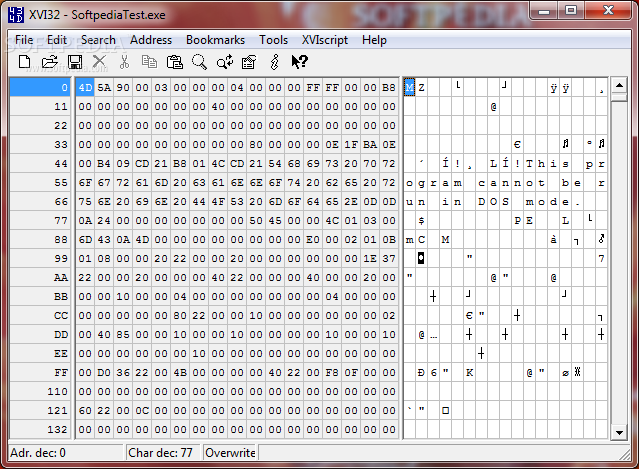
Hex editing can be accomplished via a number of advanced text tools, which allow you to alter and manipulate the binary data that forms and defines the files on your computer. With the assistance of a hex editor, you will be able to view, inspect and modify the raw contents of any type of file in hexadecimal format.
If you’re ever in need for such a utility, XVI32 fits the job perfectly, because it can deal with very large files, has a built-in data inspector and an efficient script interpreter for automating tasks. It’s completely portable, so you will be able to store it on a removable drive and run it from there, without affecting in any way your system’s registry.
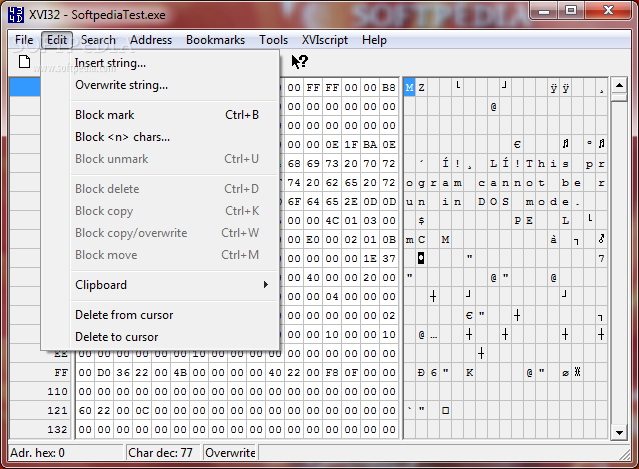
Its looks are best described as simple and learning how to use it is not a complicated process either. Aided by the menus it comes with, you can rest assured that understanding its ins and outs is purely a matter of time. As soon as you load the file you wish to manipulate, you can start performing operations on the binary data using the ‘Edit menu’. The possibilities provided here are to insert or overwrite strings, as well as to block characters, to paste text from the clipboard or to delete data.
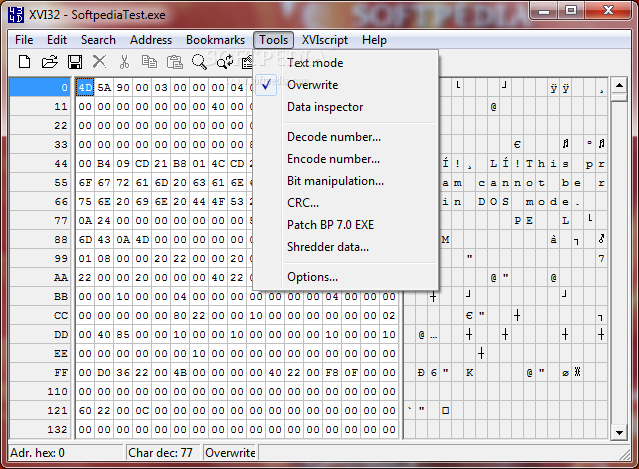
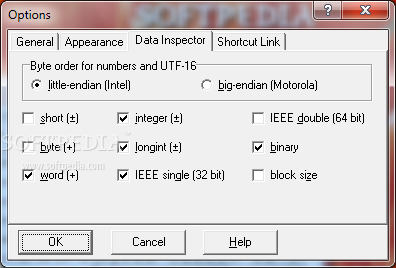
The dialogue that allows you to insert strings makes it possible to use plain text or the hex form. You can easily convert from one format to another using the built-in text to hex converter that will save you time and ease your work. Other incorporated utilities include a data inspector, a number encoder/decoder, bit manipulation, a CRC tool, a data shredder and a script interpreter, which will assist you in creating, editing and executing scripts.
XVI32 provides an exciting insight to the exact contents of any file on your computer. It can help you perform editing operations at a binary level and discover the secrets behind simple images or text files.
Download Hubs
XVI32 is part of these download collections: HEX Editor
What's new in XVI32 2.55:
- When pasting hex strings from the clipboard, separation of hex chars with spaces is no longer mandatory, e.g. both 0D 0A as well as 0D0A is now valid. This refers to dialogs (search, replace and so on) and the menu item Edit | Clipboard | Paste from hex string. Note: the formats can't be mixed (e.g. 0D 0A00FF is not allowed, the format must be either 0D 0A 00 FF, either 0D0A00FF).
- Shortcuts for menu items File | Close (Ctrl+F4), File | Save As (F12), Address | Remember Address (Ctrl+Alt+R), Address | Goto Remembered (Ctrl+Alt+G), Tools | Options (Ctrl+Alt+O).
- Bugfix: Backspace now works within an hex input field when the whole hex string is selected.
- Bugfix: Invoking CHM help file now works when starting XVI32 outside its own directory.
XVI32 2.55
add to watchlist add to download basket send us an update REPORT- runs on:
- Windows All
- file size:
- 557 KB
- filename:
- xvi32.zip



- main category:
- Programming
- developer:
- visit homepage
Bitdefender Antivirus Free

Context Menu Manager

Microsoft Teams

Windows Sandbox Launcher

7-Zip

IrfanView

4k Video Downloader

ShareX

calibre

Zoom Client

- ShareX
- calibre
- Zoom Client
- Bitdefender Antivirus Free
- Context Menu Manager
- Microsoft Teams
- Windows Sandbox Launcher
- 7-Zip
- IrfanView
- 4k Video Downloader