Softpedia
 

WINDOWS CATEGORIES:


GLOBAL PAGES >>
SOFTPEDIA REVIEWS >>
MEET THE EDITORS >>

WEEK'S BEST

  • DAEMON Tools Pro (...
  • FlashFXP [ DISCOUN...
  • PowerISO 5.0
  • WebcamMax [DISCOUN...
  • Zemana AntiLogger ...
  • System Mechanic Pr...
  • Glary Utilities Pr...
  • All My Movies 6.9 ...
  • Ad-Aware Internet ...
  • Atlantis Word Proc...
  • Home > Windows > Programming > File Editors
     Report malware

    e!Sankey Pro 3.0.1.51

    download button

    Downloads: 2,527  Tell us about an update
    User Rating:
    Rated by:
    Good (3.4/5)
    29 user(s)
    Developer:

    License / Price:

    Size / OS:

    Last Updated:

    Category:

    Trial / USD 149.00 buy button
    31.3 MB / Windows 2K / XP / Vista / Vista64 / 7 / 7 x64
    [view history]
    C: \ Programming \ File Editors

     Read user reviews (0)  Send to friend   Follow (0 users)

    e!Sankey Pro description

    A software tool to visualize material, energy or cost flows with Sankey diagrams

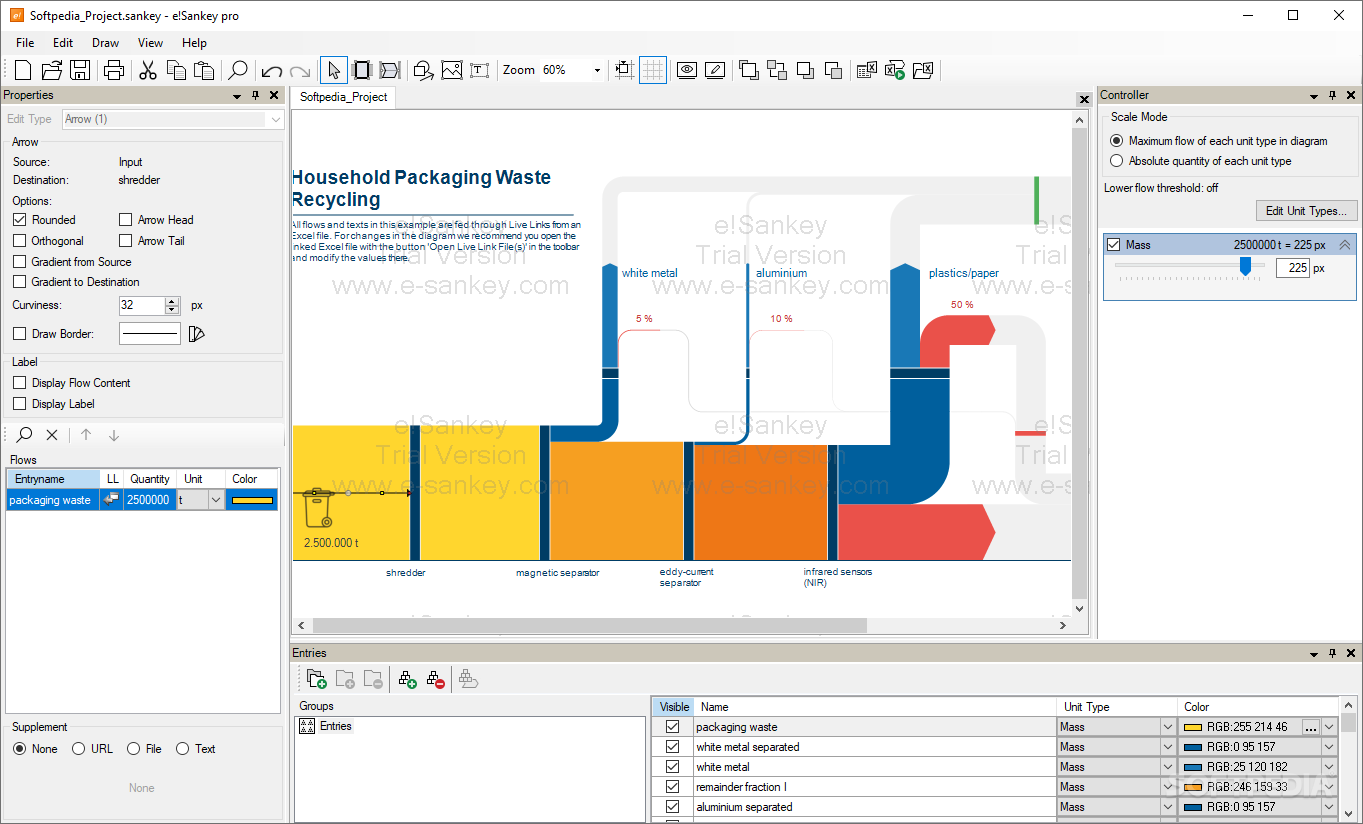
    e!Sankey is a tool designed to help you set up Sankey diagrams easily. A Sankey diagram is a directional flow chart where the magnitude of the arrows is proportional to the quantity of flow. Sankey diagrams are a useful way of visualizing material flows, energy efficiency or costs.
     
    If you are a chemical engineer, an environmental engineer or process engineer, a professional in quality management, logistics or finance, you can use e!Sankey diagrams to display flow quantities in a production system.

    Numerous display and scaling options help you get the best Sankey diagrams for your presentation. e!Sankey makes drawing Sankey flow diagrams really easy. Here are the main features of this software:

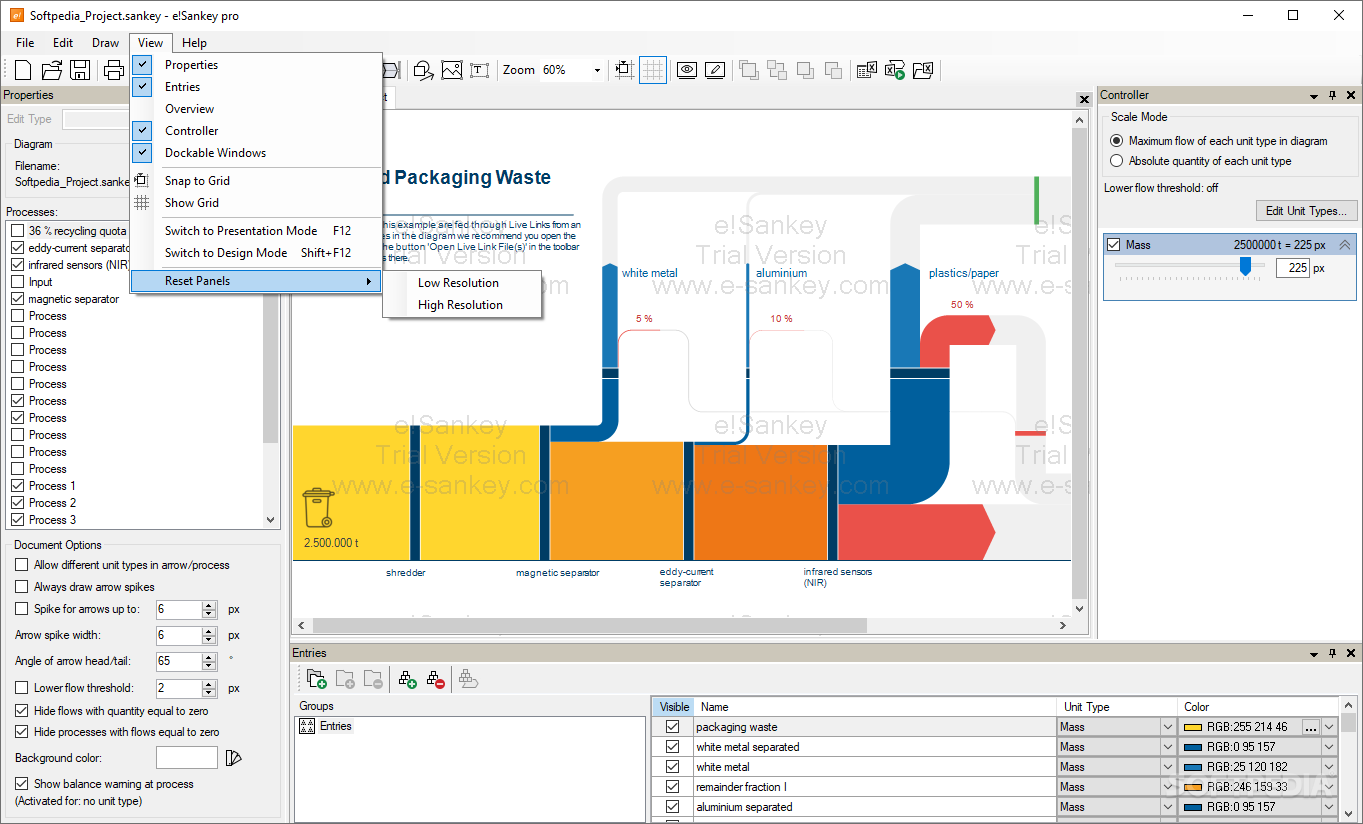
    - graphical editor with process (node), arrows, labels, other graphical elements (e.g. rectangle, rounded rectangle, ellipse), lines, legend, text, image, numerous editor options (e.g. grid, snap to grid), legend, scale

    - diagram: copy&paste, zooming, overview window

    - use predefined template files

    - processes/nodes: drag and resize, use image, clipart gallery, edit/hide process label, hide nodes

    - arrows: draw arrow by directly connecting processes, add one or more flows to arrow, enter quantity, choose color, editable arrow label with flow name and quantity, add arrow bending points, stacked arrows, change stacking order, numerous arrow options (rounded, orthogonal bends, arrow head, arrow tail, perimeter line)

    - stocks, stock changes


     - units: manage various unit types each with own color palet and number format

    - scaling of flows (to max flow or absolute value) per unit type using slider

    - print and export diagrams (jpg, bmp, png, gif, emf)

    - floating / dockable / tabbed windows, update notfier

    Here are some key features of "e!Sankey Pro":

    General:
    · floating/dockable/hideable/tabbed windows
    · print Sankey diagram
    · export Sankey diagram (BMP, JPG, GIF, PNG, EMF formats)
    · copy to clipboard
    · Overview - zoomed out overview, move visible area properties

    Editor:
    · process (node, transition), arrow
    · graphical elements: rectangle, rounded rectangle, ellipse, ...
    · cut / copy / paste diagram structures
    · add text labels
    · insert images
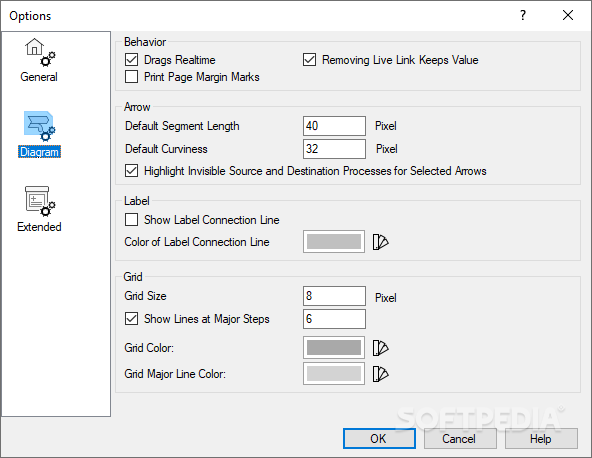
    · editor options: grid, snap to grid, ...
    · zoom
    · undo

    Processes:
    · drag and resize process symbol, hide process
    · process labels
    · use images or cliparts for process symbol

    Arrow:
    · draw arrow by clicking on process and directly connecting to other process
    · add one or more entries to arrow as flows, enter quantity, choose color
    · scaling of flows per unit type using slider
    · stacked arrows, change stacking order
    · arrow options: rounded, orthogonal bends, draw perimeter, ...
    · arrow label with flow name and quantity

    Colors:
    · select individual color pallets for each unit type
    · create your own color pallet

    Units and Scaling:
    · Unit Types. mass, energy, area, currency, dimensionless, indicator, area, length, length time, noise, power, radioactivity, time, transport, volume, volume time, person distance
    · scale each unit type individually using slider in controller

    Requirements:

    · Microsoft .NET 2.0 Framework

    Limitations:

    · 30 days trial
    · Watermark
    · Nag screen

    What's New in This Release: [ read full changelog ]

    · Multi Edit of Graphical Elements
    · Easy Setting of Image Export Quality (Low Res//High Res/Print/Web)
    · Align and Resize Process Nodes to Selected Master
    · Detach and Reattach Arrow to other Process
    · Adapt Process Height/Width to attached Arrow
    · Define Own Unit Types
    · Export/Import Color Pallets
    · Lower Threshold for Arrows (thin arrows remain visible)
    · Hide Flows that have Flow Qauntity zero
    · Draw arrows without defining a process node first (visible/invisible processes)
    · Arrow Tooltip when Hovering Mouse Over
    · Changed Arrow Drawing Mode in Toolbar
    · Redesign of Graphical Shapes Selection in Toolbar
    · Improved Handling of LiveLink to Excel (Edit Live Link dialog)
    · Revised Start Center
    · Several Bugfixes
    · New templates and examples
    · New help file
    · Fully localized to 5 languages: DE, EN, FR, PT, ES

     Softpedia guarantees that e!Sankey Pro 3.0.1.51 is 100% CLEAN, which means it does not contain any form of malware, including spyware, viruses, trojans and backdoors. [read more >]


    TAGS:

    Sankey diagram | Sankey flow | Sankey chart | Sankey | diagram | flow


    HTML code for linking to this page:


    Go to top

    WindowsGamesDriversMacLinuxScriptsMobileHandheldNews

    SUBMIT PROGRAM   |   ADVERTISE   |   GET HELP   |   SEND US FEEDBACK   |   RSS FEEDS   |   UPDATE YOUR SOFTWARE   |   ROMANIAN FORUM