WINDOWS CATEGORIES:


NEWS ARCHIVE >>
SOFTPEDIA REVIEWS >>

WEEKLY HIGHLIGHTS

DVD Cloner45
Spyware Doctor40
1Click DVD Copy40
Apollo DVD Copy40
ABC Amber BlackBer...45
Protected Music Co...40

7-DAY TOP DOWNLOAD

#
Program
Avira AntiVir
Personal - Free
Antivirus 9.0.0.415

181,739
Windows Live
Messenger 2009
14.0.8089.726

177,656
Avira Antivir Virus
Definition File
Update November 19,
2009

148,412
Nexus Radio 4.2
124,661
FreeZ Online TV 1.31
123,719
Microsoft Office
2010 14.0.4536.1000
Beta / 2007

79,368
Y! Multi Messenger
8.x and 9.x

78,909
Windows Live
Messenger
8.5.1302.1018

63,154
RemoveWGA 1.2
51,121
AVG Free Edition 9.0
Build 707a1765

49,849

WEEK'S BEST

  • Faststone Image Vi...
  • Vuze (formerly Azu...
  • Softpedia Wallpape...
  • Softpedia Wallpape...
  • Softpedia Wallpape...
  • RSSOwl 2.0 Final
  • Internet Explorer ...
  • Online Armor ++ 4....
  • cFosSpeed 5.01 Bui...
  • SONY Vegas Pro 9.0...
  • Firefox 3.6 Beta 3...
  • Nokia Photos 1.6.434
  • Windows Server 200...
  • Skype Portable 4.1...
  • Google Chrome Port...
  • PCMark Vantage Bas...
  • Kaspersky Anti-Vir...
  • Microsoft Virtual ...
  • Messenger Plus! Li...
  • WinX DVD Author [F...
  • SoftPerfect Networ...
  • System Mechanic Pr...
  • Ad Muncher 4.8 Bui...
  • Windows 7 Upgrade ...
  • Pidgin 2.6.3
  • OpenOffice.org 3.2...
  • VirtualDub 1.9.7 B...
  • Maxthon [Softpedia...
  • Spyware Doctor 7.0...
  • SUPERAntiSpyware 4...
  • Home / Windows / Programming / File Editors
     Report spyware

    eXeScope 6.50

    Download button

    Downloads: 83,008  Add to download basket  Tell us about an update
    User Rating:
    Rated by:
    Good (3.8/5)
    201 user(s)
    Developer:

    License / Price:

    Size / OS:

    Last Updated:

    Category:
    eXescope | More programs
    Demo / USD 20.00 | BUY the full version
    588 KB / Windows All
    February 27th, 2007, 11:11 GMT [view history]
    C: \ Programming \ File Editors

     Read user reviews (1)  Add a review  Refer to a friend  Subscribe


    eXeScope description


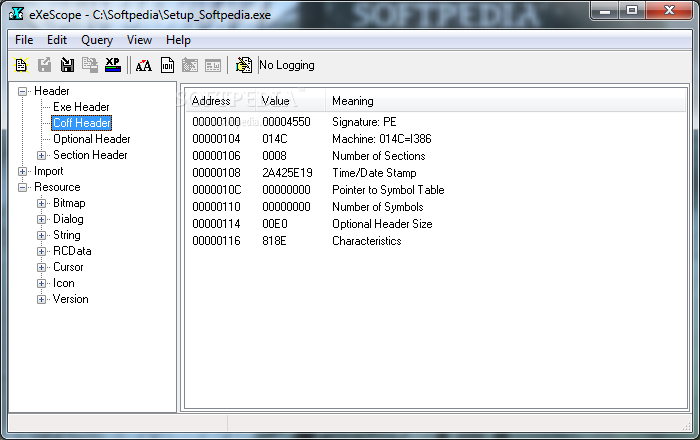
    eXeScope can analyze, without source files, executable files like EXE, DLL, etc. and display, extract, and rewrite

    eXeScope is an utility that helps you customize an application.You can change the menu, the font, an arrangement of dialog.

    eXeScope can analyze, display various information, and rewrite resources of executable files, that is, EXE, DLL, OCX, etc. without source files.

    Analyze and display executable files (EXE,DLL,etc.)
    - Display header information
    - Display imported functions
    eXeScope displays what functions in what DLLs an executable file imports.It is useful to find unused DLLs.
    - Display various resources

    Extract resources and save them to files
    eXeScope can extract Icon, Cursor, Bitmap, WAVE, MIDI, AVI and Delphi form.Other resources can be extracted as binary or text data.

    Edit resources
    eXeScope can edit windows standard resource (Icon, Cursor, Bitmap, Dialog, Menu, Accelerator, String, MessageTable)and other resources (Delphi form, WAVE, MIDI, AVI, JPEG).

    Before editing resources, you must backup the original file. There is a possibility that edited executable file does not work, or work abnormally. Edited executable file should be tested carefully.
    Author does not guarantee any disruption caused by edited executable file.

    Confirmation of rewrite effect
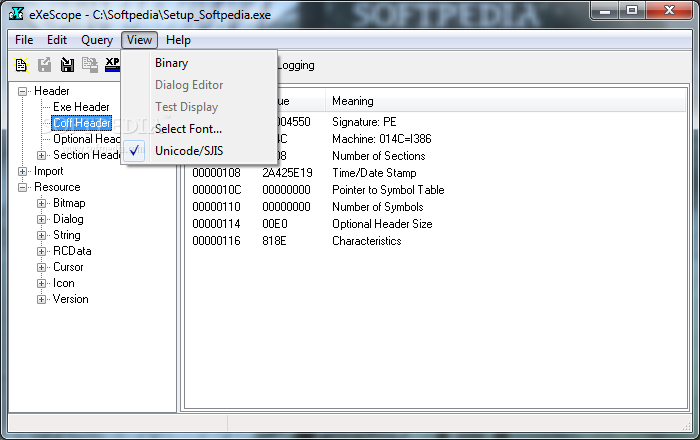
    In the case of Dialog resource, you can display the rewritten dialog form and confirm it.

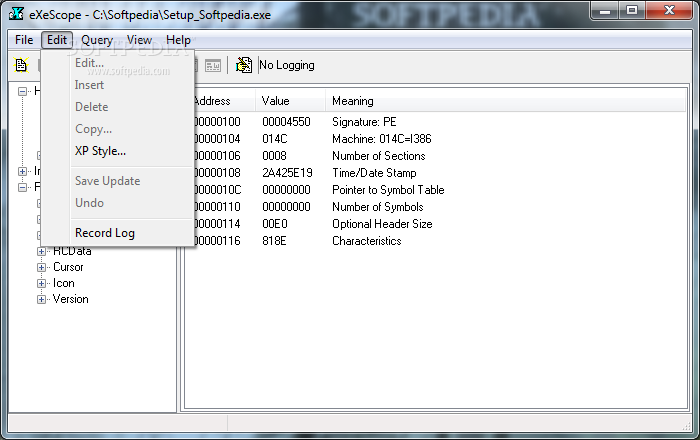
    Recording Log and Batch mode editing using Log
    The record of editing resource can be logged to a log file. Using the log file, same editing can be re-played. This feature can be useful when you do the same editing for the new version of target file.

    Create a .rc file
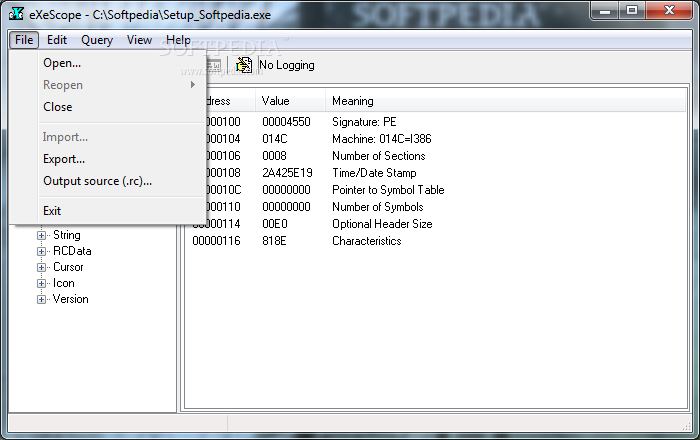
    eXeScope can create a resource source file (.rc)file from an EXE file reversely.

    Here are some key features of "eXeScope":

    · Change font type face and size
    · Change size and position of dialog boxes or forms
    · Change the arrangement of controls in forms
    · Change text in message boxes
    · Change text of menus
    · Change assignment of accelerator keys
    · Export icon, cursor, bitmap, AVI, WAVE, MIDI, JPEG, GIF, etc.
    · Rewrite icon, cursor, bitmap, AVI, WAVE, MIDI, JPEG, GIF, etc.
    · Examine imported DLLs.
    · Examine exported functions of DLL/ActiveX/OCX


    Limitations:

    · This software will edit the target original file directly. Before editing resources, please backup the original file.
    · In the next case, editing which results file size increasing is impossible. Editing which increase size more than 256 KB.
    In the test display of dialog box, there are next limitations:
    · A control which is defined 'CONTROL' is displayed as a black frame.
    · Any 'ICON' is displayed as an Windows LOGO Icon.
    · In the test display of dialog box,when the dialog box cannot move or close because it covered over all eXeScope form,then move eXeScope form to forground by pressing Alt +ESC key,and press button.
    · Batch mode editing using log file can be done for 32 bit PE format only.16 bit NE format cannot be edited by batch mode.
    · If EXE file is compressed using EXE compressor like ASPack or UPX,then eXeScope cannot view or edit that file.

    What's New in This Release: [ read full changelog ]

    · Fixed a string resource's bug

     Softpedia guarantees that eXeScope 6.50 is 100% CLEAN, which means it does not contain any form of malware, including spyware, viruses, trojans and backdoors. [read more >]


    TAGS:

    edit executable | analyze executable | exe editor | executable | exe | dll


    HTML code for linking to this page:


    Go to top

    Windows tabGames tabDrivers tabMac tabLinux tabScripts tabMobile tabHandheld tabGadgets tabNews tab

    SUBMIT PROGRAM   |   ADVERTISE   |   GET HELP   |   SEND US FEEDBACK   |   RSS FEEDS   |   ENTER NEWS SITE   |   ENGLISH BOARD   |   ROMANIAN FORUM