
Lightweight package that contains various run-time components of Visual C++ libraries required to run C++ apps built with Visual Studio 2017. #Visual C++ Component #Runtime Library #Visual Studio 2015-2019 #Visual Studio #Runtime #Component

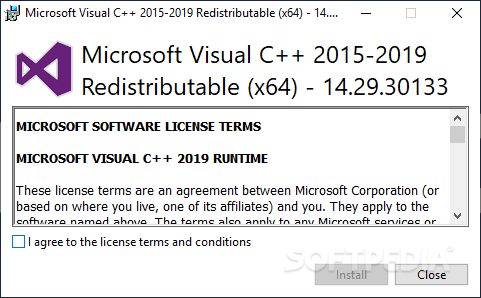
When a developer creates an application using Microsoft Visual Studio and the C++ programming language, the application often relies on certain libraries and components provided by the Visual C++ runtime.
Visual C++ Redistributable Packages contain a set of DLLs and other files that are necessary for the proper functioning of C++ applications. The libraries include functions and resources that the applications use during runtime.
Considering the nature and role of the set, it doesn’t come as a surprise that they don’t feature an interface. Once installed, they operate in the background as they are accessed by Windows or other applications.
The packages play a crucial role in delivering essential runtime components to support the execution of applications developed using C++. The runtime components include dynamic link libraries, which are collections of precompiled code and data that multiple programs can employ simultaneously.
The purpose of bundling these runtime components into redistributable packages is to ensure that end-users have the necessary support to run applications that were compiled with a specific version of the Visual C++ compiler.
Each version of the package corresponds to a particular version of the Visual C++ compiler, and applications may require the installation of the corresponding redistributable package to access the required runtime libraries.
Another important role of the packages is to ensure that you can run a certain application on various computers. By installing the appropriate version of the Visual C++ Redistributable Package, you make sure that your system has the necessary runtime libraries to support applications compiled with a specific version of the Visual C++ compiler
Microsoft Visual C++ Redistributable Package provides a standardized way to distribute and manage the runtime components needed by C++ applications, ensuring compatibility and reducing redundancy across multiple software installations
Microsoft Visual C++ Redistributable Package 2015-2022 14.38.33135.0
 Softpedia Editor's Pick
add to watchlist
add to download basket
send us an update
REPORT
Softpedia Editor's Pick
add to watchlist
add to download basket
send us an update
REPORT
- PRICE: Free
- runs on:
-
Windows 11
Windows 10 64 bit
Windows Server 2012 R2
Windows Server 2012
Windows 2008 R2
Windows 2008
Windows 2003
Windows Vista 64 bit
Windows XP - file size:
- 24.3 MB
- filename:
- vc_redist.x64.exe
- main category:
- Programming
- developer:
- visit homepage
Zoom Client

ShareX

4k Video Downloader

Context Menu Manager

Windows Sandbox Launcher

calibre

Microsoft Teams

IrfanView

7-Zip

Bitdefender Antivirus Free

- IrfanView
- 7-Zip
- Bitdefender Antivirus Free
- Zoom Client
- ShareX
- 4k Video Downloader
- Context Menu Manager
- Windows Sandbox Launcher
- calibre
- Microsoft Teams