
Create professional-looking perforated designs for personal or public use by adding geometrical or custom shapes, text and lines, as well as edit and enhance the design #CAD design #Perforated metal #Perforated pattern design #CAD #Design #Perforated pattern
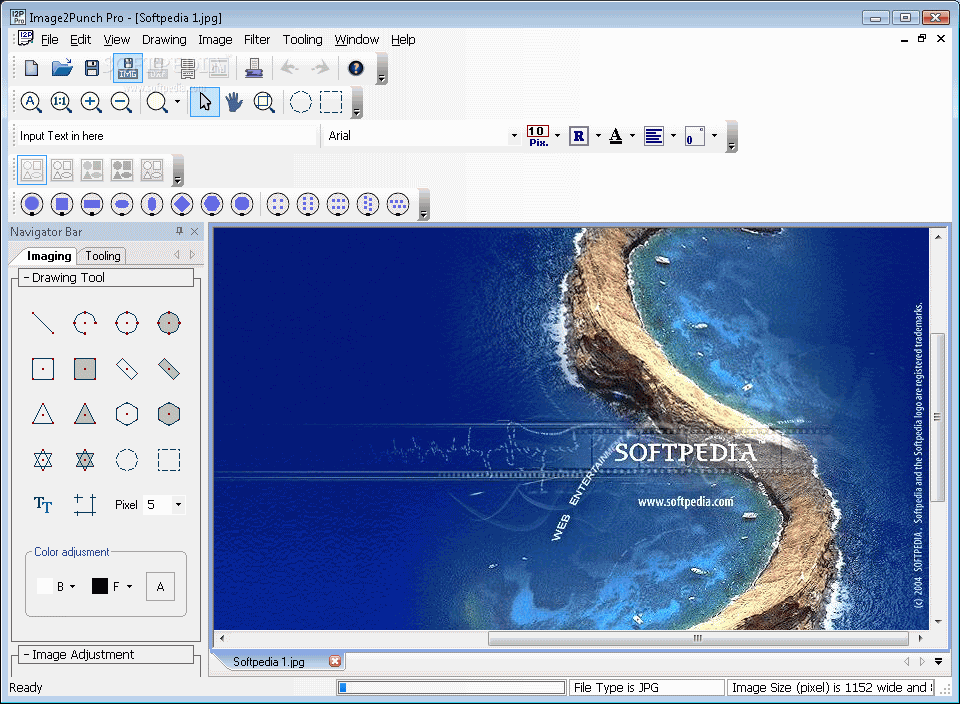
Image2Punch Pro is a comprehensive piece of software dedicated to more advanced users to help create perforated patterns by either using the built-in drawing and image manipulation tools or by opening any type of digital pictures.
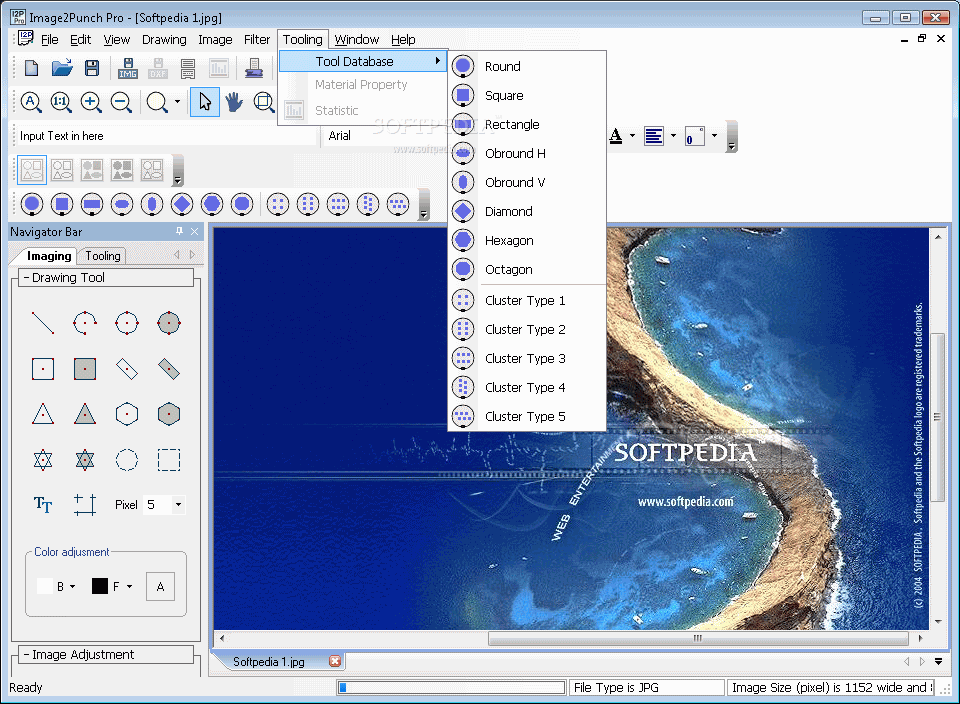
The app comes with a clear-cut and neat interface, divided into an editing pad and a navigator panel, which includes the imaging and tooling tabs. It's recommended to consult the help file in order to understand what each function does.
You have the choice to start from scratch or open an existing photo from the computer in one of the following formats: BMP, DIB, JPG, GIF, JPE, EMF, WMF, TIF, ICO or PNG.
Image2Punch Pro consists of two phases you need to go through in order to get the perforated pattern design you aim for. The first stage is the Imaging Design Environment, while the second is the Tooling Generation Environment.
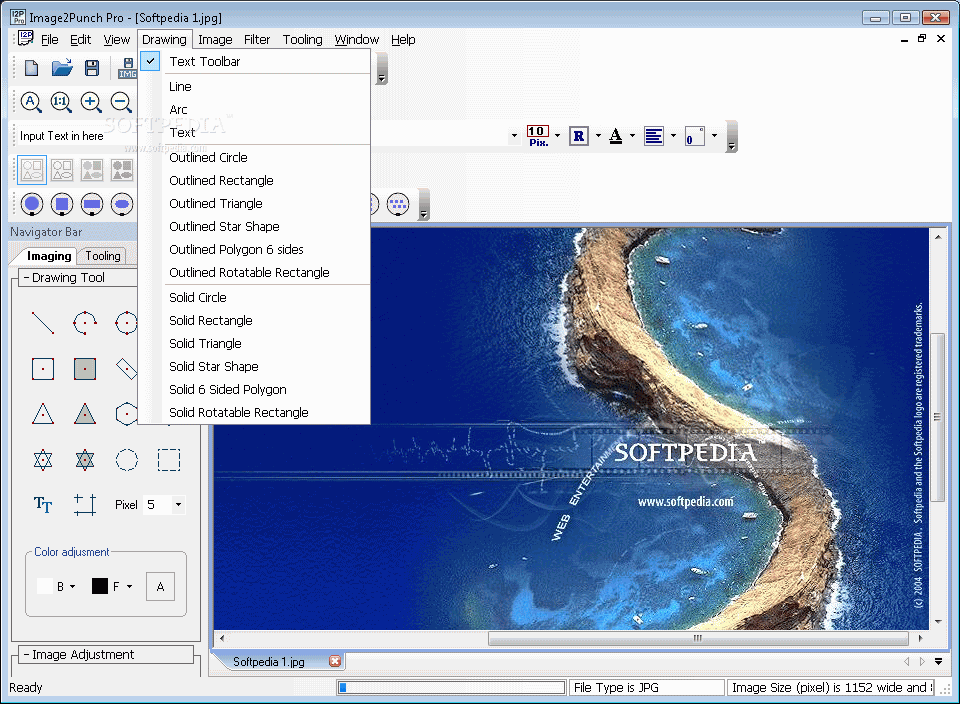
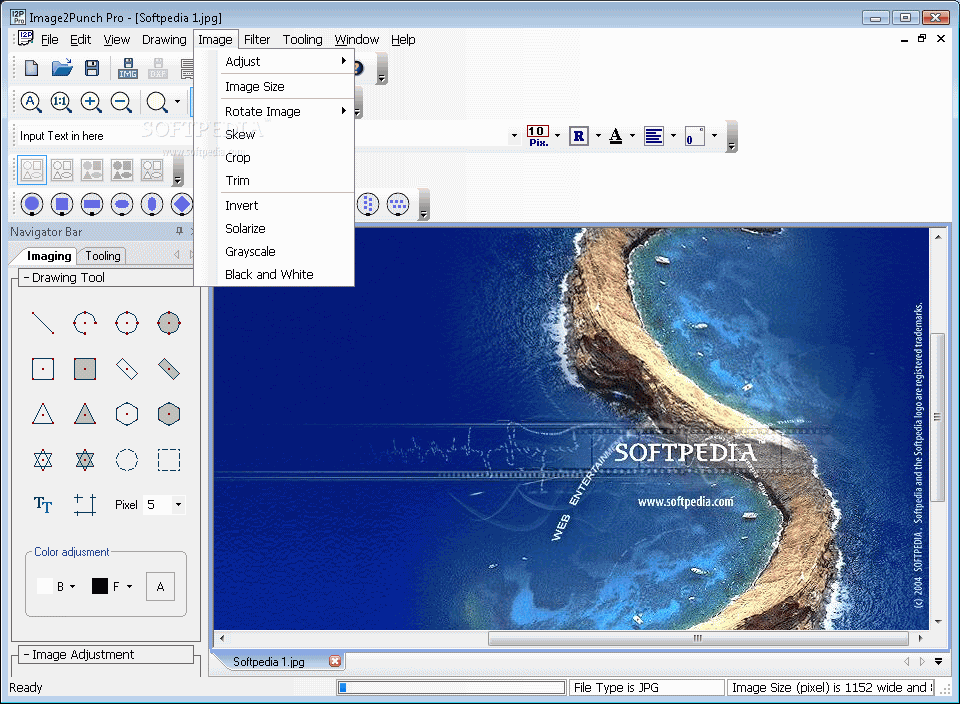
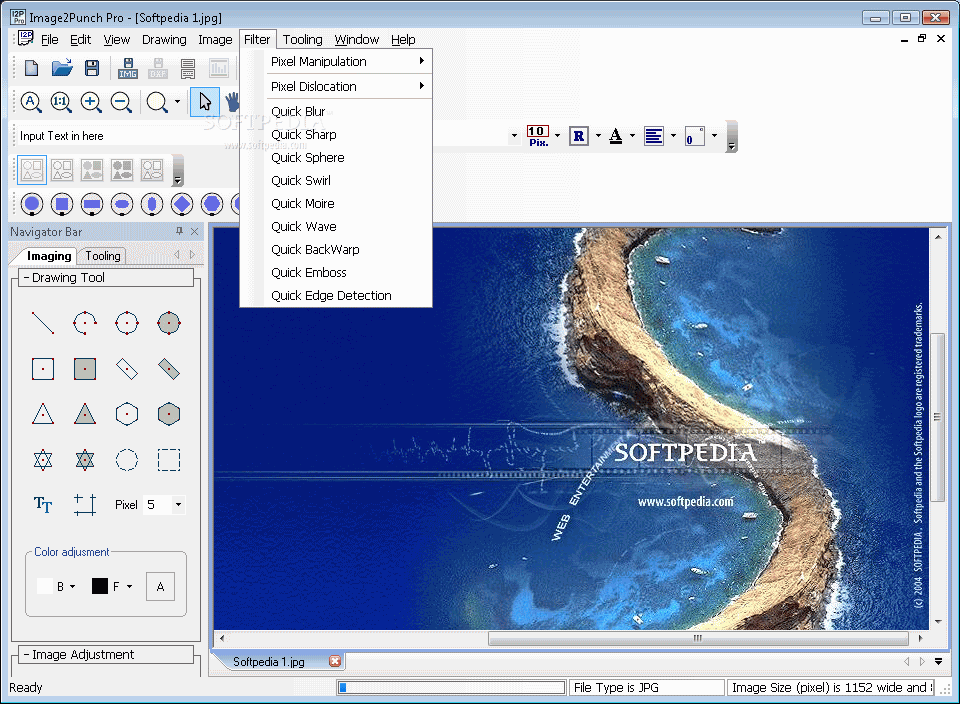
The first phase consists of drawing the pattern you want or import the desired image, apply corrections (e.g. saturation, brightness, solarize, invert) and effects (blur, sharp, emboss, pixellate). You can resize, trim, rotate and flip the design.
Once the creation is done, you can proceed to generate the perforated pattern by selecting the desired shape tool, like round, square, rectangle, hexagon or cluster.
Each element can be modified to fit your needs. What's more, from the toolbar, you have the option to create your own tools by entering a fitting name, width, height, color and station.
From the "Tooling" panel, the app lets you choose the perforation type (45 degrees, proportional), the data range classification and material property. After everything is set, simply press the "Generate" button, and the design is going to be displayed in the middle. The pattern can be saved as JPG or DXF file format.
To sum it up, Image2Punch Pro is a reliable application designed to offer easy means to make and generate perforated patterns for personal or professional usage. It features a rich selection of shape tools.
Image2Punch Pro 2.2
add to watchlist add to download basket send us an update REPORT- runs on:
-
Windows NT
Windows Vista
Windows XP
Windows 2K - file size:
- 18.1 MB
- filename:
- I2PPro2.2Trial.exe
- main category:
- Science / CAD
- developer:
- visit homepage
IrfanView

ShareX

Context Menu Manager

4k Video Downloader

Zoom Client

7-Zip

calibre

Microsoft Teams

Windows Sandbox Launcher

Bitdefender Antivirus Free

- Microsoft Teams
- Windows Sandbox Launcher
- Bitdefender Antivirus Free
- IrfanView
- ShareX
- Context Menu Manager
- 4k Video Downloader
- Zoom Client
- 7-Zip
- calibre