Search Perform an advanced search query SOFTPEDIA
 
SOFTPEDIA
Updated one minute ago
HomeSubmit a program for being reviewedAdvertise on our websiteGet help on surfing our websitesSend us your feedbackGet information about our XML/RSS backend and how to use itBrowse the news archiveVisit our discussion forumVizitati forumul in limba romana


Program Finder NormalFreeware onlyShareware only

Satellite Antenna Alignment 2.38.0 Report spyware 

Click to download Satellite Antenna Alignment
View more Satellite Antenna Alignment screenshots (3)
 Downloads: 33,211
Rating: Good (3.9/5) | Rated by: 75 user(s)
Add to download basket     Send us update information
 Developer: AL-Software | More programs by this producer
 License: Freeware  
 Size / OS: 986 KB, Windows All
 Last Updated: January 9th, 2008, 21:19 GMT
 Category: C: \ Science / CAD
 Read user reviews (0) Add a review Refer to friend Subscribe
    Download Satellite Antenna Alignment

Satellite Antenna Alignment description
Can be is used to calculate the angles necessary for installing satellite dishes

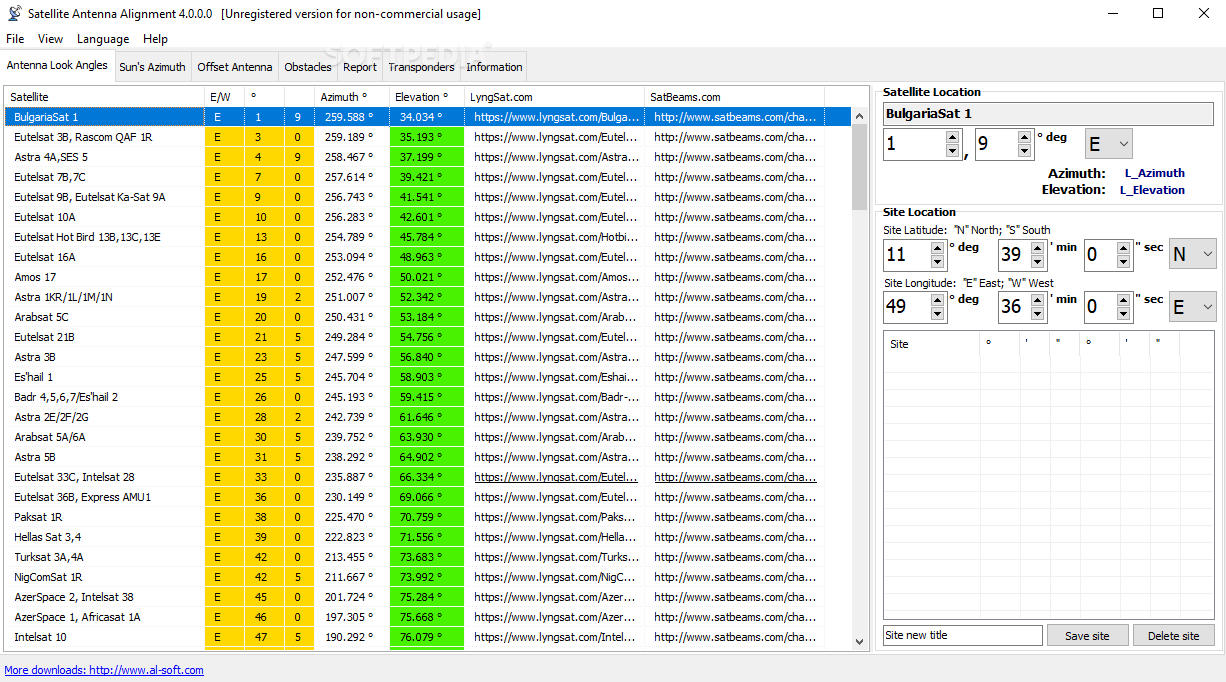
Satellite Antenna Alignment is used to calculate the angles necessary for installing satellite dishes. The main difference from similar software is the possibility to calculate the position for all satellites at once.

Thus, you get a clear picture about what satellites can be physically visible from the location where the dish will be installed. It should be kept in mind that the program makes a purely theoretical calculation according to formulas and in real circumstances a lot of additional factors should be taken into account when a satellite dish is installed.

These factors include various obstacles (buildings, trees), the landscape, the altitude, transponder orientation, polarization, etc. Nevertheless, this program will allow you to evaluate the position quite precisely.

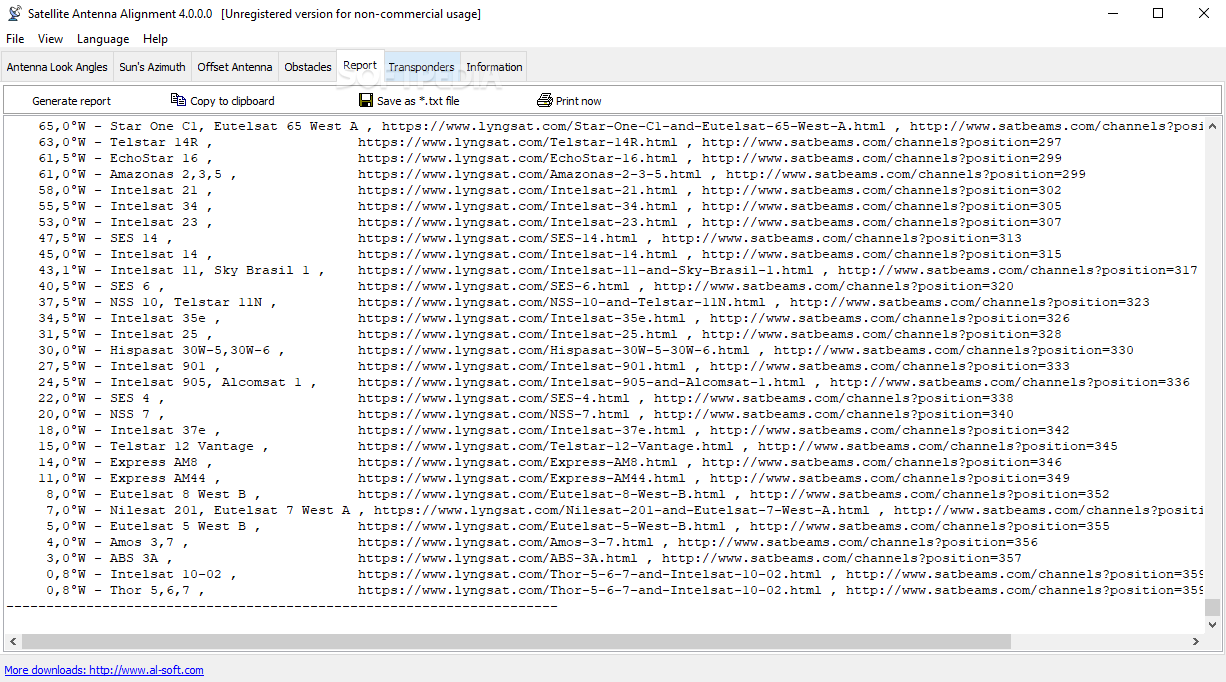
The calculation can be saved to a text file, copied to the Windows clipboard or printed out at once. It is possible to save the list of locations for which the calculation is done. Later on, you will not have to enter the coordinates of these locations again. Just select them from the table.

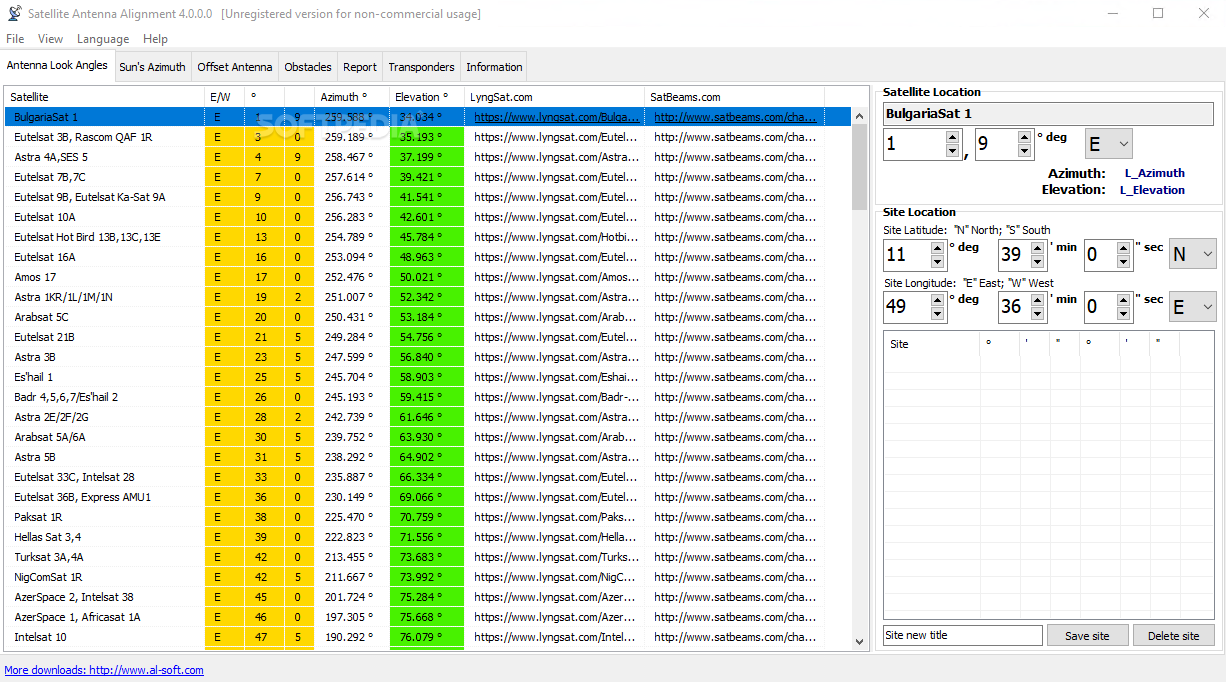
You should start working with the program from entering the geographical coordinates of the location where you are going to install the satellite dish. Enter your coordinates in the "Site location" box.

The high latitude is specified with a positive value, the low latitude is specified with the "-" sign. Similarly, the eastern longitude is with the "+" sign, while the western longitude is with the "-" sign. After all the coordinates are entered, you will see the calculation for all satellites at once in the table to the left.

Their azimuth and elevation are calculated. Azimuth is the direction to the satellite in degrees from the clockwise direction to the north. Elevation is an angle (measured in degrees) between the direction of the signal from the satellite and a tangential plane
to the Earth surface in the location.

Satellite Antenna Alignment is a tool that helps you calculate angle and align the antenna.

If the elevation is negative, the satellite is below the horizon and it is impossible to receive signals from it in principle. Thus, the satellites whose elevation is a positive value are theoretically visible from your location.

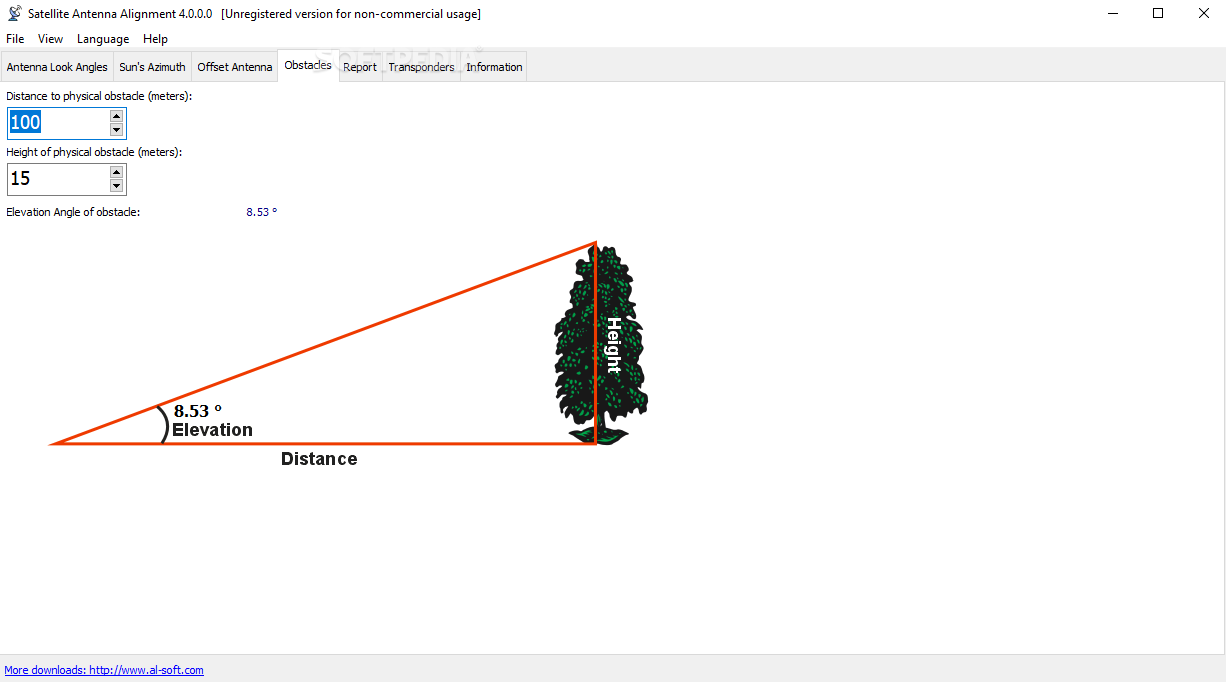
If you know the azimuth, you can quickly find the direction to the satellite and see what obstacles (neighboring houses, trees) there are in the way of the signal from the satellite to your dish.

As it was mentioned above, the program uses absolute values and calculates everything according to formulas. Thus, the calculated azimuth is an angle from the true north and not from what your compass may show because a compass is a really unstable thing, especially in a city. It is better to orient it by the sun )

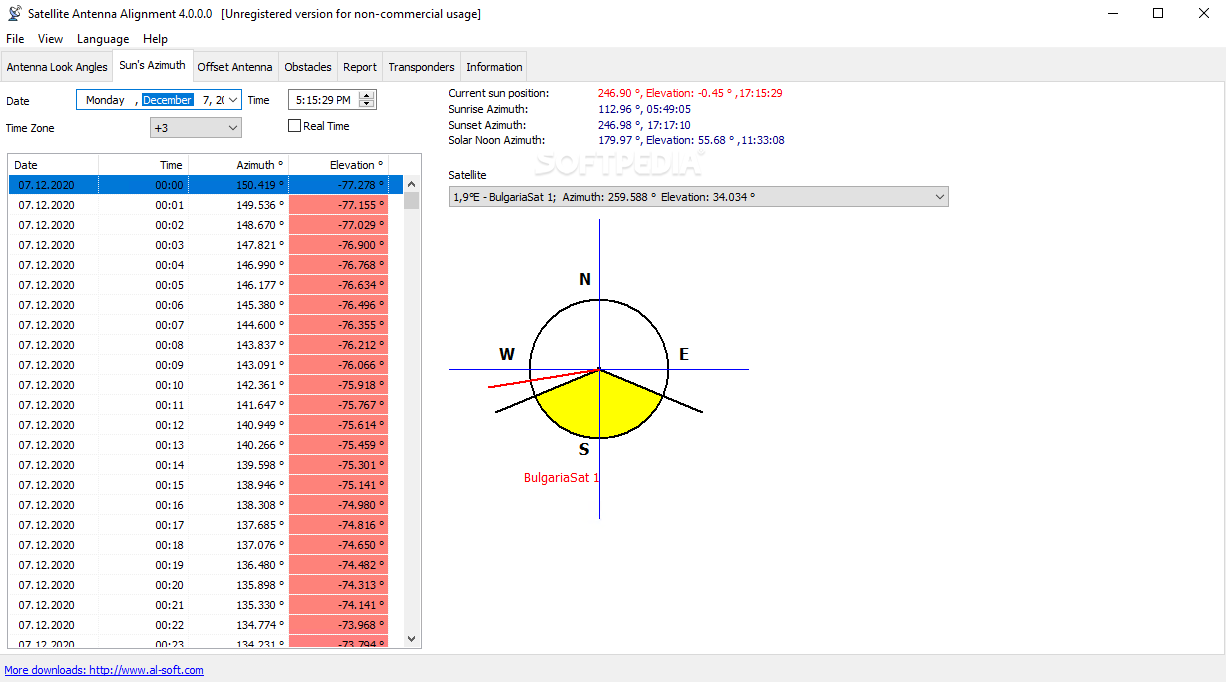
Additionally, the program has a mechanism for calculating the azimuth of the sun and you can do everything without a compass now! The azimuth is calculated for the location the coordinates of which you specified for calculating the azimuths of satellites.

You can specify the date (the current date is taken by default) and calculate how the sun moves with a one minute discontinuity. The calculation results are displayed in the table to the left. Both the azimuth and the elevation are calculated for the sun for the current moment of time.

Thus, you can install the satellite dish without a compass at all. First, find the azimuth of the satellite you need. Then calculate the azimuth of the sun for the day on which you are going to install the dish. Find the azimuth of the sun that is most close to the azimuth to the satellite and you will see the time (and date) when the sun will be in the same direction where the satellite is.

Turn the dish to the sun at the specified moment of time, the azimuth of the sun coincides with the azimuth of the satellite at this moment. Or just note this direction and install the dish later.

Remember to specify your time zone for calculation (Moscow: +3 GMT). The program also calculates the azimuths of the sunrise and sunset, as well as the time and elevation when the sun is exactly in the south.

The program draws a simple diagram representing the four directions. The yellow sector is daytime, its eastern part is sunrise and its western part is sunset.

The same diagram can be used to schematically represent the direction to the satellite you need. Select the satellite from the drop-down list and the red line will show the direction to it (azimuth). If the elevation is negative, no red line is drawn (the satellite is not visible).

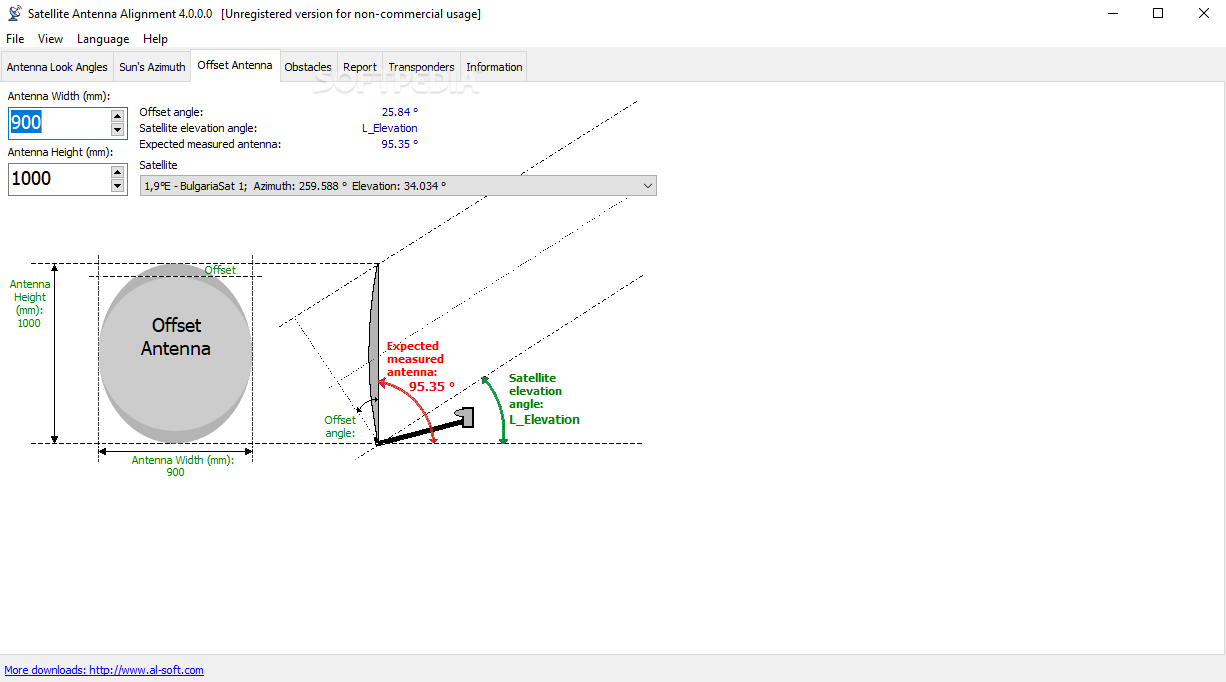
Offset satellite dishes are widely spread now. When such a dish is completely vertical, it already has some elevation (~20-25 degrees). You can enter the size of your offset dish (height and width) and the program will calculate the exact elevation for this dish.

The calculation is done only for dishes whose height is greater than width. Enter the size of the dish in millimeters. Here you will see the elevation to the selected satellite and the angle you should actually install you dish at (in degrees from the Earth surface).

Altitude (Elevation):
Altitude is the angle up from the horizon. Zero degrees altitude means exactly on your local horizon, and 90 degrees is "straight up". Hence, "directly underfoot" is -90 degrees altitude.
Azimuth:
Azimuth is the angle along the horizon, with zero degrees corresponding to North, and increasing in a clockwise fashion. Thus, 90 degrees is East, 180 degrees is South, and 270 degrees is West. Using these two angles, one can describe the apparent position of an object (such as the Sun at a given time).


Softpedia guarantees that Satellite Antenna Alignment 2.38.0 is 100% CLEAN, which means it does not contain any form of malware, including but not limited to: spyware, viruses, trojans and backdoors.

This software product was tested thoroughly and was found absolutely clean, therefore it can be installed with no concern by any computer user.

However, it should be noted that this product will be retested periodically and the award may be withdrawn, so you should check back on this page from time to time. (click here for more information)


Related downloads IT News Popular downloads New additions   Latest reviews  
BREAKTRU PAYROLL 2008 12.0.3
Calculate withholding tax or do a small business payroll. Print pay checks also
Triangle Side and Angle Solver 1.0
Triangle Side and Angle Solver is an easy-to-use small application that does what it name says - solves for unknown sides or ang
GEOPoint 3.01
GEOPoint is an easy to use satellite antenna pointing calculator, for geostationary communications satellites.
3D Shed & Shop Designer 2.0.002
3D Shed & Shop Designer gives you the ability to design your own shed or shop with ease
AcQuest Pro Depreciation 5.19
AcQuest Pro Depreciation. Windows. Multiple methods for multiple companies.
RF Toolbox 3.2.0
RF Toolbox is an antenna design and electronics/electrical tool package
Right Triangle Trig Calculator 1.0
A simple (but occasionally very useful) application that makes right triangle calculations a breeze.
SeaView 2.2
This application is able to read and write various alignment formats.
SDS Solution 1.0.7
A small tool that will help you calculate the solution of a right angled triangle
BEAM_DX 0.6c
It allows to instantenaously point a directionnal antenna towards an azimuth, a locatoror an international prefix

go to top Use the following code to link to this page:


Welcome!
Hello, Guest

Login if you have a Softpedia.com account.

Otherwise, register for one.

Main categories:
  • Antivirus
  • Compression tools
  • CD/DVD Tools
  • Office tools
  • Programming
  • Authoring tools
  • File managers
  • Desktop Enhancements
  • Internet
  • Network Tools
  • IPOD TOOLS
  • Mobile Phone Tools
  • Multimedia
  • Tweak
  • System
  • Security
  • Others
  • Science / CAD
  • UNIX
  • Windows Widgets
  • PORTABLE SOFTWARE

  • Week's best:
  • Intel Chipset Softwa...
  • Uxtheme Multi-patche...
  • SRS Audio Sandbox 1....
  • SP3 UxTheme Patcher ...
  • PECompact 2.82
  • Sony Vegas Movie Stu...
  • 3DMark Vantage 1.0
  • Total Commander 7.03
  • VistaMizer 2.5.1.0
  • AVG Free Edition 8.0...
  • Windows XP Service P...
  • Ashampoo Burning Stu...
  • XviD Media Codec 1.1...
  • Blu-ray Disc Ripper ...
  • Blu-ray Region Code ...
  • Adobe Photoshop Ligh...
  • PowerDVD 8.0.1531
  • EF Commander 6.54
  • Microsoft Windows In...
  • Nero 8 Lite 8.3.2.1
  • WebSite-Watcher 4.41...
  • EVEREST Ultimate Edi...
  • Nokia PC Suite 6.86....
  • VMware Workstation 6...
  • AnyDVD HD 6.4.2.1 Be...
  • Messenger Plus! Live...
  • The Bat! Voyager 4.0...
  • Windows Vista Servic...
  • Nero 8 8.3.2.1
  • Vipre 3.1.1997 Beta
  • © 2001 - 2008 Softpedia. All rights reserved.
    Softpedia™ and Softpedia™ logo are registered trademarks of SoftNews NET SRL.
    Copyright Information | Privacy Policy | Terms of Use | Contact Softpedia | Update your software | Archive