
Recover passwords that enable you to access the CMOS and BIOS configuration setups using this simple and straightforward CLI utility. #Cmos password #Bios reset #Cmos reset #Cmos #Reset #Bios
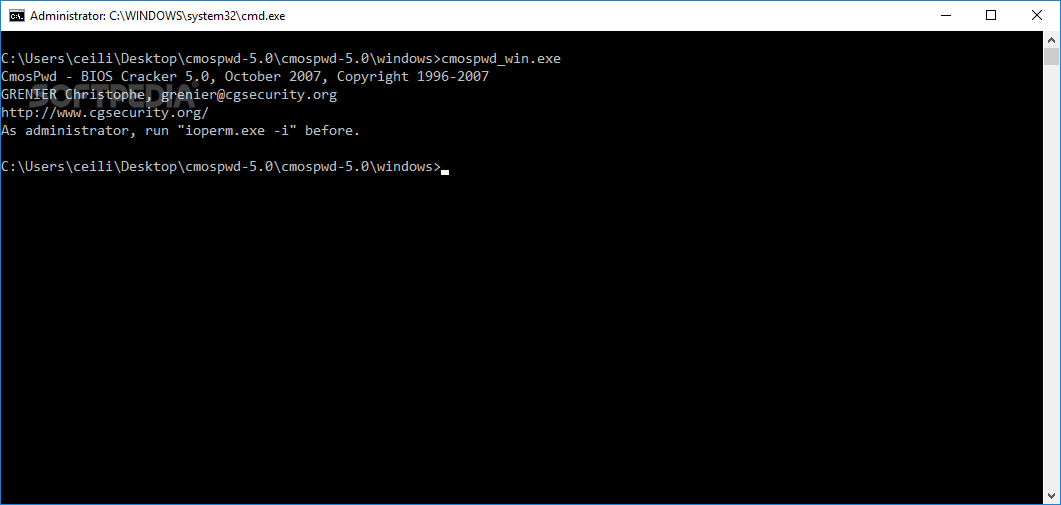
While CMOS (Complementary Metal-Oxide Semiconductor) and BIOS (Basic Input/Output System) are totally distinct components of the motherboard, the CMOS or BIOS Setup is the term used to refer the exact same thing. The CMOS retains information such as system date and time as well as the hardware settings and the BIOS contains boot and operating instructions.
The configuration application of these components, called CMOS or BIOS Setup, is often protected by password either set by the PC manufacturer or administrator. Software like CmosPwd help you recover this password by decryption or forced removal in order to provide access to the Setup utility.
Although it doesn't work for all the computers out there, the application handles quiet an impressive array of CMOS chips that come with motherboards powered with ACER / IBM / AMI / Award / Compaq / Packard Bell / Phoenix or Toshiba BIOSes. To make good use of this software, you have to know what type of BIOS your mainboard runs first.
As CmosPwd requires to be executed from a floppy disk within DOS, this makes it harder for some users to be able to run it; however, many users have run the software directly from their Windows session and it performed without any hassle. CmosPwd does not display a single password that you can use to enter the Setup utility but a list.
If you prefer to clear the CMOS of your PC, you can do that by using the `/k` parameter that simply kills the stored information. Although the right way to go is by booting your PC in the Disk-Operating System and then run the application, you may also try it first on Windows. Every time you make use of a program like CmosPwd, you do it at your own risk, so keep your fingers crossed on next boot.
Decrypting the CMOS password is not an easy job and neither is the removal process. No matter the method, the risk of destroying your motherboard's CMOS is there and only if you are in desperate need of accessing the BIOS you should give CmosPwd the chance to prove itself as being one truly smart software. It did it in the past and will surely do it successfully in the future – for the right type of BIOS, that is.
CmosPwd 5.0
add to watchlist add to download basket send us an update REPORT- runs on:
- Windows All
- file size:
- 106 KB
- filename:
- cmospwd-5.0.zip
- main category:
- Security
- developer:
- visit homepage
7-Zip

Microsoft Teams

Context Menu Manager

IrfanView

ShareX

Bitdefender Antivirus Free

Zoom Client

Windows Sandbox Launcher

4k Video Downloader

calibre

- Windows Sandbox Launcher
- 4k Video Downloader
- calibre
- 7-Zip
- Microsoft Teams
- Context Menu Manager
- IrfanView
- ShareX
- Bitdefender Antivirus Free
- Zoom Client