Search Perform an advanced search query SOFTPEDIA
 
SOFTPEDIA
Updated one minute ago
HomeSubmit a program for being reviewedAdvertise on our websiteGet help on surfing our websitesSend us your feedbackGet information about our XML/RSS backend and how to use itBrowse the news archiveVisit our discussion forumVizitati forumul in limba romana


Program Finder NormalFreeware onlyShareware only

BestCrypt 8.04.4 Report spyware 

Click to download BestCrypt
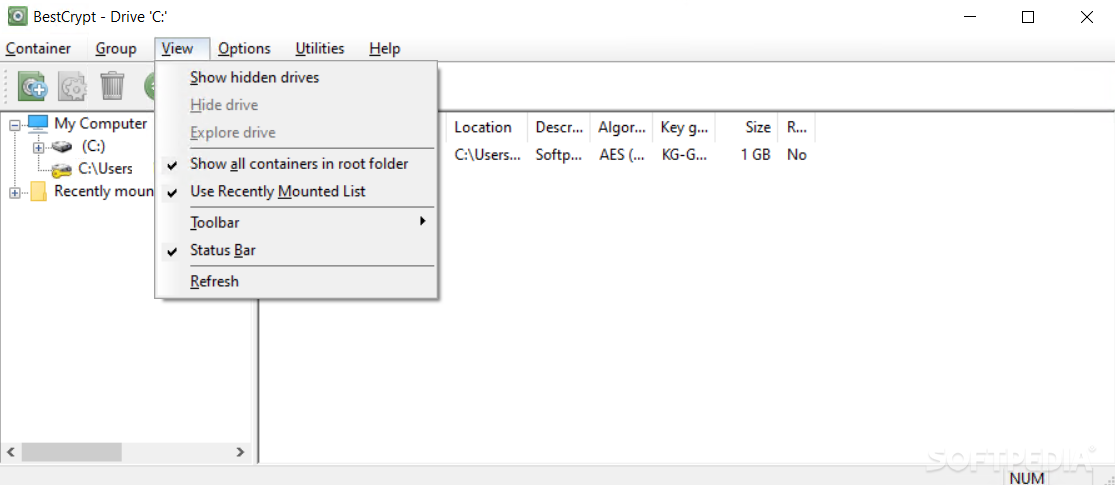
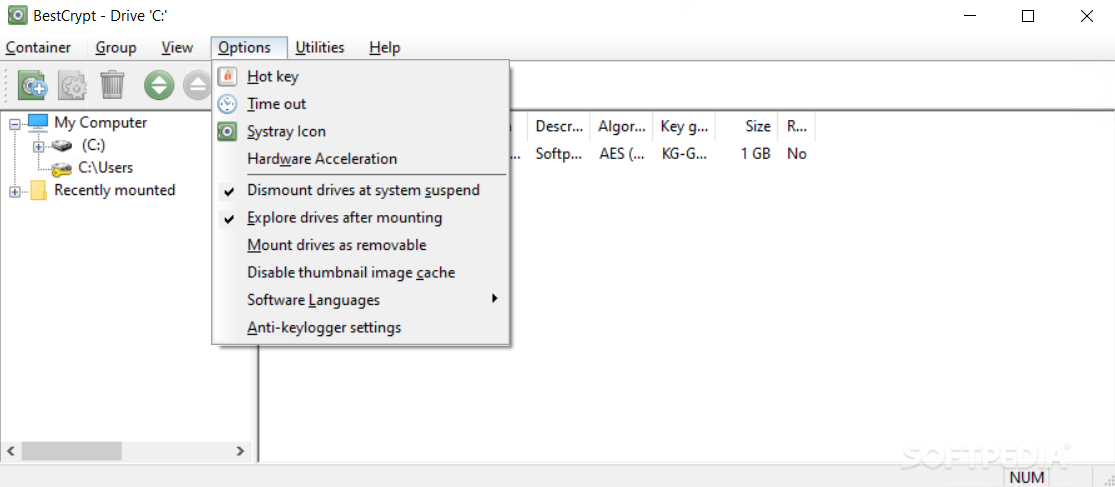
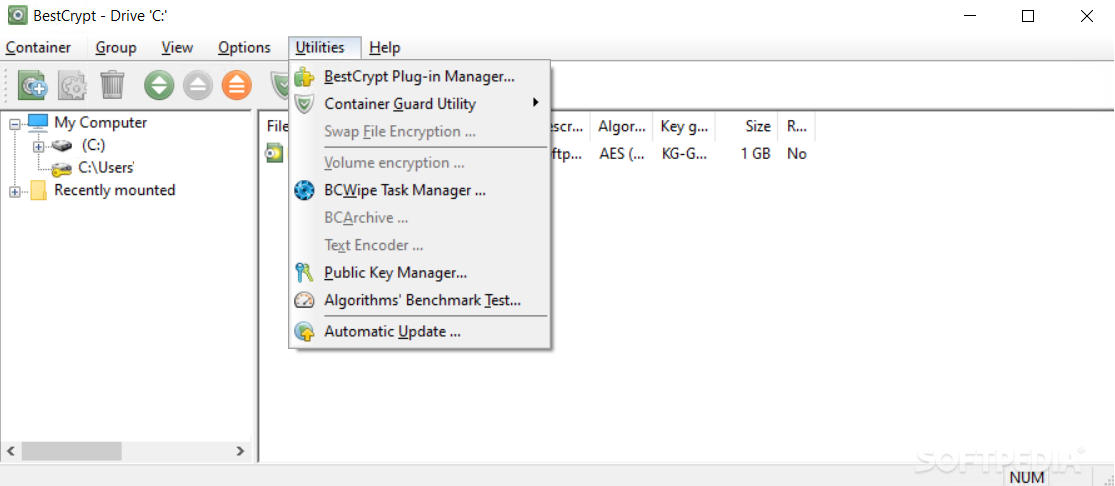
View more BestCrypt screenshots (2)
 Downloads: 4,578
Rating: Very Good (4.2/5) | Rated by: 50 user(s)
Add to download basket     Send us update information
 Developer: Jetico, Inc. | More programs by this producer
 License: Trial , 59.95 $ to buy 
 Size / OS: 11.7 MB, Windows All
 Last Updated: May 6th, 2008, 09:55 GMT
 Category: C: \ Security \ Encrypting
 Read user reviews (0) Add a review Refer to friend Subscribe
    Download BestCrypt

BestCrypt description
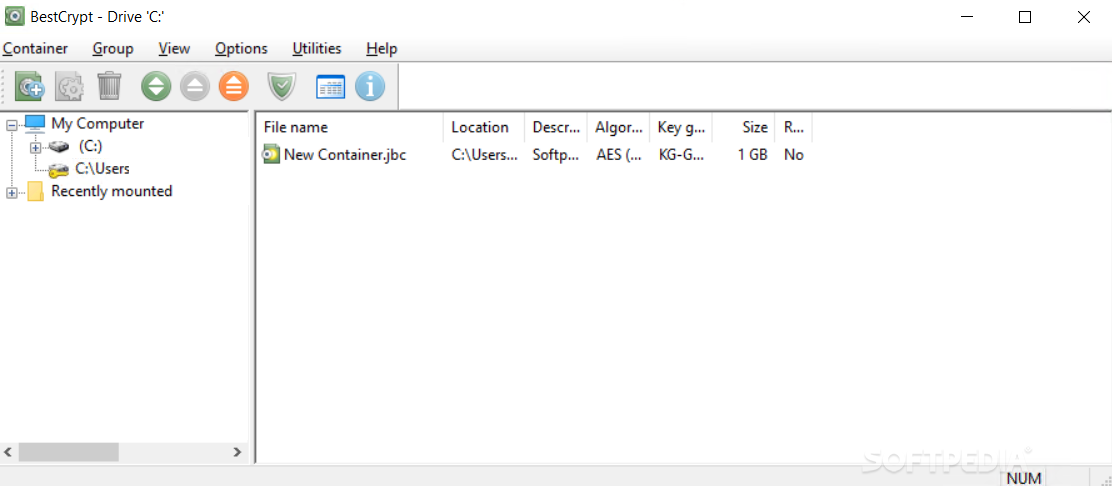
Creates and supports encrypted virtual disks

BestCrypt software will create and will support encrypted virtual disks.

These disks are visible as regular disks with correspondent drive letters. The data stored on a BestCrypt disk is stored in the container file.

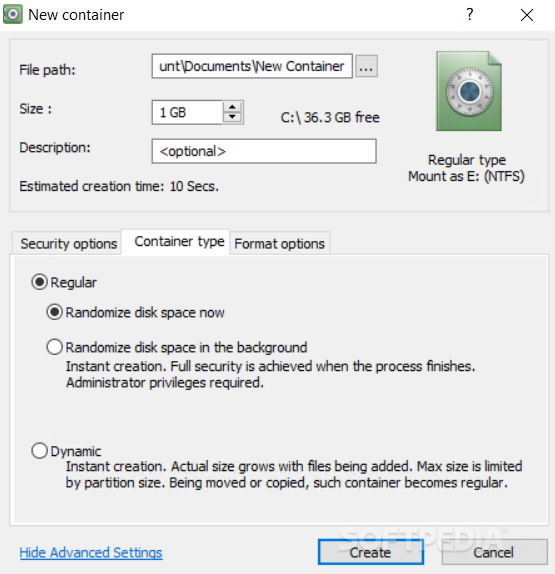
A container is a file, so it is possible to backup a container, move or copy it to other disk (CD- ROM or network, for instance) and continue to access your encrypted data using BestCrypt.

Any free drive letter in the system may be used to mount and to open an encrypted file-container for access. When the virtual disk is opened, you can read and write data as if it were a conventional removable disk.

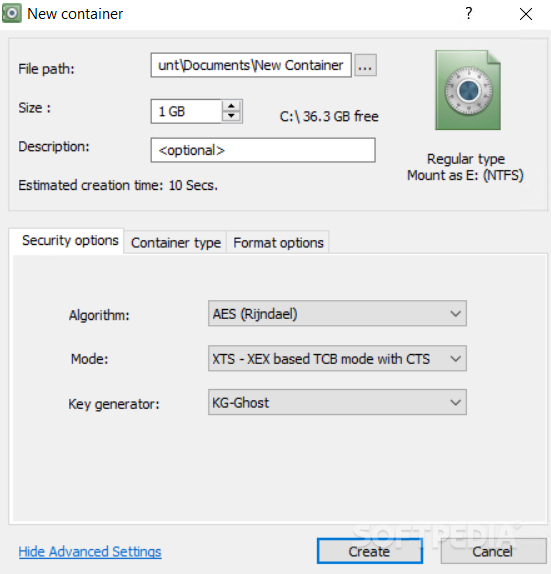
How does BestCrypt work? BestCrypt creates a pre-encrypted file called
a container. This container is created by an encryption algorithm (Twofish,
Blowfish, Rijndael, or GOST28147-89).

In addition, BestCrypt creates a logical disk. The container is linked to a logical disk, and the disk is opened for access using the unique container password. All data stored in the logical disk are stored in the container in an encrypted form and transparently accessible for an authorized person.

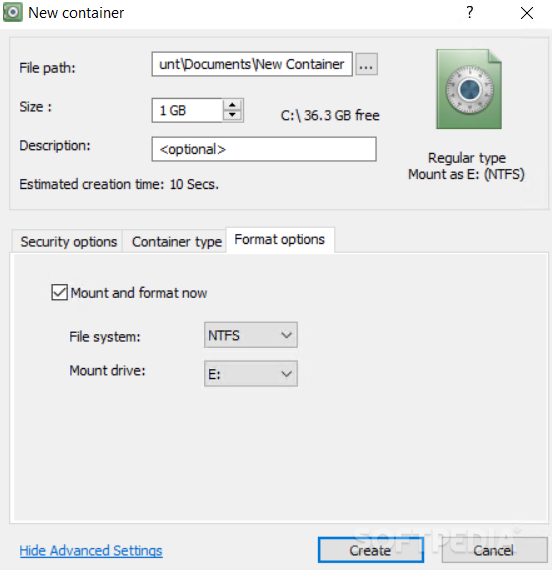
But there are few limitations here: Windows 95 and DOS operating systems do not support NTFS filesystem. So, if you format a BestCrypt container in Windows XP/2000/NT using the NTFS filesystem, it will be impossible to mount the container on Windows ME/98/95/DOS computers.

Here are some key features of "BestCrypt":

· 1. The BestCrypt software is designed for Windows 95/98/ME/NT/2000/XP operating systems and satisfies all requirements for 32-bit software. 32-bit BestCrypt Virtual Device Drivers are designed for Windows 95/98/ME and Windows NT/2000/XP file systems and
they use all available advantages of the operating systems.

· 2. There are no limitations to the number of local physical drives on which a user stores BestCrypt containers. Any type of physical media may be used to store and access the data on the BestCrypt containers: hard drives, removable media, magneto-optical devices, etc.

· 3. Any network accessible disk may be used by BestCrypt software for creating and accessing file-containers. This network disk may be shared by a server with any operating system, for example UNIX-like operating systems (OSF/1, LINUX, BSD, SunOS, HP/UX, AIX and others), Novell, Windows NT/2000/XP, Windows 95/98, Windows 3.xx, etc.

· 4. User may copy (backup) BestCrypt containers from one computer to another in network and continue to access encrypted data without any limitation on the operating system type. For example, a user may copy or move a file-container from a computer with a Windows operating system to a UNIX computer, yet continue access the data (now stored inside the container on the UNIX computer) from the Windows computer. Note that there is a separate version of BestCrypt for the Linux operating system. For more details on the software, you may visit our website: http://www.jetico.com/linux.htm .

· 5. Automatic closing options.
Timeout - if the timeout option is used: all virtual drives automatically close if the user has left computer or simply does not touch keyboard and mouse for the specified time (i.e. a "Screen saver" style time-out).
Hot Key - if Hot Key option is used: all virtual drives are automatically closed if the user presses the Hot Key combination on the keyboard.

· 6. Container Guard utility. This utility prevents the user from deleting an encrypted file-container, as well as preventing an unauthorized person who has network access to your computer from deleting your file-container. In Windows NT, 2000, and XP, Container Guard may be disabled only by an administrator.

· 7. BCWipe utility. To avoid an unauthorized restoring of deleted files from your disks, you can run BCWipe utility to wipe deleted files from the disk. The utility may also wipe all free space and file slacks on the specified disk.

· 8. The main commands to control access to encrypted data may be run from Windows Explorer ("My Computer" window) without starting BestCrypt Control Panel. To run these commands from Explorer, you should use the same method as for creating and opening any other document from Explorer, for example, a Microsoft Word document.

· 9. BestCrypt has been designed with an extendible architecture: any third-party encryption software or hardware developers can insert security extensions into the BestCrypt software - for example, additional encryption algorithms, proprietary procedures of entering the passwords, or additional hashing algorithms. To get additional information about the architecture, visit the Jetico webpage.

· 10. The BestCrypt Development Kit (available for downloading from the Jetico, Inc. Web site: http://www.jetico.com/bdk.htm) contains the source code of all BestCrypt modules responsible for the security of the software.

· 11. BestCrypt automatically saves information concerning whether to share BestCrypt logical drives on a network. Now user does not need to share the BestCrypt drives every time he/she reboots operating system.


Limitations:

· 30 days trial


What's New in This Release:

· Help documentation in Chinese language is available. Minor bugs fixed.... [ read full changelog ]


Softpedia guarantees that BestCrypt 8.04.4 is 100% CLEAN, which means it does not contain any form of malware, including but not limited to: spyware, viruses, trojans and backdoors.

This software product was tested thoroughly and was found absolutely clean, therefore it can be installed with no concern by any computer user.

However, it should be noted that this product will be retested periodically and the award may be withdrawn, so you should check back on this page from time to time. (click here for more information)


Related downloads IT News Popular downloads New additions   Latest reviews  
Acronis True Image Corporate Workstation 9.1 Build 3887
Acronis True Image is a data and system backup and restore solution for corporate workstations
Disk Space Inspector 3.6.0
A powerful and popular disk space usage tracking software.
Acronis Power Utilities 2005
Five Acronis PC system utilities to protect privacy and manage your computer
Adhaero Doc Reader 1.45
Adhaero Doc Reader is a freeware reader which will permit the user to read the full protected/encrypted files
Silver Key 3.5
An aplication that creates self-extracting encrypted files for sending over the Internet
CubeSecurity 2.1
CubeSecurity is a complex solution designed to prevent an unauthorized using of text and graphical elements from your websites
Secrets 6.0.119
Store your passwords safely in a single encrypted file
TCExplorer 1.4
TCExplorer is a portable software to import, export, delete, and rename files in TrueCrypt containers
Advanced Crypto Drive 1.0
ACDrive is a powerfull and reliable hard disk encryption system
Easy Talk 1.0
Easy Talk is a java rmi application to send and receive encrypted messages and files.

go to top Use the following code to link to this page:


Welcome!
Hello, Guest

Login if you have a Softpedia.com account.

Otherwise, register for one.

Main categories:
  • Antivirus
  • Compression tools
  • CD/DVD Tools
  • Office tools
  • Programming
  • Authoring tools
  • File managers
  • Desktop Enhancements
  • Internet
  • Network Tools
  • IPOD TOOLS
  • Mobile Phone Tools
  • Multimedia
  • Tweak
  • System
  • Security
  • Others
  • Science / CAD
  • UNIX
  • Windows Widgets
  • PORTABLE SOFTWARE

  • Week's best:
  • Adobe Flash Player 1...
  • Intel Chipset Softwa...
  • Uxtheme Multi-patche...
  • SRS Audio Sandbox 1....
  • SP3 UxTheme Patcher ...
  • PECompact 2.82
  • Sony Vegas Movie Stu...
  • 3DMark Vantage 1.0
  • Total Commander 7.03
  • VistaMizer 2.5.1.0
  • AVG Free Edition 8.0...
  • Windows XP Service P...
  • Ashampoo Burning Stu...
  • XviD Media Codec 1.1...
  • Blu-ray Disc Ripper ...
  • Blu-ray Region Code ...
  • Adobe Photoshop Ligh...
  • PowerDVD 8.0.1531
  • EF Commander 6.54
  • Microsoft Windows In...
  • Nero 8 Lite 8.3.2.1
  • WebSite-Watcher 4.41...
  • EVEREST Ultimate Edi...
  • Nokia PC Suite 6.86....
  • VMware Workstation 6...
  • AnyDVD HD 6.4.2.2
  • Messenger Plus! Live...
  • The Bat! Voyager 4.0...
  • Windows Vista Servic...
  • Nero 8 8.3.2.1
  • © 2001 - 2008 Softpedia. All rights reserved.
    Softpedia™ and Softpedia™ logo are registered trademarks of SoftNews NET SRL.
    Copyright Information | Privacy Policy | Terms of Use | Contact Softpedia | Update your software | Archive