
Hide your private folders and secure them with a password to prevent other users from getting hold of your personal information, thanks to this tool. #Folder security #Folder hider #Protect folder #Hide #Hider #Protect

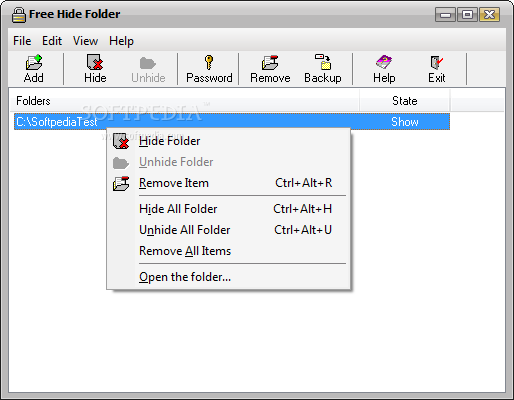
Free Hide Folder is a software that can hide your folders, so only you can access them.
This type of application is ideal when you share a computer with other users. Since the need for privacy is great, you can appeal to complex programs designed for security. Free Hide Folder offers a simpler, no-fuss solution.
As soon as you finish installing the program, you have to set a master password (you also have to type it when you uninstall Free Hide Folder).
The user interface of the application is standard. You can add directories to the list by using the file browser (the "drag and drop" method is unsupported).
Once they are in "Hide" state, you can "unhide" them via the context menu and reveal their contents as well (this means you don't have to go to that particular location on the disk).
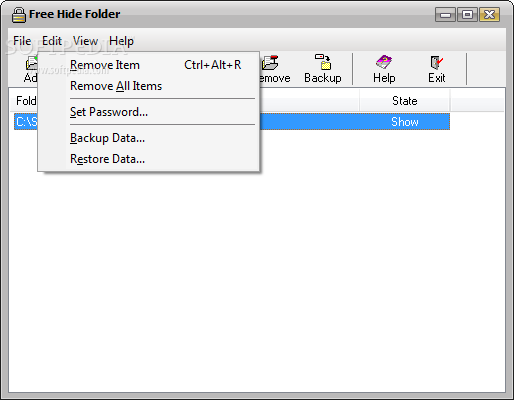
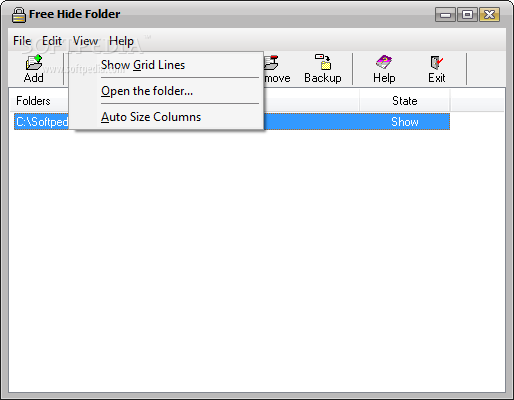
You can backup and restore data, enable grid lines, as well as change the password of Free Hide Folder. The program uses a low amount of resources, can guide you through an online help file and didn't freeze, crash or pop up errors during our tests.
Since our last revision of Free Hide Folder, the program has made some improvements. We recommend it to all users, since it is extremely easy to handle. However, if you're looking for a strong level of security when it comes to your private data, then you should look for other tools.
What's new in Free Hide Folder 3.5 Build 20171130:
- Add Features:
- Bug fixes and stability improvements.
Free Hide Folder 3.5 Build 20171130
add to watchlist add to download basket send us an update REPORT- runs on:
- Windows All
- file size:
- 875 KB
- filename:
- FHFSetup.exe
- main category:
- Security
- developer:
- visit homepage
Bitdefender Antivirus Free

Windows Sandbox Launcher

4k Video Downloader

Context Menu Manager

calibre

IrfanView

Zoom Client

7-Zip

ShareX

Microsoft Teams

- 7-Zip
- ShareX
- Microsoft Teams
- Bitdefender Antivirus Free
- Windows Sandbox Launcher
- 4k Video Downloader
- Context Menu Manager
- calibre
- IrfanView
- Zoom Client