
A comprehensive software solution that protects your computer against spyware, malware, trojans and phishing attacks, as well as against keyloggers. #Spyware Protection #Malware Protection #Trojan blocker #AntiMalware #AntiSpyware #Anti-Phishing

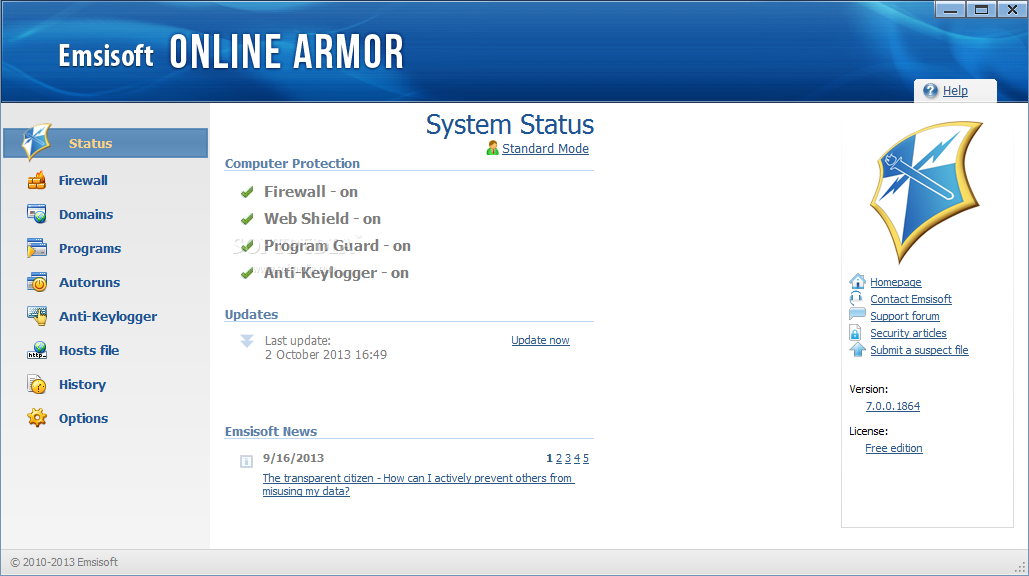
When using your computer to go online you automatically expose it to various threats that can damage your system or even attempt to steal credentials. Luckily, applications like Online Armor Free, a security system aims to protect your computer against spyware, malware, Trojans and phishing attacks.
The first time you initiate the program, you are required to set up its configuration. You can enable Online Armor Free to automatically trust everything found by the wizard on your computer (so, you do not have to confirm any action).
Otherwise, it can guide you through a step-by-step wizard at the end of which you can set your own preferences. The last option should be mainly used by power users.
In the Safety Check wizard, Online Armor Free searches for updates, scans for known dangerous processes, explores the Start menu and system files, and checks autorun items.
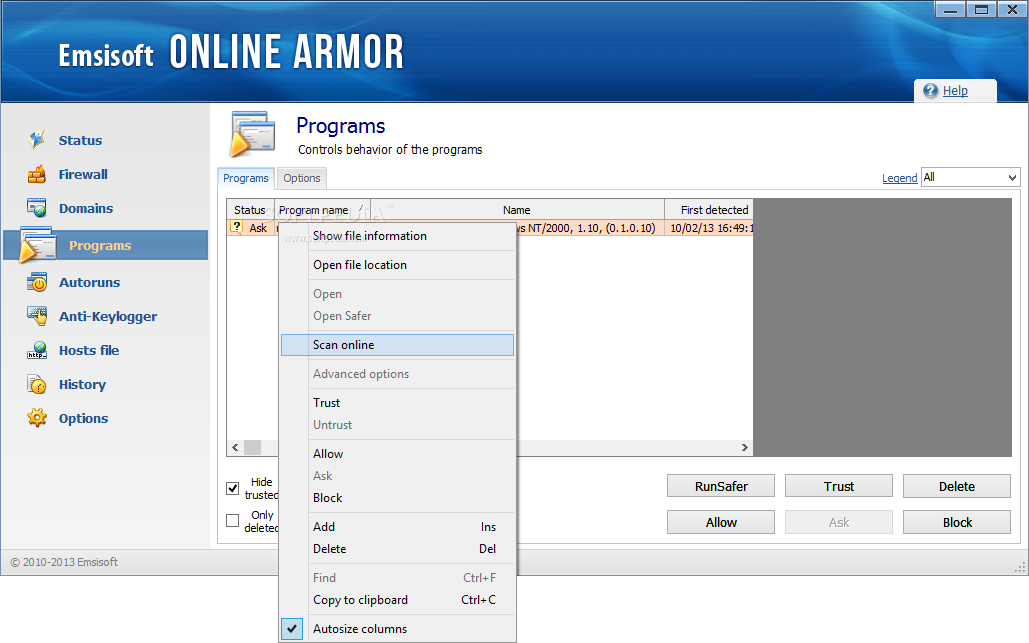
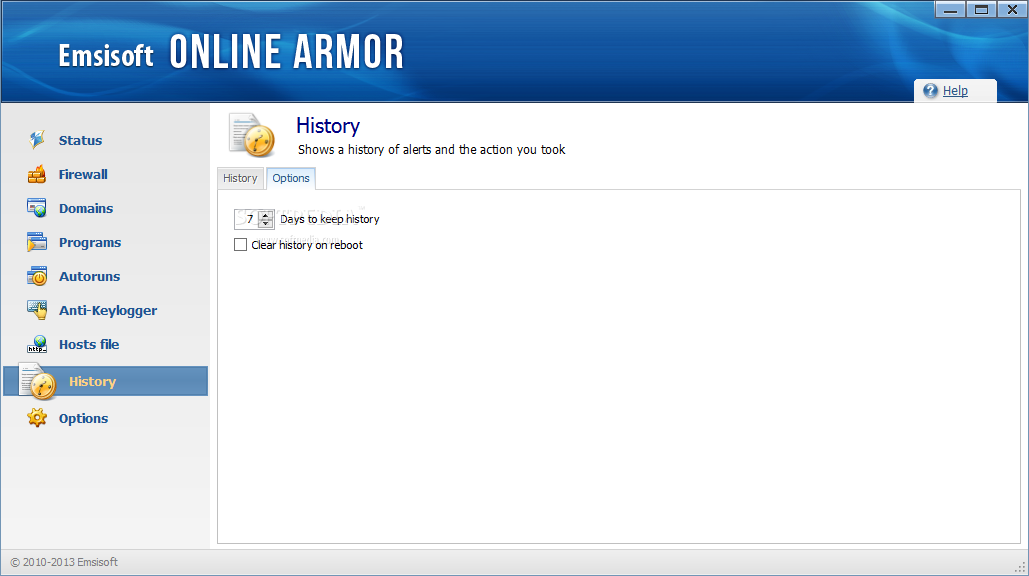
Once you have gone through the remaining steps, you are required to restart the computer. The user interface of the program is simple and straightforward. On the right side you can select Status, Firewall, Domains, Programs, Autoruns, Anti-Keylogger, Hosts file, History and Options.
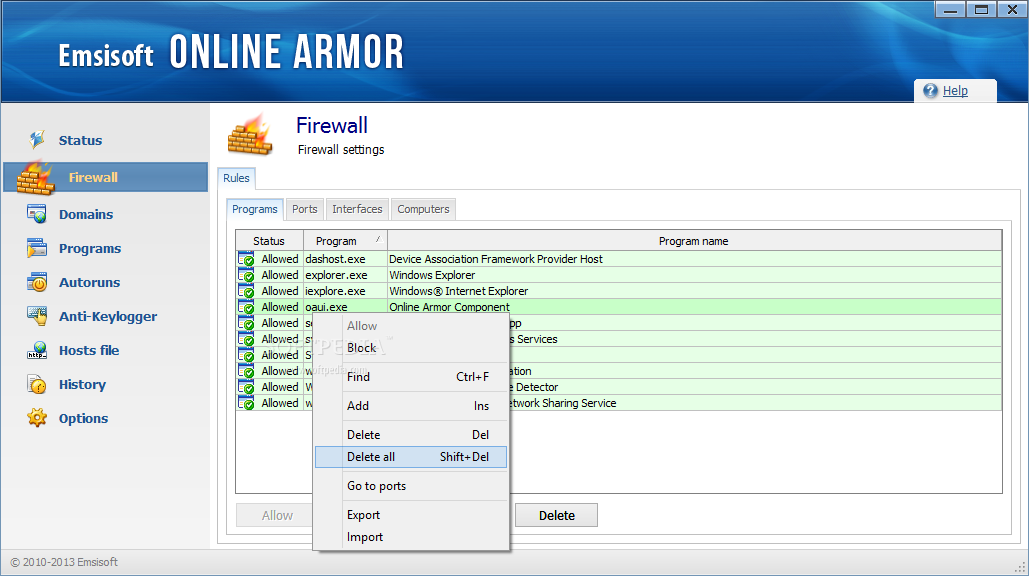
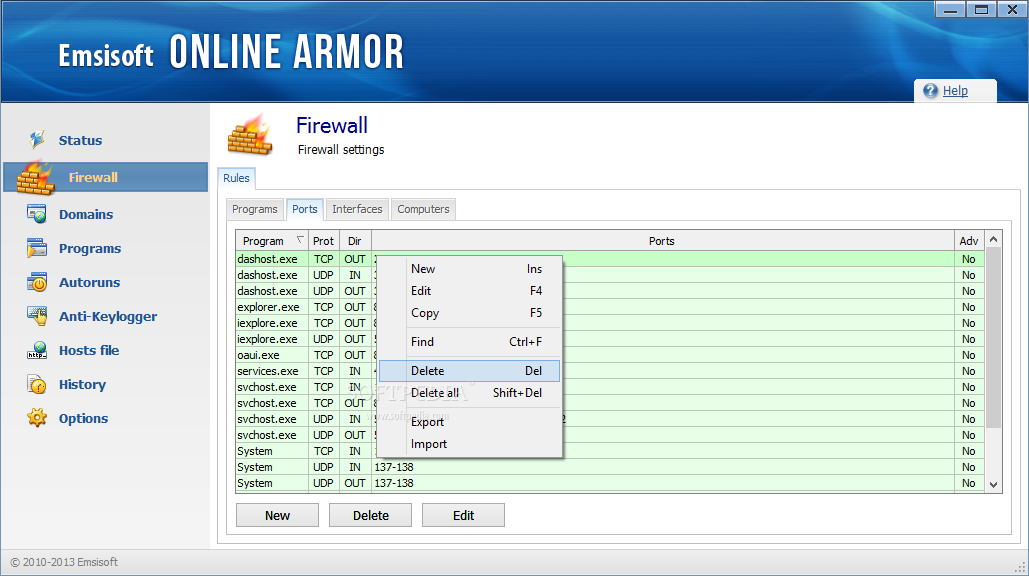
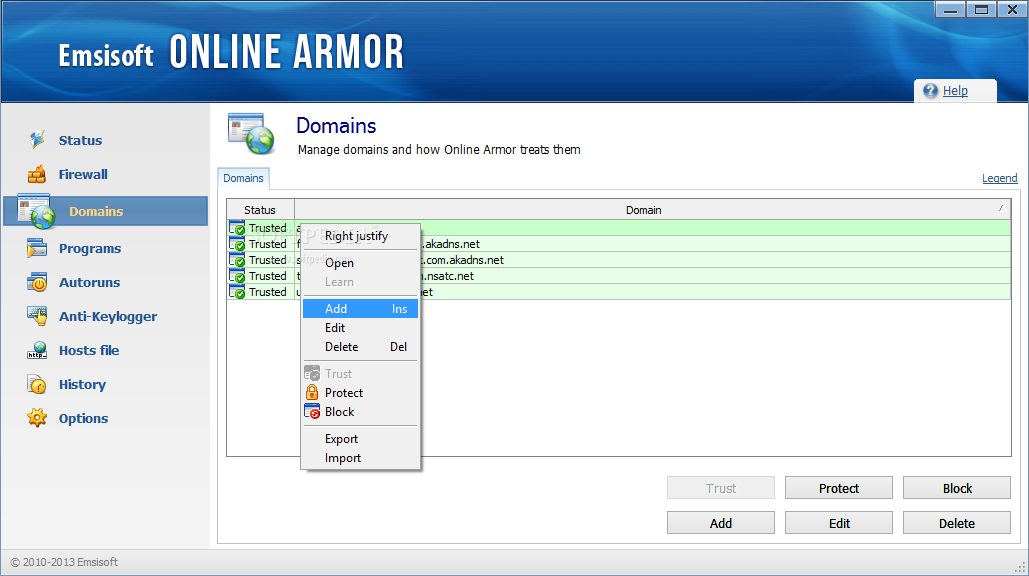
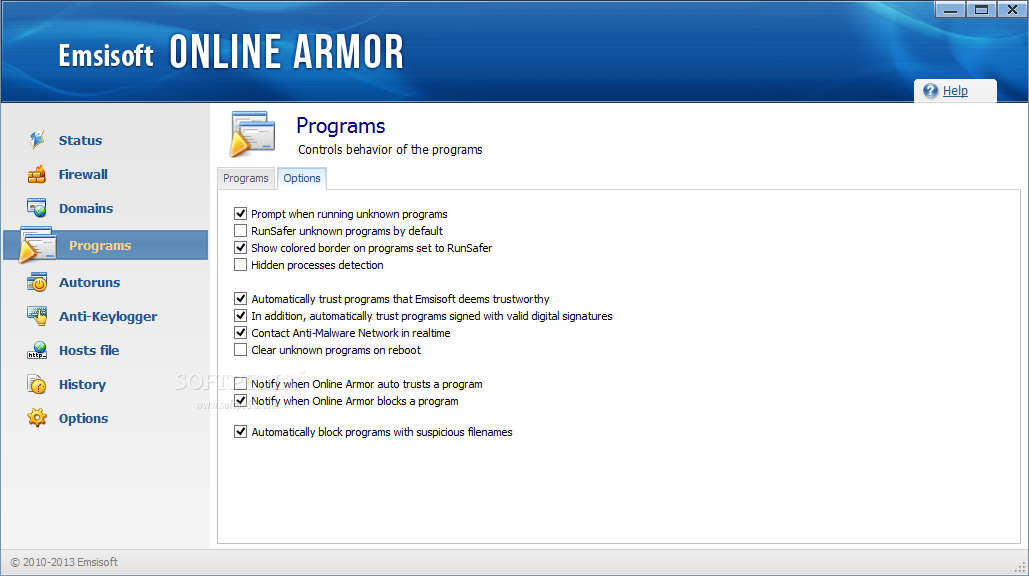
You can allow or block access to various programs in the firewall settings, as well as edit ports, view a list of available networks, add domains and set their status (trusted, blocked, protected), but also control program behavior (e.g. make them run safer than normal).
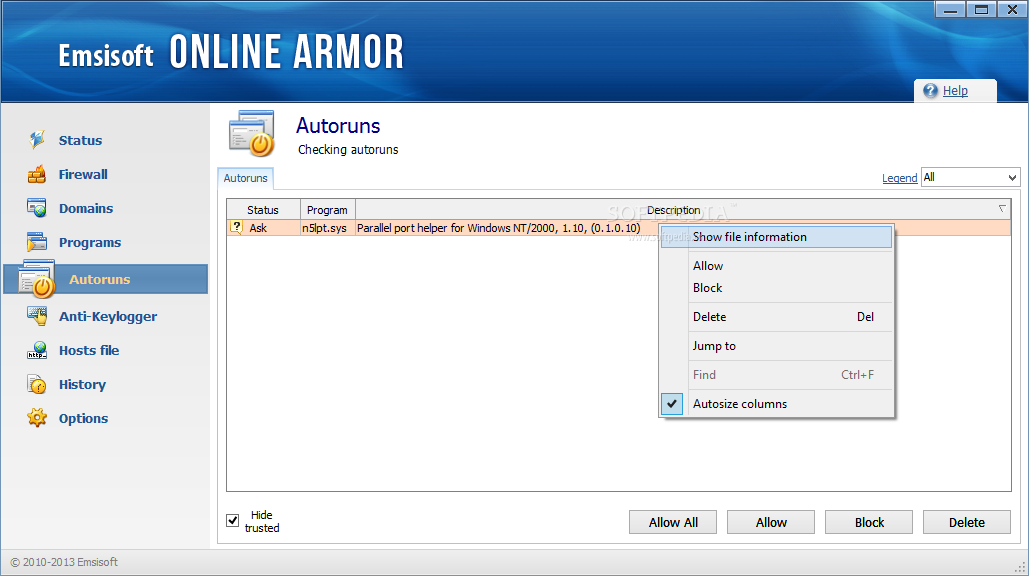
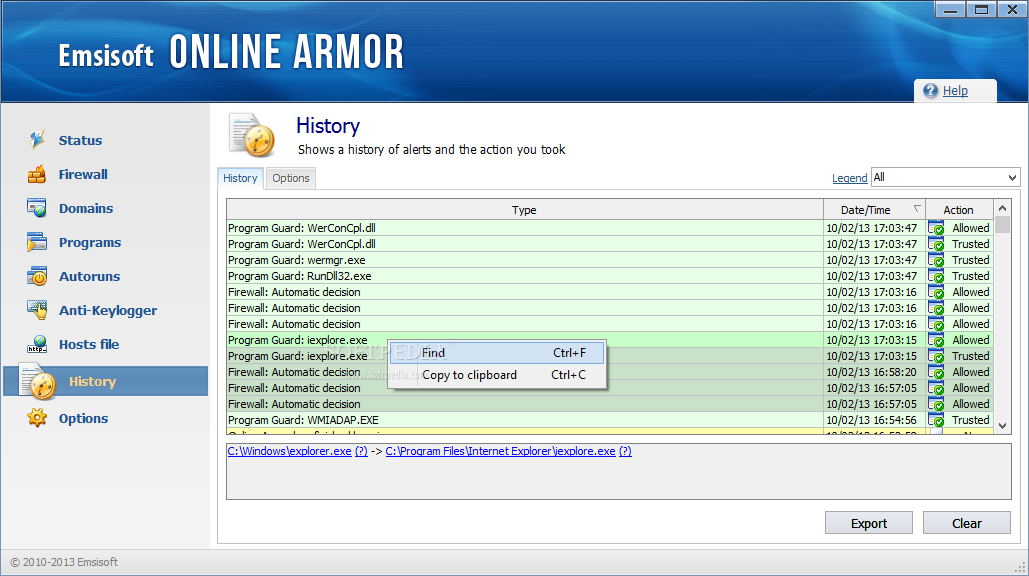
Plus, you can check autorun items (allow or block them), view a list of available keyloggers and decide whether you trust them or not, monitor changes made to the Hosts file, view a history list of alerts and actions you took in Online Armor Free, and configure options, of course.
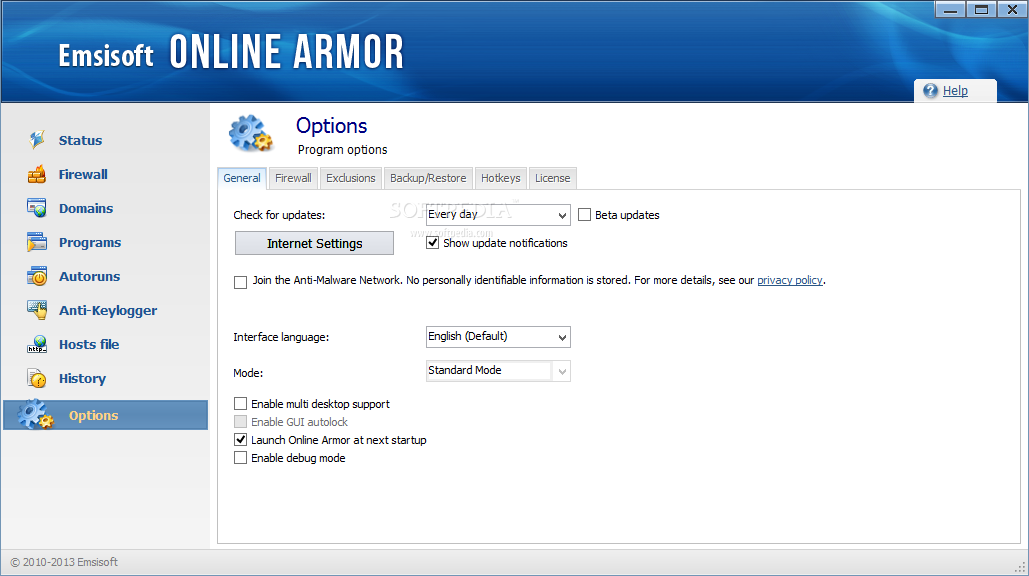
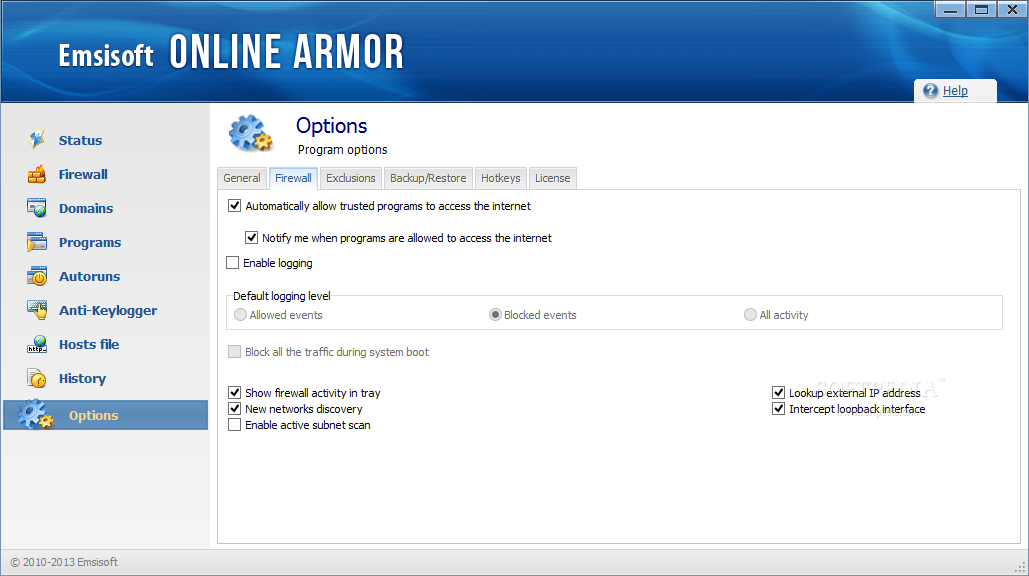
In Options, you can enable debug mode, change interface language and update auto-check, enable logging and configure its default level, add items to the exclusions list, and others.
The bottom line is that Online Armor Free offers a great level of protection for your computer, making it extremely hard for malware to infect the working environment. If you manage to stumble upon it, even by mistake, it's worth giving it at least a try.
A richer plethora of features is available in the Premium Edition.
Download Hubs
Online Armor Free is part of these download collections: Free Firewall, Firewall Protection
What's new in Online Armor Free 7.0.0.1866:
- Improvements:
- Full Windows 8.1 support.
- Asynchronous connection handling. This way existing connections will no longer be blocked by pending firewall alerts.
- Improved processing of digital signatures that use special hash and time stamp algorithms.
Online Armor Free 7.0.0.1866
add to watchlist add to download basket send us an update REPORT- runs on:
-
Windows 10 32/64 bit
Windows 8 32/64 bit
Windows 7 32/64 bit
Windows Vista
Windows XP - file size:
- 10.2 MB
- filename:
- OnlineArmorSetup.exe
- main category:
- Security
- developer:
- visit homepage
Windows Sandbox Launcher

Zoom Client

calibre

ShareX

7-Zip

Context Menu Manager

4k Video Downloader

IrfanView

Bitdefender Antivirus Free

Microsoft Teams

- IrfanView
- Bitdefender Antivirus Free
- Microsoft Teams
- Windows Sandbox Launcher
- Zoom Client
- calibre
- ShareX
- 7-Zip
- Context Menu Manager
- 4k Video Downloader