
A powerful firewall applications specially designed for peer to peer users to keep their privacy protected from threats over the Internet. #Firewall software #P2P firewall #P2P protection #Peer2peer #Guardian #Sharing

File sharing is a unique experience and while it has countless advantages, the downsides make quite the list too. One of the most negative aspects of file sharing and Internet surfing, in general, is that your privacy is never fully protected.
When online, various organizations attempt to connect to your IP and steal personal information without you being aware of it. PeerGuardian was designed to prevent unauthorized connections by blocking harmful IPs from getting in touch with your computer.
PeerGuardian is basically a firewall utility and is especially effective in protecting you when you use peer to peer connections. It has access to an online blocklist database which is continuously updated, thus ensuring day-to-day protection.
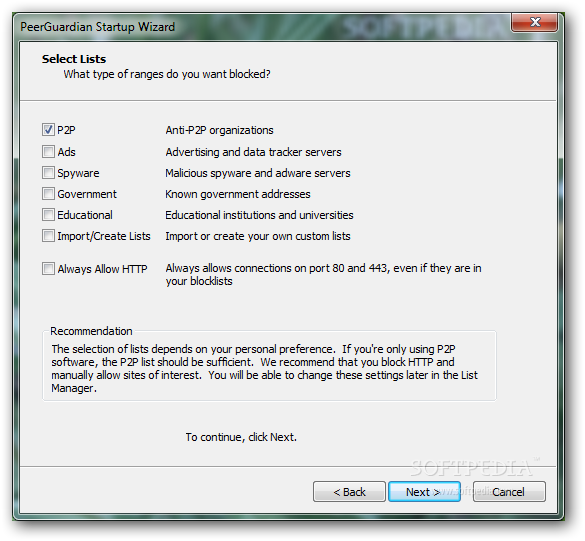
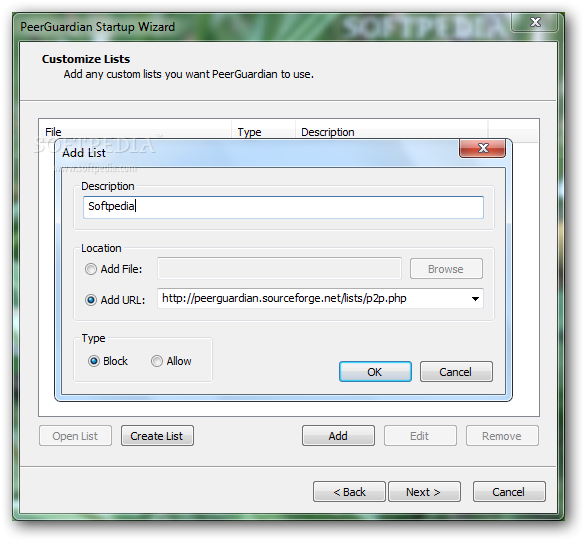
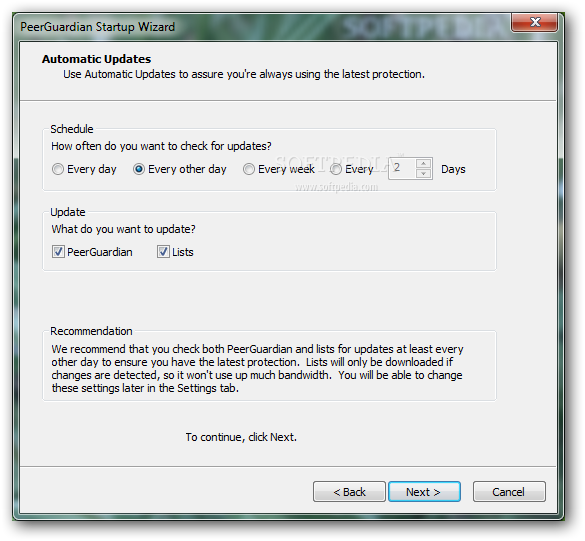
The installation process of PeerGuardian needs user assistance, since it requires you to configure a few settings. The first step is to select the types of organizations/items to be blocked (P2P / Ads / Spyware / Government / Educational). Next, the application prompts you to add the list of IPs to be processed; the source can be a text file or a URL. The final step allows you to configure the update feature for the online database.
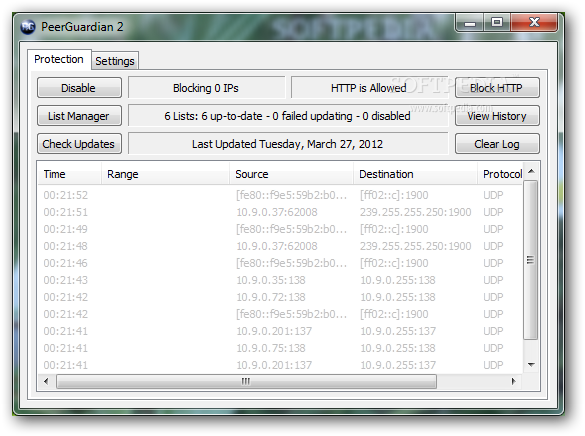
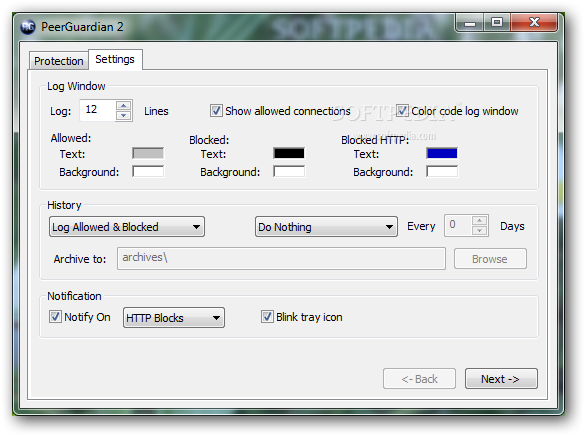
PeerGuardian’s interface is simple and easy to work with. It allows you to view the allowed/blocked IPs and provides quick access to the IP list manager. Settings include log and history preferences, as well as notification options.
During our tests, PeerGuardian performed flawlessly. It managed to detect and close all the connections from specified IP ranges and protected us from harmful P2P IP addresses.
Even though the development of PeerGuardian has halted, the application works properly. It is actively maintained only on Linux and developers encourage Windows users to migrate to PeerBlock, a fork of PeerGuardian.
What's new in PeerGuardian 2.0 RC1 Test 2:
- Supports Vista and all other windows versions - all in one installer.
PeerGuardian 2.0 RC1 Test 2
 Softpedia Editor's Pick
add to watchlist
add to download basket
send us an update
REPORT
Softpedia Editor's Pick
add to watchlist
add to download basket
send us an update
REPORT
- portable version
- Portable PeerGuardian
- runs on:
- Windows All
- file size:
- 1.9 MB
- filename:
- pg2-rc1-test2.exe
- main category:
- Security
- developer:
Zoom Client

Windows Sandbox Launcher

Context Menu Manager

calibre

ShareX

7-Zip

4k Video Downloader

Microsoft Teams

Bitdefender Antivirus Free

IrfanView

- Microsoft Teams
- Bitdefender Antivirus Free
- IrfanView
- Zoom Client
- Windows Sandbox Launcher
- Context Menu Manager
- calibre
- ShareX
- 7-Zip
- 4k Video Downloader