
A non-intrusive firewall software solution that was designed to provide some extra security and process monitoring capabilities, especially for home users. #Whitelist Connection #Firewall Protection #Block Connection #Firewall #Blocker #Restrict

Staying safe while connected to a local network and, more importantly, when browsing the Internet is a job for dedicated utilities, like antivirus or firewall solutions. Even if Windows comes, in the later iterations, with an effective firewall application, there are some programs that can complement it and, thus, make the PC a safer place.
Such a tool is TinyWall, a lightweight app whose main purpose is to block malicious processes and prevent insecure connections. The simple interface makes it easy to configure the software, but the way in which it works, by blocking all connections from the get-go, may bring it a lot of dislikes, at least after the first hours of usage.
The main rule you will have to follow when this tool is installed and running onto your system is that if you notice a certain program that requires network or Internet access/connectivity is not working properly, check the firewall.
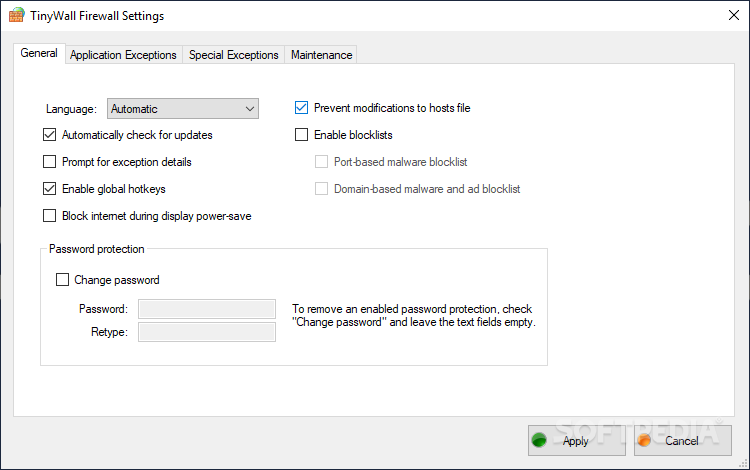
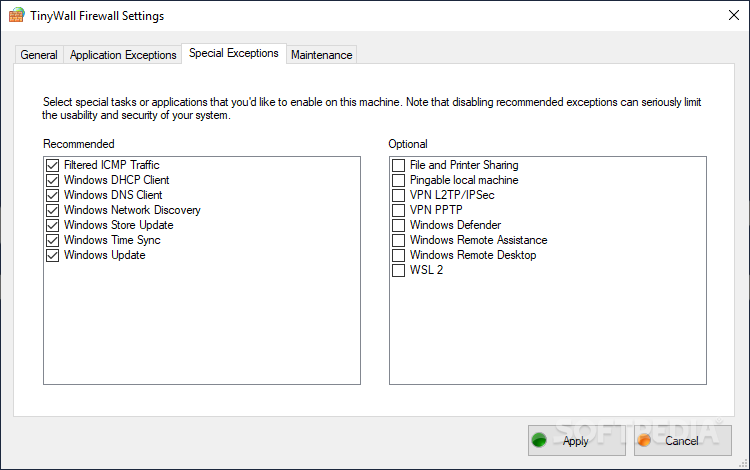
You can add all verified and trusted applications to the exceptions list you will find in the 'Settings' area of TinyWall. In fact, there are two such lists, the other one being for 'Special Exceptions' which apply to the whole system.
Thus, you will be able to give the green light for certain software to receive and send data through the available connections, while also enabling or deactivating supplementary network traffic features. These include file and printer sharing, Windows network discovery, Windows update, Windows Remote Desktop or Remote Assistance to name just a few.
The monitoring capabilities of TinyWall will make it possible for you to view the running processes, the ports and protocols they use as well as the destination and remote address. It is also possible to check out the apps that were blocked I the last couple of minutes by the firewall.
To sum things up, it is clear that TinyWall can be a great helper, but it is mostly useful for users who are not bothered by numerous trips to the settings zone where exceptions upon exceptions must be created to have all the installed programs function without glitches.
What's new in TinyWall 3.3.1:
- TinyWall is now open-source
- Add GitHub button to Settings window
- Change license to GPLv3
- Fix Korean localization not loading
TinyWall 3.3.1
add to watchlist add to download basket send us an update REPORT- runs on:
-
Windows 11
Windows 10 32/64 bit - file size:
- 1.8 MB
- main category:
- Security
- developer:
- visit homepage
IrfanView

7-Zip

calibre

Context Menu Manager

4k Video Downloader

Microsoft Teams

Bitdefender Antivirus Free

ShareX

Zoom Client

Windows Sandbox Launcher

- ShareX
- Zoom Client
- Windows Sandbox Launcher
- IrfanView
- 7-Zip
- calibre
- Context Menu Manager
- 4k Video Downloader
- Microsoft Teams
- Bitdefender Antivirus Free