Softpedia
 

WINDOWS CATEGORIES:


GLOBAL PAGES >>
SOFTPEDIA REVIEWS >>
MEET THE EDITORS >>
WEEK'S BEST
  • Bitdefender Total ...
  • Hard Disk Sentinel...
  • FlashFXP [DISCOUNT...
  • Ocster Backup Pro ...
  • Kaspersky Internet...
  • DVDFab DVD Copy [D...
  • Avast! Internet Se...
  • Avira Internet Sec...
  • Webroot SecureAnyw...
  • McAfee Total Prote...
  • Home > Windows > Security > Security Related
     Report malware

    Winspector 1.0b Build 37

    download button

    Downloads: 47,667  Tell us about an update
    User Rating:
    Rated by:
    Good (3.7/5)
    12 user(s)
    Developer:

    License / Price:

    Size / OS:

    Last Updated:

    Category:

    Freeware / $0
    1013 KB / Windows All
    [view history]
    C: \ Security \ Security Related

     Read user reviews (0)  Send to friend   Follow (2 users)

    Softpedia Editor's Review for Winspector

    EDITOR'S RATING:   4.0/5

    An application that allows you to look at the messages being sent in the system

    Written by Mihaela Citea on February 14th, 2012

    Winspector is a simple, yet useful application designed to offer you a graphical view of the processes that run and the messages that are being sent within the system.

    The program displays a user-friendly interface, organized in multiple panes. In one of them, you can view a complete list of the windows and processes. When scrolling over one window, the program automatically displays specific data about it, including class, HEX and HTML format.

    Moreover, you can view detailed information about a window by opening its Properties. The class name, text, style and the corresponding process can be viewed from this window.

    You can view the options of a window or process by accessing the context menu. If you want to view a windows' messages, a separate pane opens, displaying a message list. Here, you have multiple options at your disposal: you can view the text length, filter the message list, copy or hide a message category or even search information about a certain message on the Web.

    Every process that starts within your system is automatically displayed by Winspector. For example, when opening a new Explorer window, all the corresponding messages appear as 'created' in the main screen of Winspector. On the other hand, when closing a window, its status changes to 'destroyed'. Thus, the window list can be set to automatically refresh, but you can also do this manually.

    You can choose to supervise a certain window class, as well as rapidly search a process by its class. Also, you can highlight a certain window in order to identify it faster.

    One interesting feature is the possibility to quickly view the process and the window by selecting one opened window with the 'target' tool. When doing so, the window is automatically highlighted in the list.

    If you want to view detailed information about the processes that run in your system, Winspector can help you.

    Winspector description

    Here are some key features of "Winspector":

    · Can hide invisible windows. Sounds nice but what does it mean? It means you can reduce the clutter in the window list from 50 windows down to just 5!
    · You can display more than one set of window properties. Spy++ is MDI so why did they implement properties as a modeless dialog!
    · You can view windows by the window hierarchy or by process. This can save you a ton of time hunting to find your window.
    · Right-click on a message to hide it. It also hides all previous instances of that message - these messages aren't lost, they are just hidden.
    · You can pause the output of the messages - but messages are not lost, they are still being recorded and when you un-pause they will be displayed.
    · If you wish to see all hidden messages again then right-click to show them all - none have been lost, all have been recorded.
    · One click to copy window properties such as caption text or window class and whatever else is displayed.
    · Automatically refresh the window list.
    · Automatically start showing window messages when a window class is seen. Winspector manages groups of classes and you can decide whether to show the properties or messages for a window. No more messing around getting Spy++ to see your window.
    · Right-click a message to look it up on google.com - couldn't be simpler. The search engine and URLs used will be configurable at some point in the future too.
    · Easy to find highlighting of windows from the window list
    · Icons for common window classes so you can see at a glance what type of window you are looking at. Also, you can add your own by adding an icon in the "Class-Icons" folder and giving the icon the same name as your window class.
    · Log all window creation and destruction and single click to add window classes to the watch list or to view it's messages. Next time they are created you see all.
    · Saves message filters as XML, each filter is associated with a window class.
    · Message filters can be toggled on and off. This is great for double checking whether you have missed an important message.
    · Message filters can be edited via a GUI to remove bulk messages - much easier to use than the Spy++ equivalent. Right-click the messages window and select Edit message filter...
    · A single click-drag operation to find a window in the window list. No more clumsy Spy++. If you hold down CTRL then a message window is created, hold down SHIFT and a properties window is displayed.
    · Save messages to text or XML file.
    · Ability to edit styles and extended styles of any window.
    · Bookmarks in the message list. Using the traditional MSVC CTRL+F2 etc. you can drop bookmarks and go back to them.
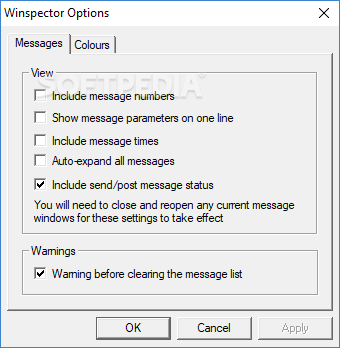
    · Automatically expand either all messages or just a select few. If you have chosen a few then these are remembered for next time.
    · Highlight messages on a per message type basis. Want to see all WM_NOTIFY messages highlighted? Just right click and there they are.

    What's New in This Release: [ read full changelog ]

    · Fixed bug where the window titles in the tree did not update to reflect changes in the window captions.
    · Added pretty much every tooltip control message.
    · Added a bunch of decoders for (rich)edit controls.
    · Fixed bug where the config file could get corrupted when using the unicode version.
    · Added "info" button to the message display to look up a message on the web.

     Softpedia guarantees that Winspector 1.0b Build 37 is 100% CLEAN, which means it does not contain any form of malware, including spyware, viruses, trojans and backdoors. [read more >]


    TAGS:

    Property Viewer | System Message | Process Explorer | Viewer | Explorer | Analyze

    Go to top

    WindowsGamesDriversMacLinuxScriptsMobileHandheldNews

    SUBMIT PROGRAM   |   ADVERTISE   |   GET HELP   |   SEND US FEEDBACK   |   RSS FEEDS   |   UPDATE YOUR SOFTWARE   |   ROMANIAN FORUM