
Easy-to-configure program that offers support for a step-by-step approach for helping you create bootable USBs with Windows installation files. #Create bootable USB #Bootable USB creator #Make bootable USB #Create #Creator #Make
When you think of a Windows installation source, the first thing that comes to mind is the disc medium. And many would stop there. What happens when your optical drive fails to work or you don't have any - netbooks, for instance? An external optical drive can be the resolution to the problem, that's for sure. But why not a USB flash drive? Yes, it is possible to make your USB stick your new source for installing Windows.
The simple title of the software at hand - A Bootable USB – is not what interests the crowd in need for a 100% working, ready-to-install Windows flash drive. Just prep your Windows installation disc or the ISO image of it and let's get started.
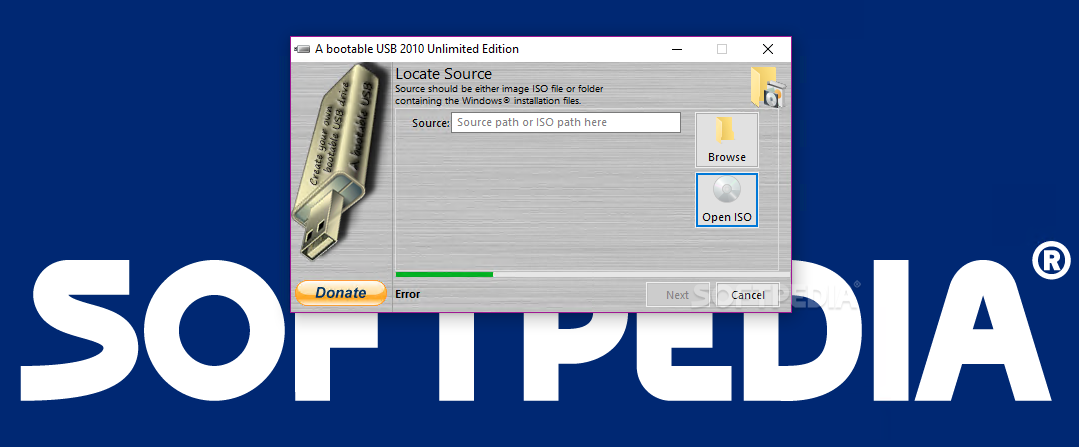
The software takes a split-second to install and once you fire it up it will ask for the source of the Windows installation files. The interface will not strike you with colorful or over-the-top looks. It keeps things steady within a wizard case.
As soon as you successfully pass the first step of the wizard, you are required to select the USB drive you want to format in order to place the installation files on. It is recommended that you only keep the USB stick you intend to process connected to your PC during the usage of this program. This way both human mistakes as well as application errors are prevented. A Bootable USB requires a minimum 4GB USB drive and displays information about it such as name, capacity and free space.
Users are advised to back up their stored USB stick data before hitting the `Next` button, as the application will format it in the next step of the wizard. The program allows you to enter a label and attach `A Bootable USB icon` to the drive. These are the last operations required by the software prior to the process of formatting and transferring of Windows Installation files.
A Bootable USB gets the job done and it is only limited by the actual write speed of the given USB flash drive. It provides a few quick steps within its wizard-like interface and ease of use throughout its configuration. At the end of day, this is what an ingenious Windows-on-USB software brings to the table – seamless operation and good-to-go results with very little time consumed on your part.
What's new in A Bootable USB 0.9.6.508 Beta:
- Added French language
- Better file copying
A Bootable USB 0.9.6.508 Beta
add to watchlist add to download basket send us an update REPORT- runs on:
-
Windows 10
Windows 2008
Windows 8
Windows 7
Windows Vista - file size:
- 893 KB
- filename:
- ABUSB_508.exe
- main category:
- System
- developer:
- visit homepage
Windows Sandbox Launcher

calibre

ShareX

Context Menu Manager

7-Zip

Microsoft Teams

4k Video Downloader

IrfanView

Zoom Client

Bitdefender Antivirus Free

- IrfanView
- Zoom Client
- Bitdefender Antivirus Free
- Windows Sandbox Launcher
- calibre
- ShareX
- Context Menu Manager
- 7-Zip
- Microsoft Teams
- 4k Video Downloader