
Recover various types of data from multiple locations, including internal and external drives, through this free-to-use solution. #Data recovery #Recover data #Backup data #Recover #Recovery #Backup

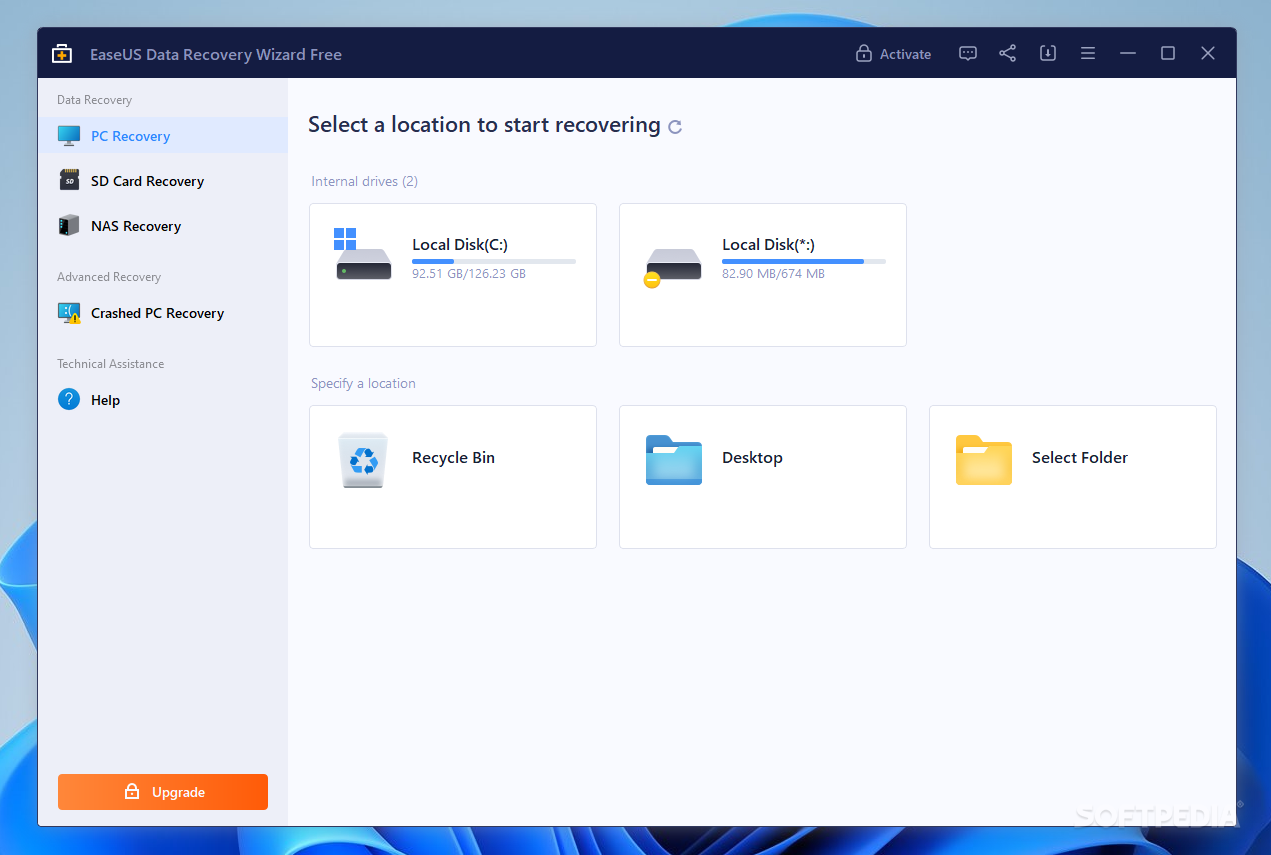
Data loss is no joke. Whether it’s a mistakenly deleted file, or something you didn’t know you needed up to this point, recovering your data is a possibility, but never a certainty. It’s why you have to temper your expectations before utilizing data recovery tools: if it works, then great. And if it doesn’t, then at least you tried.
EaseUS is among the first developers that you’ll see if you look for data recovery tools. Besides providing complete solutions with all sorts of features, they also offer a Free version for their Data Recovery Wizard tool, which you may want to consider if you’re after retrieving your data.
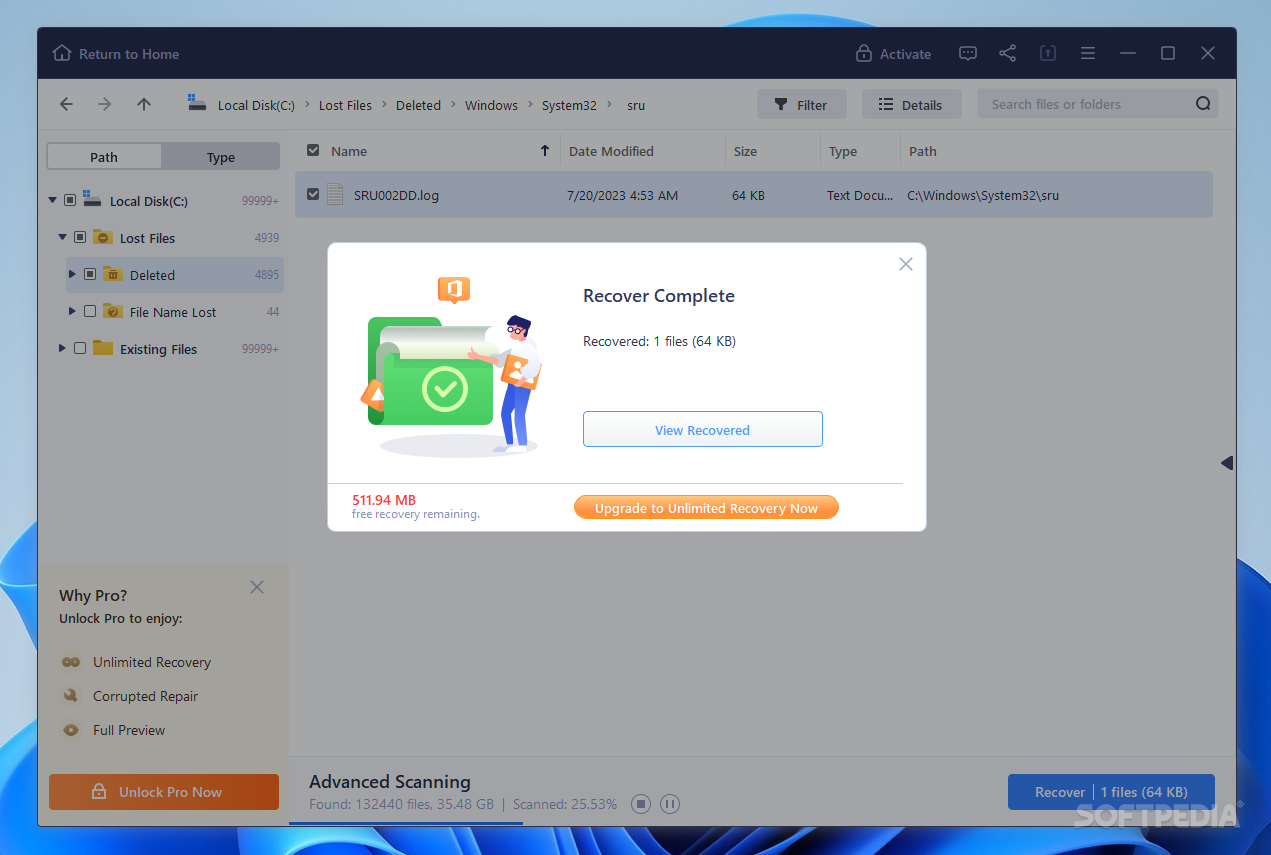
The program is an effort to provide a reliable solution for a general audience when it comes to data recovery. I feel that it is generally easy to work with, and restrictions that are customary for Free editions like these aren’t too difficult to manage: you can only recover up to 600MBs of data, which is a respectable amount.
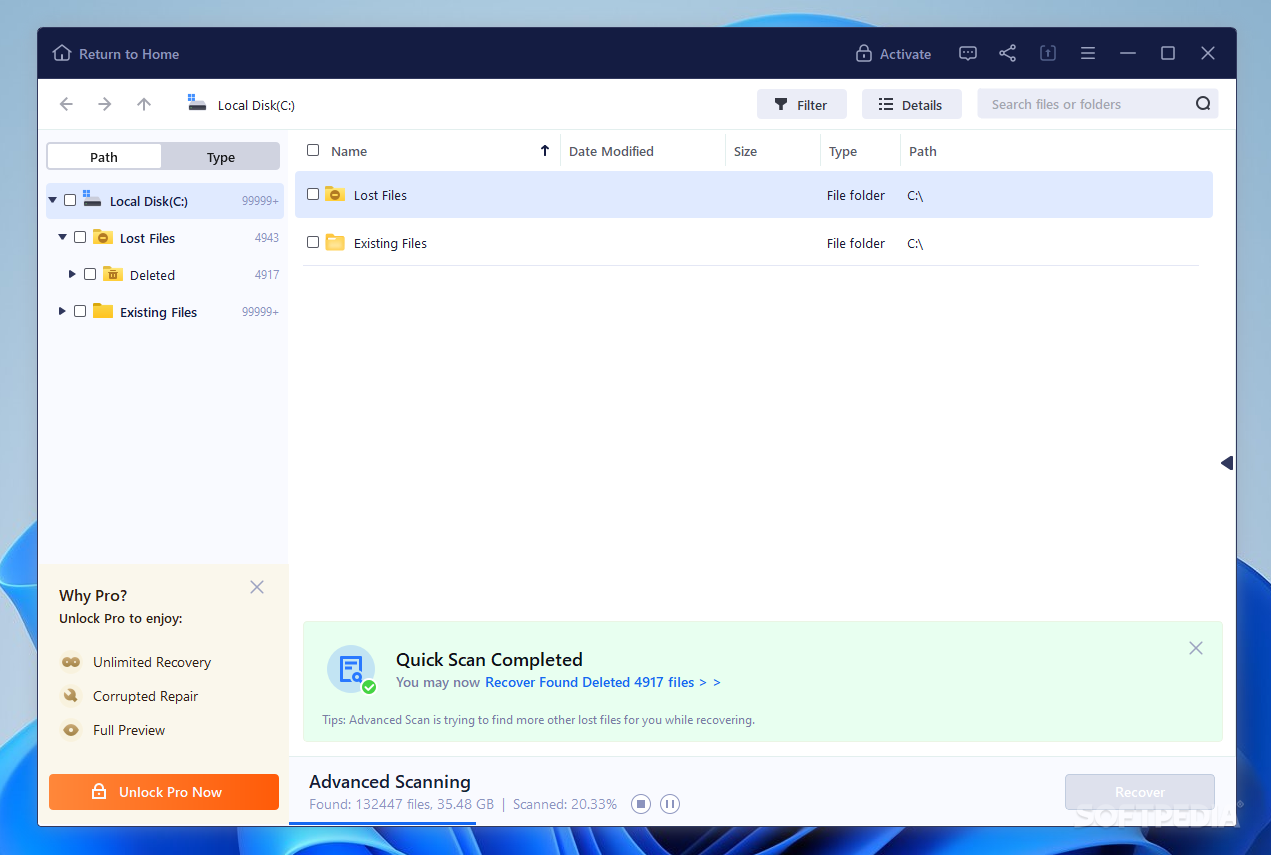
What it ultimately comes down to is whether the software is truly effective at what it does. Recovering data is often uncertain, but with a bit of luck, you may just be able to do something about it. Select a drive or location to scan, and the program will start analyzing for retrievable data. It’s best you wait for the Deep Scan to complete before you look for what can be recovered, but the Quick Scan can nevertheless return some good results as well.
A feature to appreciate is the program’s capability to look through SD cards and NAS storage to recover lost or deleted files. This works much like scanning and retrieving data from an internal hard drive, and the tool guides you every step of the way.
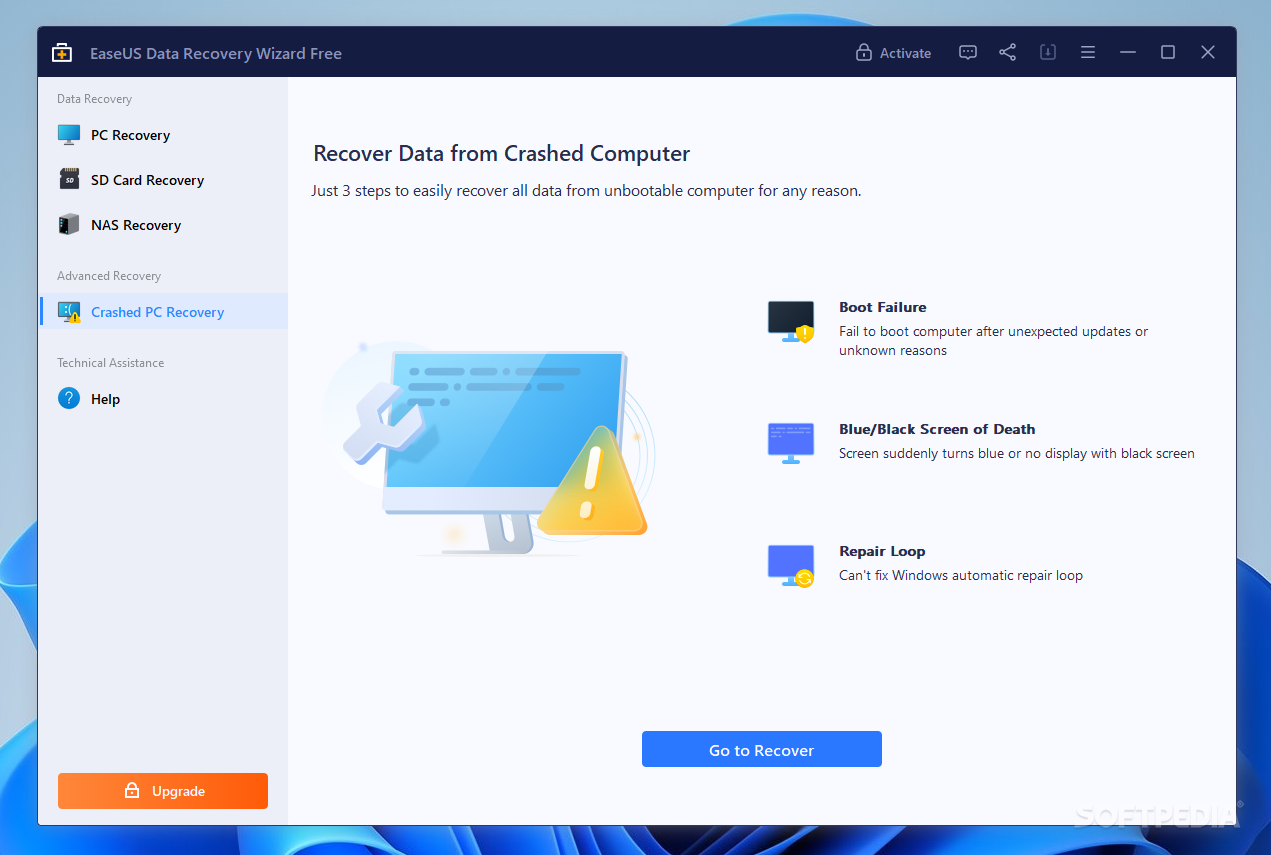
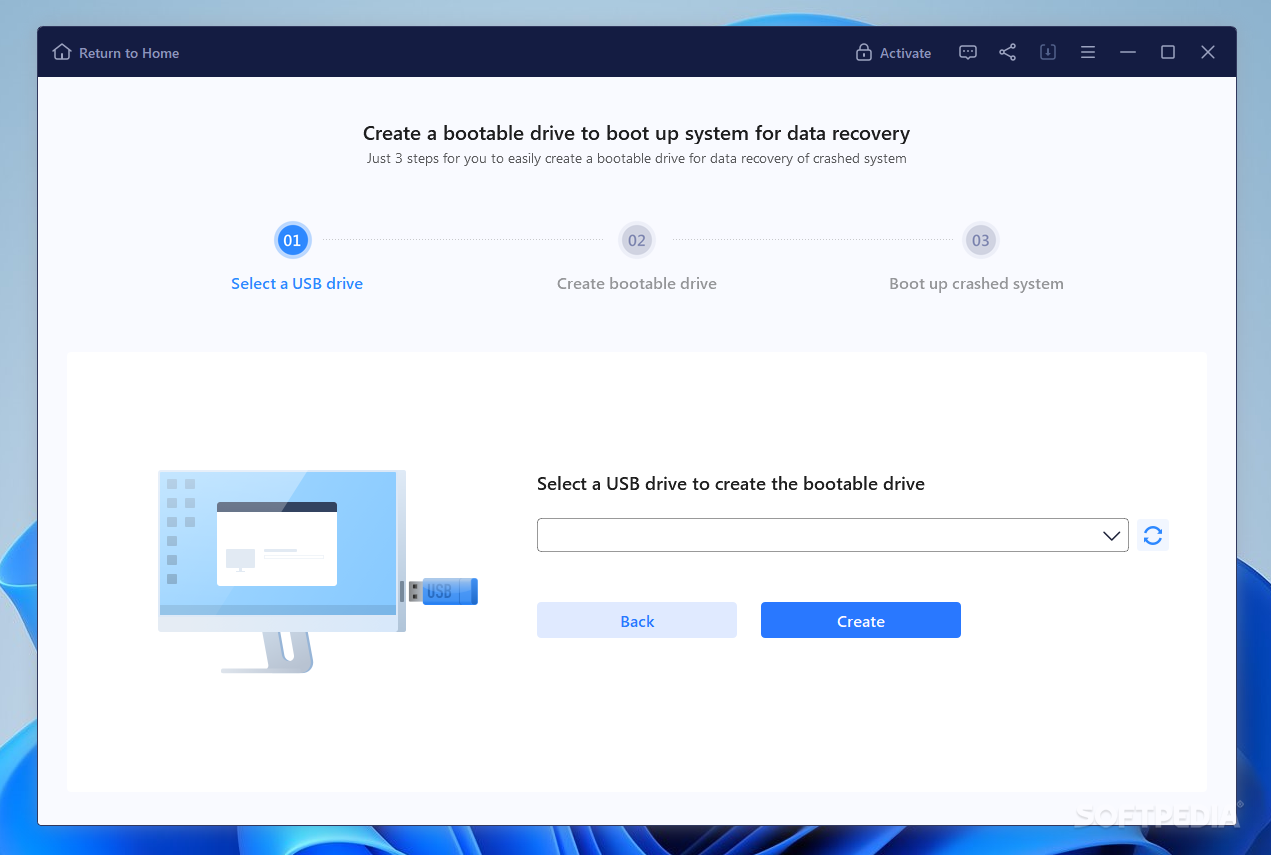
Crashed PC Recovery is another function of the program that can potentially help you deal with data loss, specifically from an unbootable machine. To do so, you’ll need to create a bootable drive through the program via a USB stick.
EaseUS Data Recovery Wizard Free may or may not be effective for your data recovery tasks. Either way, I would recommend you to try it before giving up. You’ll never know until you try, as they say.
Download Hubs
EASEUS Data Recovery Wizard Free is part of these download collections: File Recovery
EASEUS Data Recovery Wizard Free 18.0.0.0 (Build 20240417)
add to watchlist add to download basket send us an update REPORT- runs on:
-
Windows 11
Windows Server 2022
Windows Server 2019
Windows Server 2016
Windows 10 32/64 bit
Windows Server 2012 R2
Windows Server 2012
Windows 2008
Windows 2003
Windows 8 32/64 bit
Windows 7 32/64 bit - file size:
- 2.5 MB
- main category:
- System
- developer:
- visit homepage
Context Menu Manager

Zoom Client

7-Zip

Microsoft Teams

Windows Sandbox Launcher

IrfanView

calibre

ShareX

4k Video Downloader

Bitdefender Antivirus Free

- ShareX
- 4k Video Downloader
- Bitdefender Antivirus Free
- Context Menu Manager
- Zoom Client
- 7-Zip
- Microsoft Teams
- Windows Sandbox Launcher
- IrfanView
- calibre