
Allows you to protect your important files and sensitive data #Verification tool #Repair tool #File recovery #Recovery #Recover #Repair
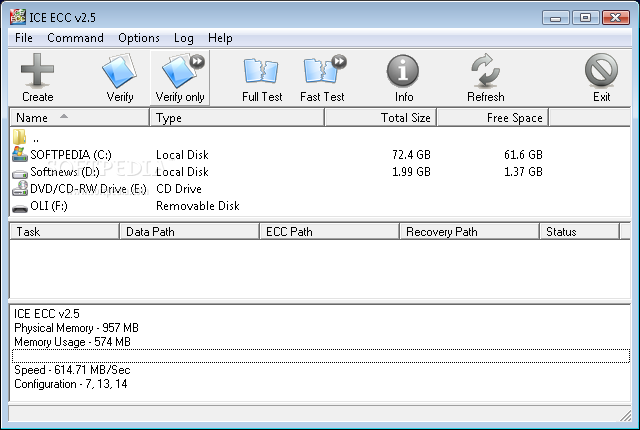
ICE ECC is a file verification and repair tool. ICE ECC allows you to protect your important files and sensitive data against digital corruption using Reed-Solomon codes.
The program is not intended as a main backup solution, but rather as a backup for your backup - it can be included on CDs or DVDs before you store your data, allowing you to recover data that has become corrupt due to age of the media or scratches.
ICE ECC is an utility that helps you to verify file and repair.
You can protect selected files or entire folders by simply selecting them and having the program generate an ECC file.
Here are some key features of "ICE ECC":
■ ICE ECC supports not only file/files. It works with directories too. You can easily protect a whole CD-R or DVD-R disk or any files or folders from digital corruption. ■ Reed-Solomon codes require a lot of CPU power for calculation purposes. ICE ECC provides the fastest implementation of Reed-Solomon codes in the world. ■ ICE ECC is a native Unicode application. That means that any filename is supported. ■ There is no limitation on the number or size of protected files or directories. ■ ICE ECC uses the distributed mechanism of storing recovery information. Recovery is possible even if files with recovery information are heavily corrupted. ■ ICE ECC uses special compression techniques for storing catalogs of files. It provides the minimal size of recovery files even for large file collections. ■ ICE ECC may not only recover damaged files. It can recover lost files, if the size of these files are less than the size of all valid .ecc files. ■ ICE ECC uses an algorithm that will allow it to find shifted data regardless of the distance by which it has been shifted and will work with any block size. Both .ecc files and data files are immune to shift. ■ ICE ECC support queues for any operations.
Did you know that a typical CD-R/DVD-R disk can hold its data intact for only a few years? ICE ECC is the perfect solution to this problem - before you store your data, protect it against corruption with ICE ECC.
ICE ECC is easy to use. To protect a file against corruption, just select the file/files/directories with the program by navigating the explorer-style window and click Create. This creates recovery file/files of the original files. You can easily control the size and number of the recovery files.
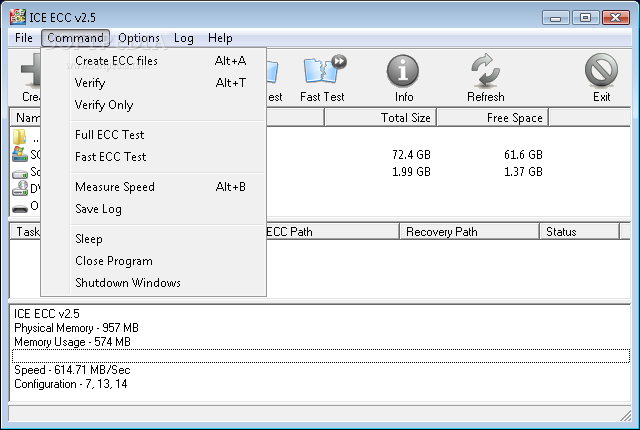
When you want to verify whether the file has been modified or if the data in it has been corrupted, just select the appropriate .ecc file and click Verify. ICE ECC will then do a full analysis of the file and let you know if it has been corrupted, in that case ICE ECC will automatically recover it for you.
There are some similar programs: PAR2, QuickPar, etc. But ICE ECC outperforms them all and not only due to the fact that ICE ECC can work with directories.
ICE ECC 2.7
add to watchlist add to download basket send us an update REPORT- runs on:
- Windows All
- file size:
- 702 KB
- filename:
- ICEECCSetup.exe
- main category:
- System
- developer:
- visit homepage
7-Zip

Bitdefender Antivirus Free

IrfanView

4k Video Downloader

Context Menu Manager

Microsoft Teams

calibre

Windows Sandbox Launcher

ShareX

Zoom Client

- Windows Sandbox Launcher
- ShareX
- Zoom Client
- 7-Zip
- Bitdefender Antivirus Free
- IrfanView
- 4k Video Downloader
- Context Menu Manager
- Microsoft Teams
- calibre