
Nice tool for making backup of some browsers (Chrome, Chromium, Opera, Firefox). #Browser backup #Backup Opera #Backup Chrome #Backup #Browser #Opera

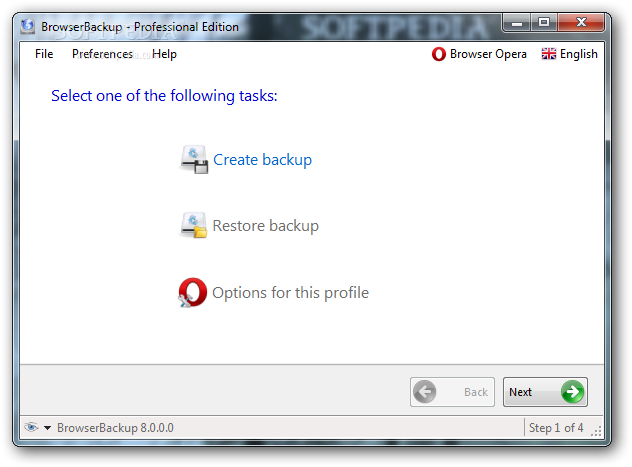
BrowserBackup is one powerful Windows software solution designed with a single goal in mind: help users back up browser data in a very quick way.
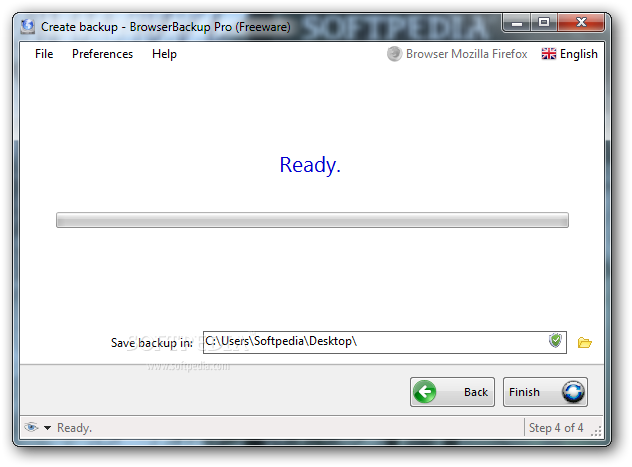
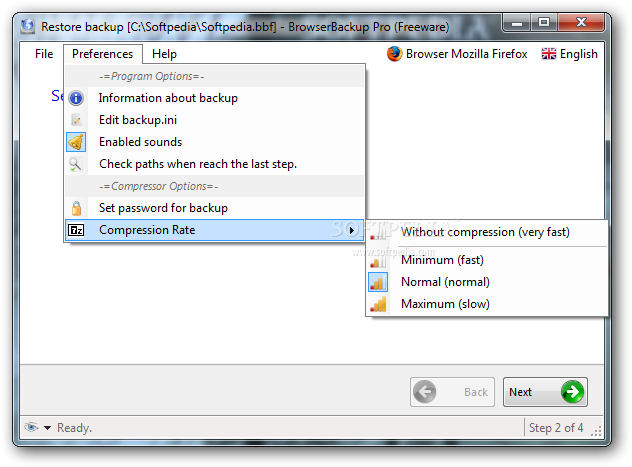
The program’s GUI is actually a step-by-step wizard, which means both beginners and those more experienced should use it just fine, mostly thanks to plenty of details provided all the time.
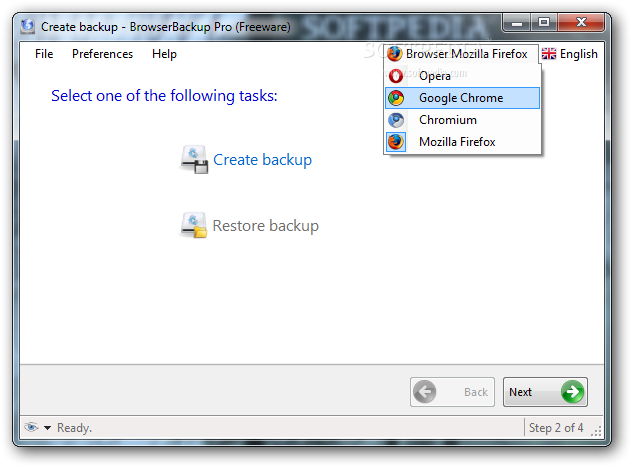
Before creating a new backup, BrowserBackup prompts users to select the target browser, which can be Opera, Mozilla Firefox, Google Chrome or Chromium.
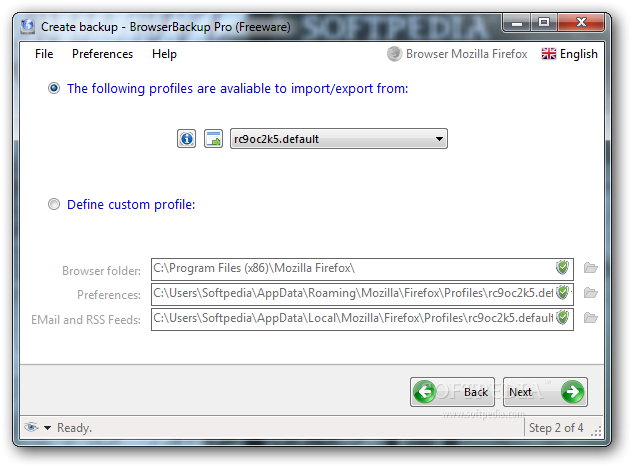
The application automatically scans the computer and finds the available profiles, but you can also define custom profiles by inputting the browser folder, preferences file and email and RSS feeds content.
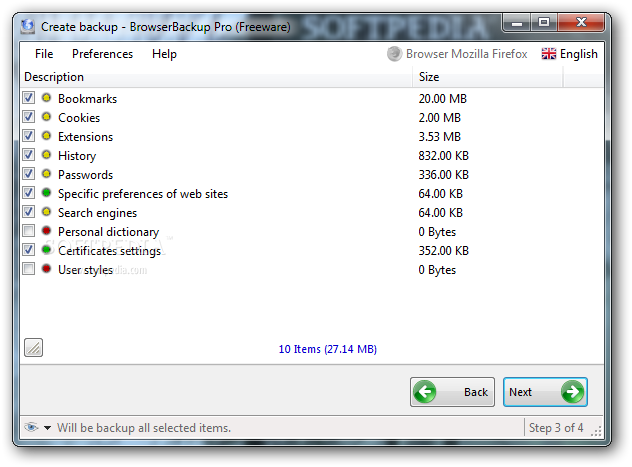
What’s more, BrowserBackup enables you to pick the items to back up, which can be almost any type of data available in your browser, such as bookmarks, cookies, extensions, history, passwords, search engines, dictionaries, user styles and certificates settings.
Next, just pick an output folder and you’re ready to go. BrowserBackup saves files anywhere on your computer, but you can easily take the backup with you wherever you go and even restore it on a different computer.
The process is very fast and BrowserBackup doesn’t affect the overall system performance, running smoothly on all Windows workstations without the need for special privileges.
All things considered, BrowserBackup is clearly a very effective product that works flawlessly on any Windows iteration and, what’s more, it supports the most popular browsers out there. A comprehensive help manual to lend a hand to rookies could help a lot however.
What's new in BrowserBackup 9.0.0.0:
- Added support for Opera Blink (Opera +15)
- Added .Net runtime 4.5 support
- Main window is loaded a bit more faster now
- Some graphics inconsistencies was fixed
BrowserBackup 9.0.0.0
add to watchlist add to download basket send us an update REPORT- runs on:
-
Windows 2008
Windows 2003
Windows 8 32/64 bit
Windows 7 32/64 bit
Windows Vista 32/64 bit
Windows XP
Windows 2K - file size:
- 1.1 MB
- filename:
- browserbackup_setup.exe
- main category:
- System
- developer:
- visit homepage
Windows Sandbox Launcher

ShareX

IrfanView

Bitdefender Antivirus Free

4k Video Downloader

calibre

Microsoft Teams

7-Zip

Context Menu Manager

Zoom Client

- 7-Zip
- Context Menu Manager
- Zoom Client
- Windows Sandbox Launcher
- ShareX
- IrfanView
- Bitdefender Antivirus Free
- 4k Video Downloader
- calibre
- Microsoft Teams