
Recover forgotten passwords that are stored by your computer's Firefox browser with the help of this simple yet efficient application. #Password Recovery #Recover Password #View Password #Password #Password #Recovery

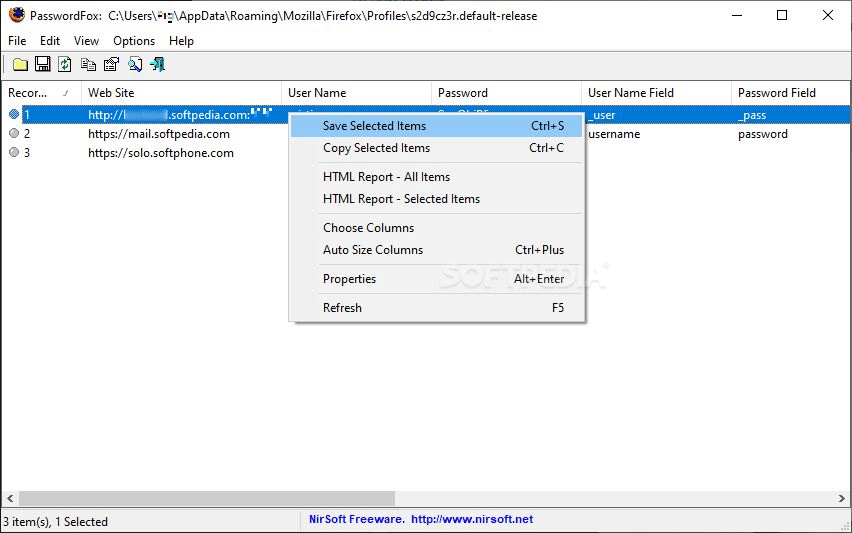
Modern browsers allow you to locally store usernames and passwords. However, you might lose configuration, with the file still somewhere on your computer. Luckily, PasswordFox is a tool that allows you to view passwords saved by Mozilla Firefox.
The program doesn't have to be installed and runs as a portable application. Your Windows registry keys remain unchanged and you can also place PasswordFox on an external device and run it on any computer.
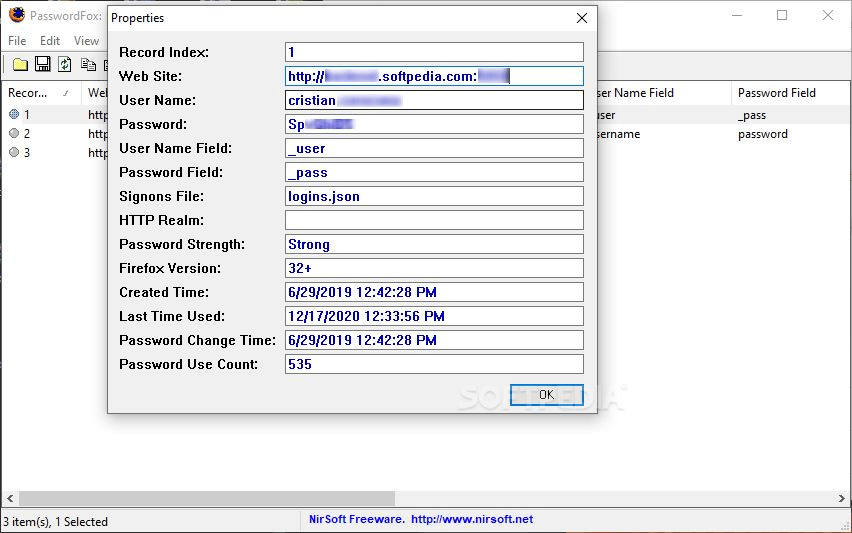
Once you initiate the application, it will automatically display stored passwords in Mozilla Firefox. You can view the record index, website, user name, password, user name field, password field, sign-on file, HTTP realm, password strength and Firefox version.
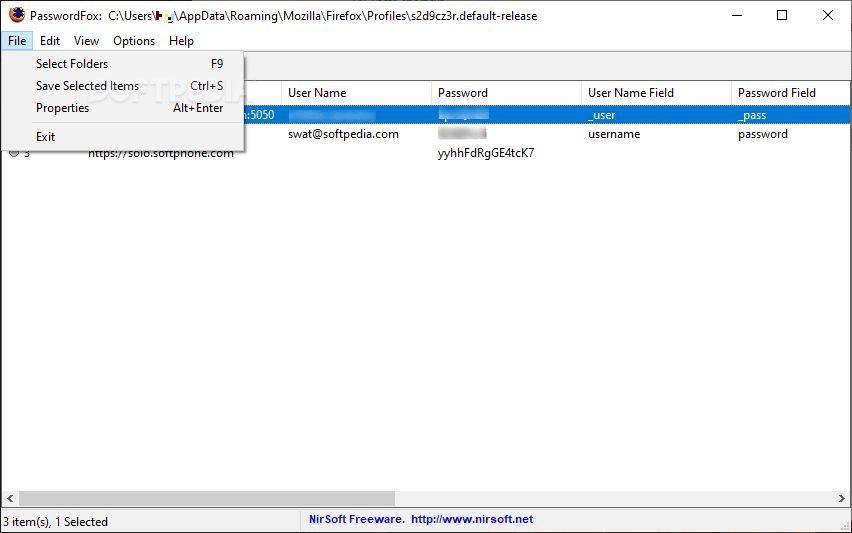
You can select folders that contain other profiles. You can display their password information as well, once you have inputted the master password (if this is the case).
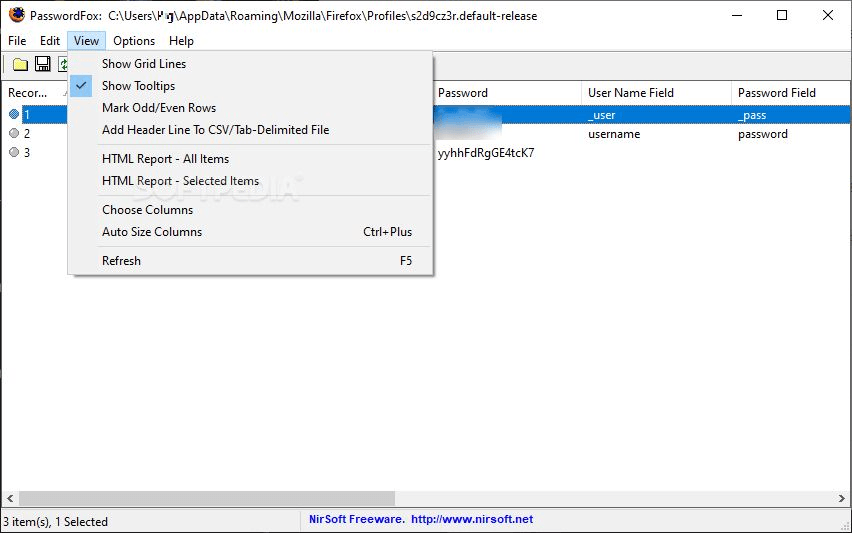
You can save the list of Firefox passwords into a standard, tab-delimited, comma-delimited or tabular TXT file, or export it to the HTML, XML or KeePass CSV file.
The program uses a very low amount of system resources, comes with a well-drawn 'ReadMe' file and didn't freeze or crash during our tests. However, the functions offered by PasswordFox can also be found in Firefox (and you don't need to install addons).
Assuming you have forgotten your passwords and wish to retrieve them, directly using Firefox is simpler than accessing a third-party program (even if it's portable). The difference is that the web browser has a search function while PasswordFox allows you to export the entire list.
In conclusion, PasswordFox does a very good at showing you passwords saved by Firefox, but it doesn't bring major new features to the table. Don’t forget that it’s not a tool for stealing or cracking passwords, but rather recovering them if they were saved on your own PC.
What's new in PasswordFox 1.70:
- Added new file type to save the passwords list: 'Firefox import/export csv file'. When you save the passwords in this file type, you can use the import feature of Firefox to import the saved passwords into Firefox: Import login data from a file
- In order to save the passwords as 'Firefox import/export csv file', simply select the items you want to save (or press Ctrl+A to select all passwords), press Ctrl+S (Save Selected Items), choose 'Firefox import/export csv file' from the file type combo-box, type the filename to save and then click the 'Save' button to save the file.
PasswordFox 1.70
add to watchlist add to download basket send us an update REPORT- runs on:
-
Windows 10 32/64 bit
Windows 2003
Windows 8 32/64 bit
Windows 7 32/64 bit
Windows Vista 32/64 bit
Windows XP 32/64 bit
Windows 2K - file size:
- 264 KB
- filename:
- passwordfox_french1.zip
- main category:
- System
- developer:
- visit homepage
Windows Sandbox Launcher

7-Zip

Zoom Client

IrfanView

calibre

Bitdefender Antivirus Free

Microsoft Teams

ShareX

4k Video Downloader

Context Menu Manager

- ShareX
- 4k Video Downloader
- Context Menu Manager
- Windows Sandbox Launcher
- 7-Zip
- Zoom Client
- IrfanView
- calibre
- Bitdefender Antivirus Free
- Microsoft Teams