
A useful program that helps you back up your Windows image installation file by creating a bootable USB drive or disc with the aid of a step-by-step approach. #Windows backup #Windows installation #Windows ISO #Windows 7 #Backup #Storage
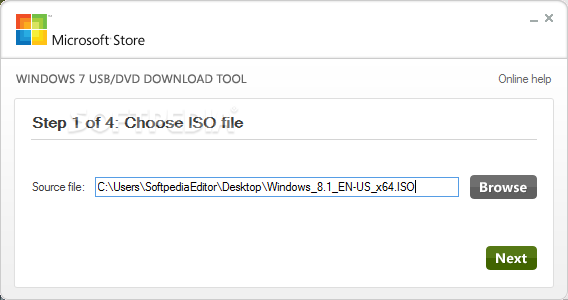
Windows 7 USB / DVD Download Tool is an easy-to-use application that allows you to create a bootable USB drive or disc for installing the Windows 7/8/10 operating system.
The program can also help you backup the installation files to a portable storage device and even install Windows from the device.
This tool is designed to help the users that purchased the operating system from the Microsoft Store and chose to download the ISO file. This file can be written to a disc in order to install Windows on a computer. Other DVD writing tools have more complex features which can lead to errors if not configured properly.
Create a bootable USB device using the built-in wizard
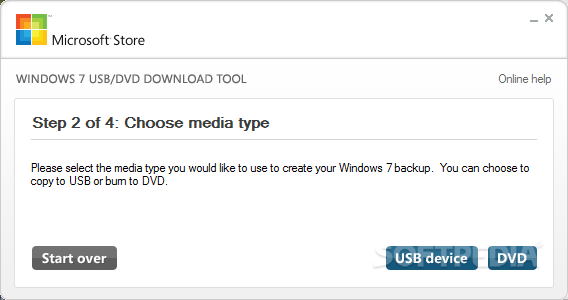
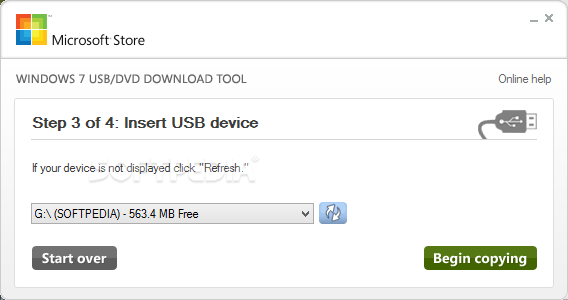
Besides, this tool allows you to create a bootable USB device. Since the storage devices are getting smaller and they are supported by most computers, you might consider using one of them to install the operating system. Thus, the installation can take less time since the writing speed is higher than most DVD drives.
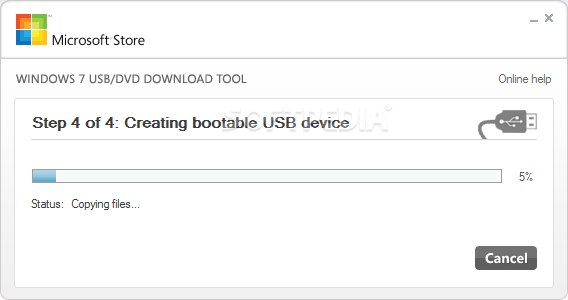
In order to create a bootable USB device, you need to have a Windows image file and a USB storage device large enough to accommodate the files. The program interface is easy-to-use and guides you through all the required steps. Just select the ISO file and the storage device and you are ready to go.
The program requires insignificant resources and can be used without any impact on the computer performance. In our test, it took about four minutes to create the bootable USB device from the ISO file. When creating a DVD disc the application takes a little longer, since the time depends on the writing speed and the type of disc.
Windows 7 USB / DVD Download Tool can be used successfully to take advantage of the USB drive speed and to shorten the time it takes to install the operating system.
Windows 7 USB / DVD Download Tool 1.0.30.0
add to watchlist add to download basket send us an update REPORT- runs on:
-
Windows 10 32/64 bit
Windows 8 32/64 bit
Windows 7 32/64 bit
Windows Vista 32/64 bit
Windows XP 32/64 bit - file size:
- 2.6 MB
- filename:
- Windows7-USB-DVD-Download-Tool-Installer-en-US.exe
- main category:
- System
- developer:
- visit homepage
ShareX

Microsoft Teams

Context Menu Manager

calibre

IrfanView

4k Video Downloader

7-Zip

Windows Sandbox Launcher

Zoom Client

Bitdefender Antivirus Free

- Windows Sandbox Launcher
- Zoom Client
- Bitdefender Antivirus Free
- ShareX
- Microsoft Teams
- Context Menu Manager
- calibre
- IrfanView
- 4k Video Downloader
- 7-Zip