
Quickly analyze the performance metrics of your system’s processor, graphics card and storage devices using this handy cross-platform utility. #CPU benchmark #Benchmark performance #System benchmark #Benchmark #Tester #Performance

When it comes to personal computers, their vital internal components evolve almost as consistently as the newest versions of applications meant to be run on them. Despite the developers’ efforts of keeping the system requirements section of their programs’ dedicated websites, real-world results may unavoidably vary.
As such, in order to ease the burden of all the parties involved, benchmark applications came to the rescue, with one easy-to-use example being PerformanceTest, boasting an intuitive interface and enough functions to satisfy the needs of professionals and casuals alike.
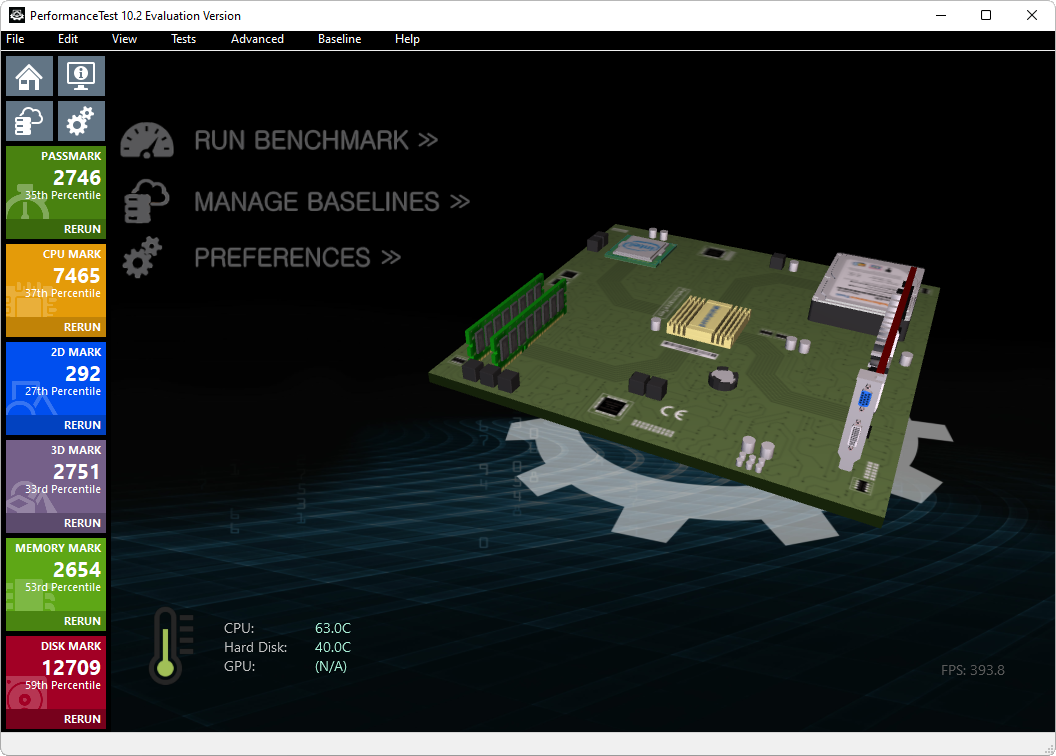
One of the program’s greatest strength lies in how accessible its design language is to new users. The home tab greets the user with an interactive three-dimensional model of the core computer internals that can be analyzed by the software. Using the cursor, one can rotate the schematic on the X axis and pick which component the application should show the specifications of.
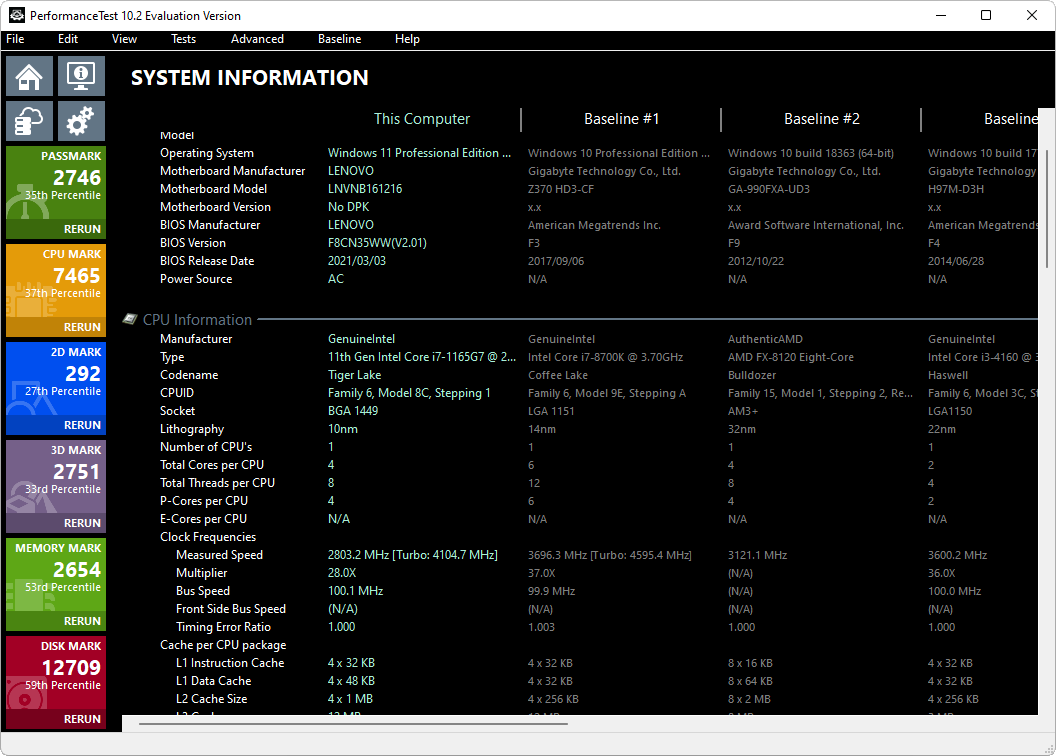
Alongside the home button, a useful section can be accessed where minute details pertaining to the CPU, GPU, RAM, motherboard and storage devices are listed in a neatly organized table, comparing the automatically analyzed specifications with other devices sampled from a worldwide database.
In terms of settings, preferences such as the interface language, duration of tests and number of processes for CPU tests can be customized to the user’s will.
The program supports a wide variety of stress tests for the target device to endure, allowing the user to run all the programs automatically at the press of a single button. The CPU Mark assessment evaluation shows how well the processor can handle operations concerning Integer Math, Prime Numbers, Compression, Physics, Sorting and Floating Point Math.
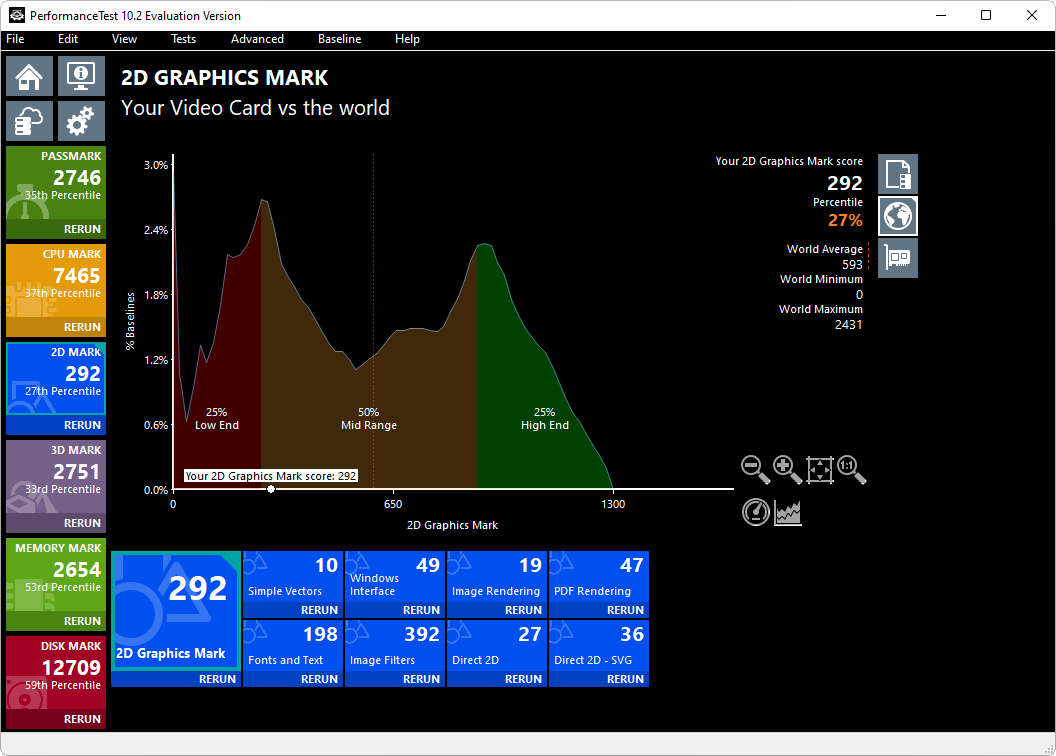
A 2D-based test follows, with the program opening up windows with randomly generated Simple Vectors, Windows Interface mock-ups and Fonts and Text simulations. Rapid and automated PDF and Image Rendering is also available. The 3D mark evaluation variant measures performance in DirectX 9, 10, 11 and 12 via a graphically intensive animation featuring fighter jets cruising above a rainforest.
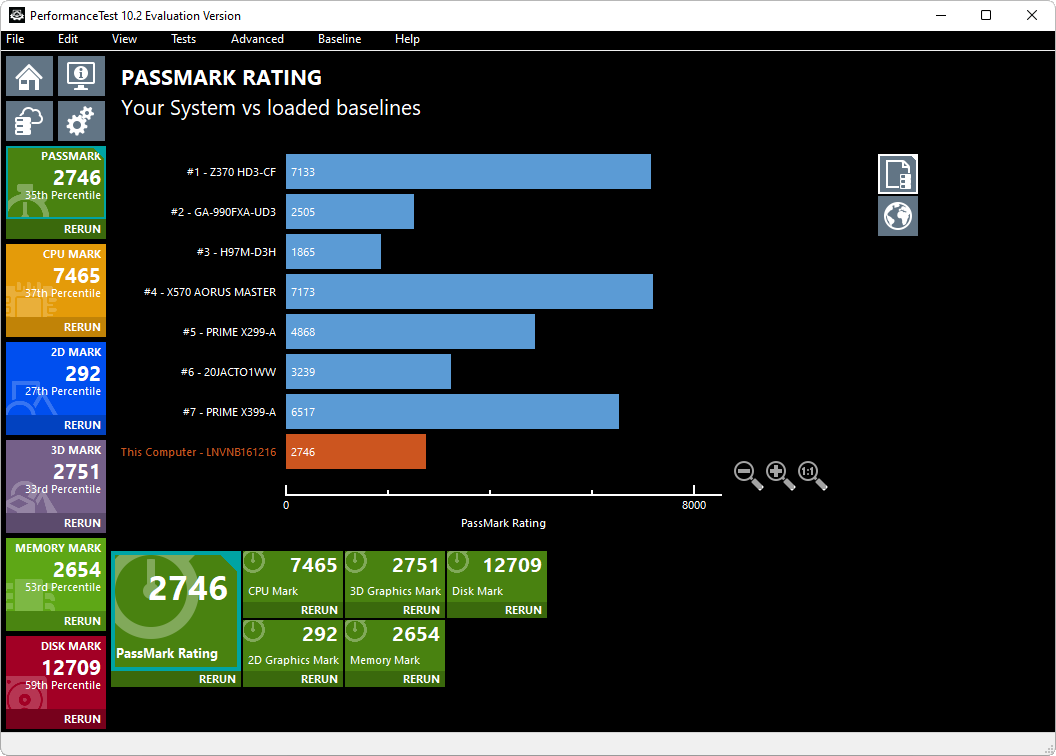
Finally, read and write speeds can be recorded by the Disk Mark function, while Memory Mark illustrates how well the RAM can handle Database Operations. All the tests mentioned above can be easily viewed and compared with similar devices, with the app providing its users with a table, speedometer and graph view of the statistics.
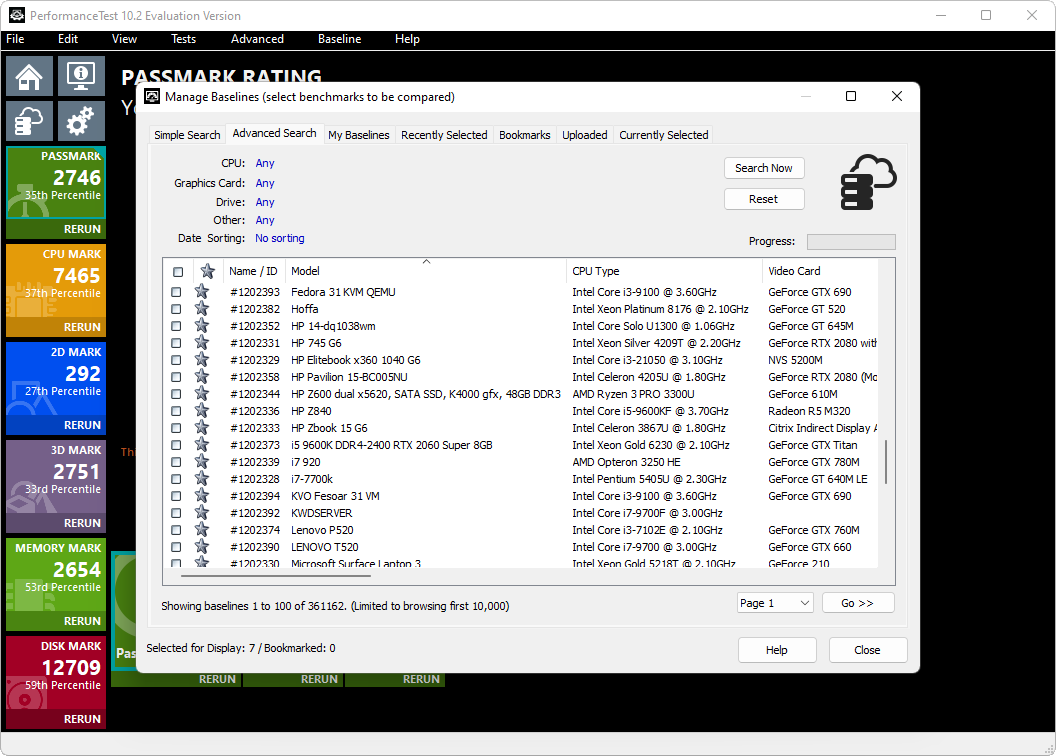
Whether you test hardware for a living or just want to find out if your particular device can endure the hardships of running the latest flagship video game from your favorite team of developers, PerformanceTest will help you determine how well your processor, graphics card, memory and storage drives stack up against other similar devices in a global database.
Download Hubs
PerformanceTest is part of these download collections: Benchmark CPU
What's new in PerformanceTest 11.0 Build 1014:
- Additional fixes for BSOD when trying to get memory timings on some AMD systems
- Fixed incorrect clock speed detection for various Intel chipsets
- Fixed incorrect memory timings for various Intel and AMD chipsets
PerformanceTest 11.0 Build 1014
add to watchlist add to download basket send us an update REPORT- runs on:
-
Windows 11
Windows Server 2019
Windows Server 2016
Windows 10 64 bit
Windows Server 2012
Windows 7 64 bit - file size:
- 80 MB
- filename:
- petst.exe
- main category:
- System
- developer:
- visit homepage
Context Menu Manager

7-Zip

Zoom Client

calibre

Bitdefender Antivirus Free

Microsoft Teams

ShareX

IrfanView

Windows Sandbox Launcher

4k Video Downloader

- IrfanView
- Windows Sandbox Launcher
- 4k Video Downloader
- Context Menu Manager
- 7-Zip
- Zoom Client
- calibre
- Bitdefender Antivirus Free
- Microsoft Teams
- ShareX