
Neatly create bootable USB drives with various versions of Windows with the help of this user-friendly and lightweight application. #Create Boot USB #Boot USB Creator #ISO Creator #Boot #USB #Create

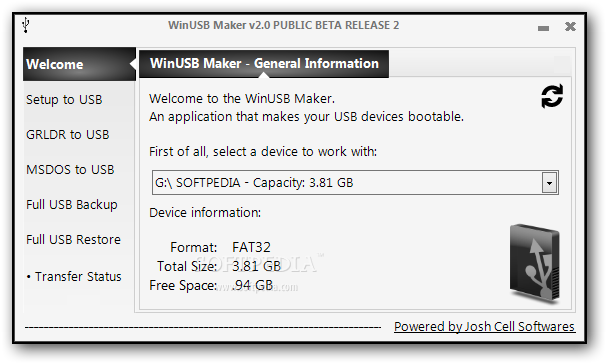
Just like its name suggests, WinUSB Maker is a handy tool designed to help you create a bootable USB drive that holds Windows installation files.
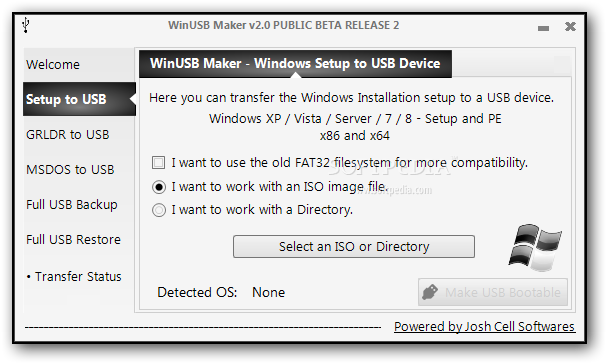
Besides the fact that it supports multiple sources, be they Windows setup DVDs, local folders on your computers or an ISO image, WinUSB Maker can also work with external devices of up to 1 TB.
You may not know where to start when you first launch the application and, unfortunately, there's no help file to assist you throughout the whole process and explain the available options.
And although the interface is clean and well-organized, some of the settings displayed in the main window may scare away beginners, especially because they adopt names more appropriate to those with a bit more computer knowledge.
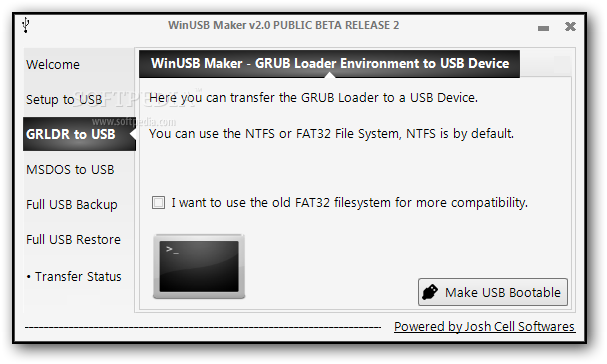
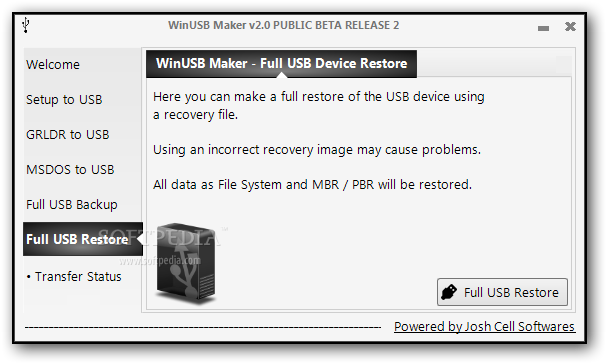
You are thus prompted to choose from a setup folder, an ISO image, a GRLDR bootable disk or a DOS bootable disk, with two detection modes available, normal and fixed.
Of course, if you pick the folder option, you need to define the path to the source files, but also choose the USB drive you wish to use in the process.
Obviously, copying files takes a while, usually around 10 minutes, and the computer is moderately stressed up during the process, so it's recommended to avoid working on the system before WinUSB Maker gets the job done.
WinUSB Maker is a tool that serves its purpose pretty fast, but it still needs a more user friendly approach to attract both beginners and more experienced users. Or, at least, a comprehensive help manual would come in handy to many users out there.
Download Hubs
WinUSB Maker is part of these download collections: Create Bootable USB
What's new in WinUSB Maker 2.0 Beta 2:
- Rewritten the GUI for a better English spelling
- Solved the Kaspersky False-Positive problem
- Improved some functions
- New copy module added
WinUSB Maker 2.0 Beta 2 / 1.8
add to watchlist add to download basket send us an update REPORT- runs on:
-
Windows 8 32/64 bit
Windows 7 32/64 bit
Windows Vista 32/64 bit
Windows XP 32/64 bit - file size:
- 1.2 MB
- filename:
- WinUSB Maker.7z

- main category:
- System
- developer:
Bitdefender Antivirus Free

calibre

Zoom Client

Context Menu Manager

Microsoft Teams

7-Zip

4k Video Downloader

Windows Sandbox Launcher

ShareX

IrfanView

- Windows Sandbox Launcher
- ShareX
- IrfanView
- Bitdefender Antivirus Free
- calibre
- Zoom Client
- Context Menu Manager
- Microsoft Teams
- 7-Zip
- 4k Video Downloader