
Create a bootable ISO image file of Windows XP, Vista, 7 or 8 and burn ISO files with the aid of a wizard-like approach using this intuitive program. #Bootable installation #Create bootable ISO #Windows Boot Image #WBI Creator #Boot #ISO

Note: The archive's password is 'softpedia'. Some antimalware applications might trigger alerts when trying to launch this application. However, our tests have confirmed that these alerts are, in fact, false positives, so it is safe to use Windows Bootable ISO Creator.
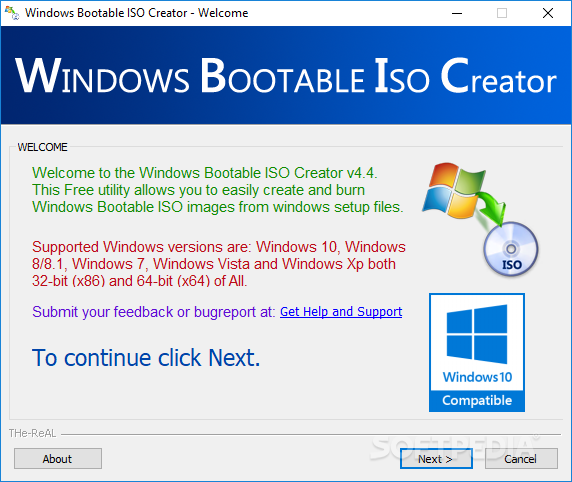
Windows Bootable ISO Creator (WBI Creator) is a lightweight software application whose purpose is to help you create and burn bootable ISO images from Windows setup files. It is able to work with the following operating systems: Windows XP, Vista, 7, 8, 8.1, and 10, both 32-bit and 64-bit.
The portable running mode ensures that your Windows registry doesn’t get clogged up with unnecessary entries and your system doesn’t end up burdened with configuration data. You can skip the installation process and simply run the EXE file. Copying it on a USB flash drive or other portable devices is also possible.
The tool makes use of a wizard for helping you create a bootable image file of the operating system you choose. This approach is particularly useful to rookies as they are offered step-by-step assistance throughout the entire configuration process.
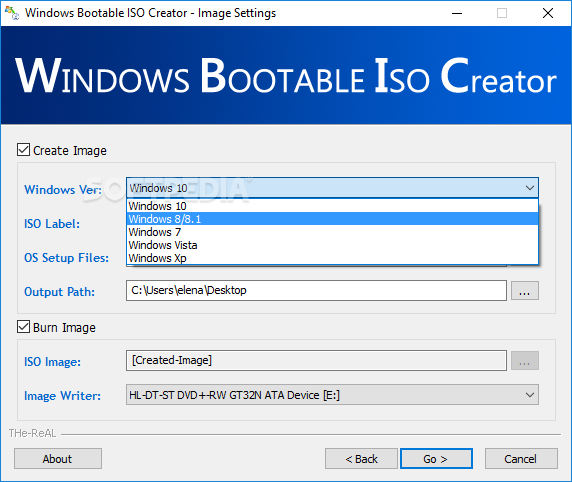
Windows Bootable ISO Creator allows you to select the operating system type, enter a CD/DVD label, provide the folder location where the OS setup files are stored, and pick the output path.
Burning a bootable ISO image file can be done by simply specifying the ISO image file and selecting the image writer. The application is quite fast and requires basic computer knowledge in order to finish the task.
To sum things up, Windows Bootable ISO Creator comes with an essential pack of tools for helping you create a bootable image file of your system and burn ISO files. Thanks to its simplicity and efficiency, it is suitable for beginners and power users alike.
Windows Bootable ISO Creator 4.4.1.0
add to watchlist add to download basket send us an update REPORT- PRICE: Free
- runs on:
-
Windows 10 32/64 bit
Windows 8 32/64 bit
Windows 7 32/64 bit
Windows Vista
Windows XP - file size:
- 1.3 MB
- filename:
- WBICreator.7z
- main category:
- System
- developer:
Context Menu Manager

Zoom Client

7-Zip

Microsoft Teams

4k Video Downloader

IrfanView

Bitdefender Antivirus Free

Windows Sandbox Launcher

ShareX

calibre

- Windows Sandbox Launcher
- ShareX
- calibre
- Context Menu Manager
- Zoom Client
- 7-Zip
- Microsoft Teams
- 4k Video Downloader
- IrfanView
- Bitdefender Antivirus Free