
File renaming made easy. The file renaming process takes just a few seconds and everything works quite smooth, no matter the Windows version you are using.. #File renamer #Change name #Modify name #Renamer #Change #Name

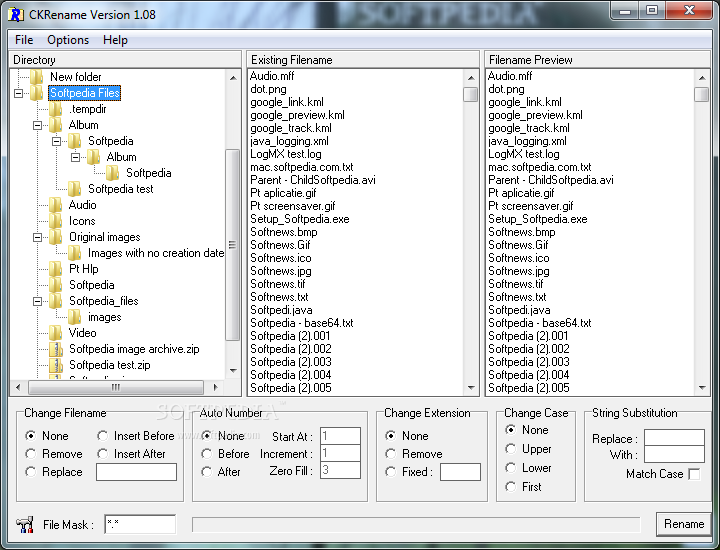
CKRename is a batch file renaming tool that lets you change the name of multiple files at the same time based on user-defined rules.
The interface is very clean and well-organized, which makes the whole application very easy to use, so the whole renaming process shouldn't take more than a minute.
With a multi-panel look that lets you browse local folders, view the existing file names and preview the new file name, CKRename is aimed at beginners and more advanced users alike, with multiple options to configure renaming.
For example, you can change the file name and insert before or after the initial name tag a special character, of even auto number the files, change or remove the extension. Obviously, you can change the case as well, with multiple options such as upper, lower and first or set up string substitution to replace a given character automatically.
One of the good things about CKRename is the fact that the file name preview window works in real-time, which means you can see the new file names as you set up new rules in the bottom of the main window.
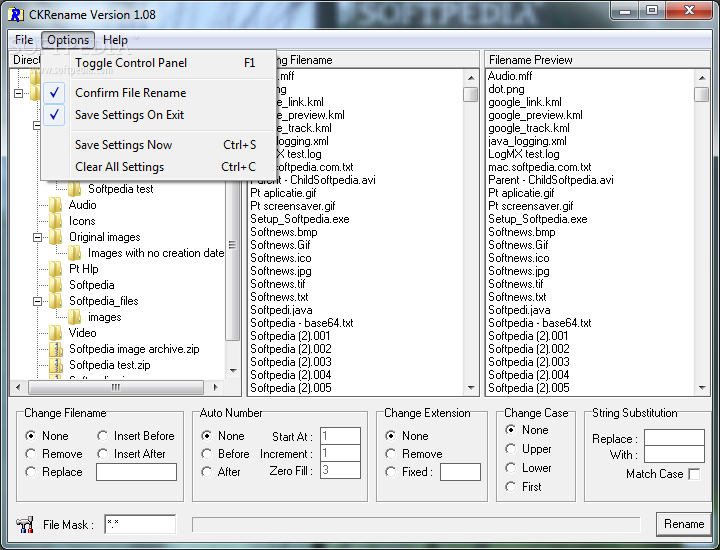
The program can also save the settings before exiting, so the next time you launch it you can use the same renaming options for a new batch of files.
The file renaming process takes just a few seconds and everything works quite smooth, no matter the Windows version you are using.
CKRename is indeed a very handy software solution and with a few improvements here and there it could easily become a top product when it comes to renaming multiple files on the go.
CKRename 1.08
add to watchlist add to download basket send us an update REPORT- runs on:
- Windows All
- file size:
- 601 KB
- filename:
- ckrn_108.exe
- main category:
- System
- developer:
calibre

ShareX

7-Zip

Zoom Client

4k Video Downloader

Context Menu Manager

Bitdefender Antivirus Free

Windows Sandbox Launcher

Microsoft Teams

IrfanView

- Windows Sandbox Launcher
- Microsoft Teams
- IrfanView
- calibre
- ShareX
- 7-Zip
- Zoom Client
- 4k Video Downloader
- Context Menu Manager
- Bitdefender Antivirus Free