
Copy multiple files from one removable storage device to another with the help of this user-friendly and efficient piece of software. #File transfer #Transfer files #File copier #Transfer #Copier #Copy

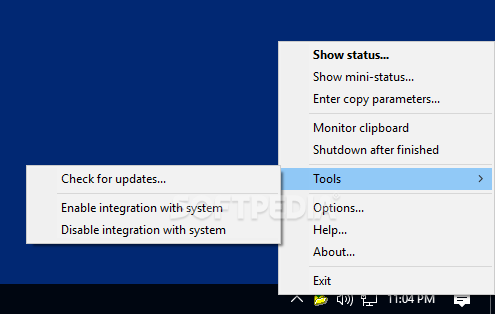
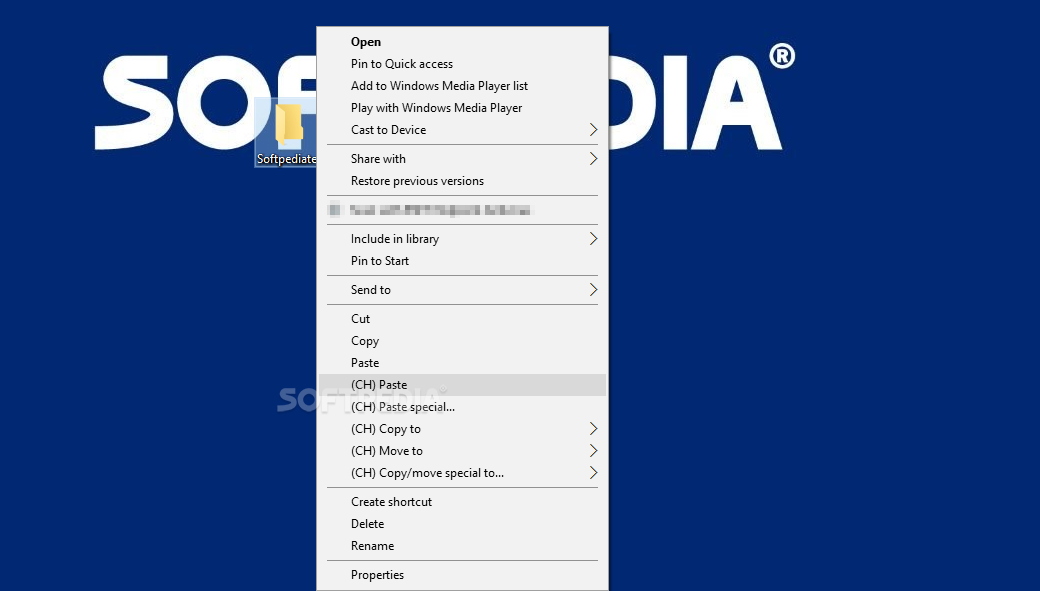
Copy Handler is a powerful Windows tool designed to copy and move files from one folder to another faster than the standard feature bundled into the operating system.
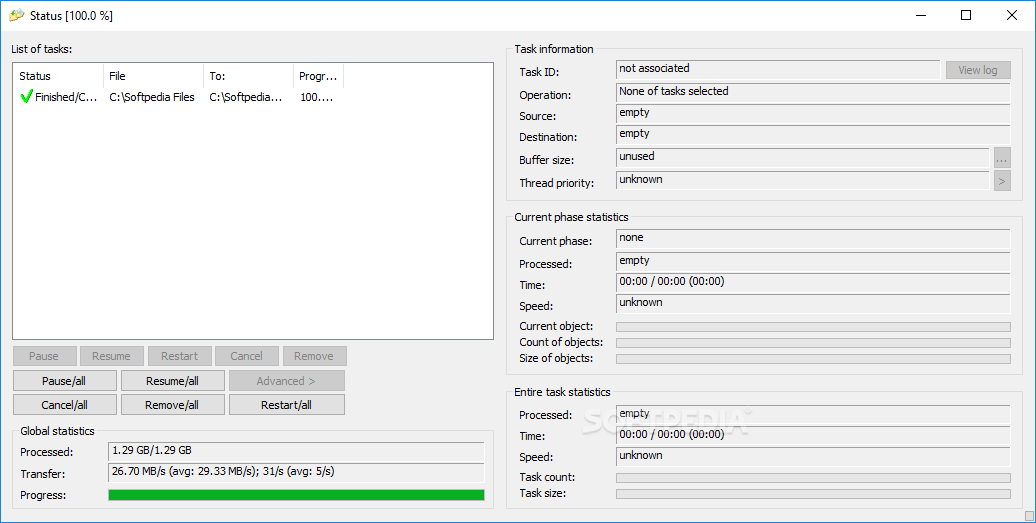
Of course, the application also provides several other utilities, including a powerful interface that shows detailed statistics on every single task.
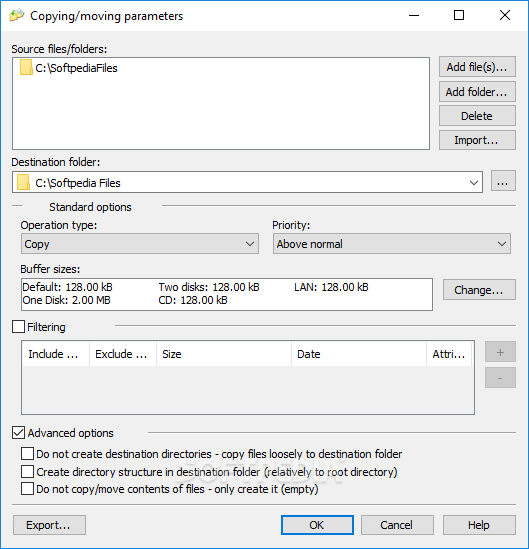
Setting up copying parameters can be easily done with the help of the System Tray icon that allows you to provide the source files and folders, the destination folder and the task priority.
You can decide whether you wish to copy or move the files, configure filters and enable advanced options such as create directory structure in destination folder or do not create destination directories.
Once you start the copying process, the main window of the app shows the current status and the progress, along with some other stats, such as processed data, transfer speed, source and destination objects, buffer size, threat priority and associated file.
Copy Handler also provides a pretty detailed “Options” screen and although the interface of this particular window may seem a bit clumsy at the first sight, it's highly recommended to check the settings available here.
The application is indeed faster than the standard Windows tool and uses a moderate amount of hardware resources, especially when processing large files.
Simply put, Copy Handler is a pretty useful software solution and although it's not so easy to use as one may expect, it still serves its purpose very well. Plus, it works flawlessly on all Windows versions out there and doesn't ask for administrator privileges on Windows 7.
What's new in Copy Handler 1.50 Beta 1:
- User feedback improvements:
- Added possibility to define automatic responses to user-feedback dialogs (file already exists, not enough space, error) for fully unattended operations
- Added possibility to rename file when file already exists
Copy Handler 1.46 / 1.50 Beta 1
add to watchlist add to download basket send us an update REPORT- PRICE: Free
- portable version
- This is the portable version of the application. An installable version is also available: Portable Copy Handler
- runs on:
-
Windows 10 32/64 bit
Windows 8 32/64 bit
Windows 7 32/64 bit - file size:
- 10 MB
- main category:
- System
- developer:
- visit homepage
Bitdefender Antivirus Free

Context Menu Manager

Windows Sandbox Launcher

ShareX

Zoom Client

calibre

7-Zip

4k Video Downloader

IrfanView

Microsoft Teams

- 4k Video Downloader
- IrfanView
- Microsoft Teams
- Bitdefender Antivirus Free
- Context Menu Manager
- Windows Sandbox Launcher
- ShareX
- Zoom Client
- calibre
- 7-Zip