
D-FileMU is a tool that enables you to make changes to filenames of a number of files quickly and easily. #File renamer #File manipulator #Change name #Renamer #Manipulator #Change

D-FileMU is an application that lets you simultaneously perform several actions on multiple files.
This is a portable software, so installation is not required. You can place D-FileMU on an external device and run it on any computer. Also, your Windows registry entries will not change.
The user interface of the program is very simple to navigate through. You only need to follow three steps.
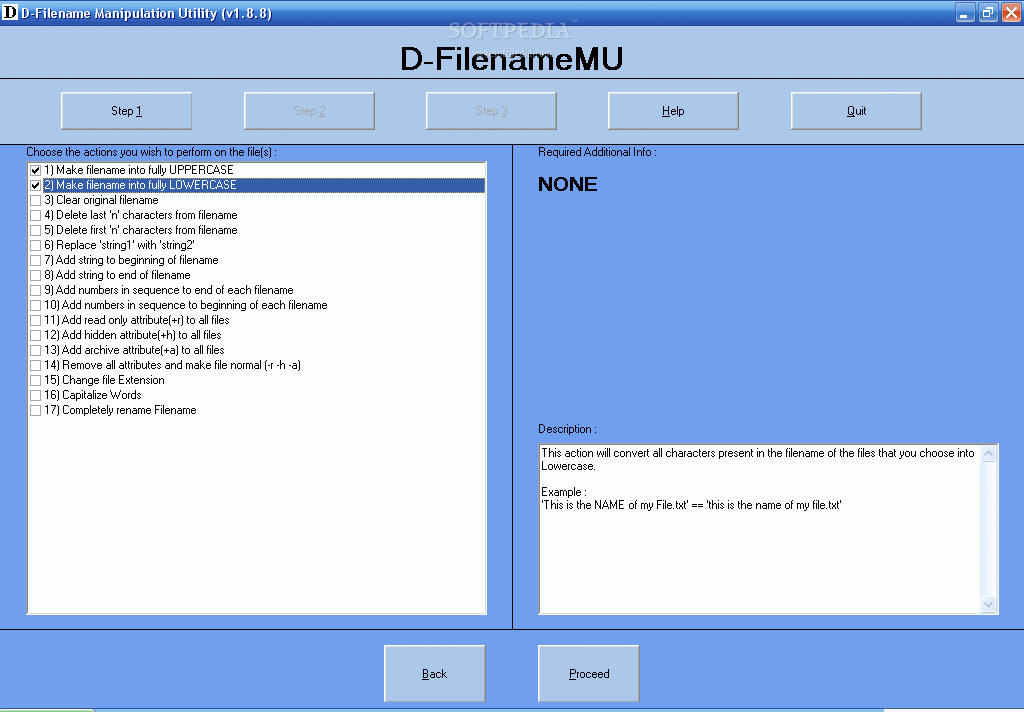
You can get started by selecting the actions you want to perform on the files, such as make the file name into fully uppercase or lowercase.
But you can also clear the original file name, delete the last given characters, replace text, add text to the beginning or the end of the file name, as well as add numbers in sequence to the beginning or end.
You can add or remove read-only, hidden or archive attributes from the files, change the file extension, capitalize words and completely rename the file names.
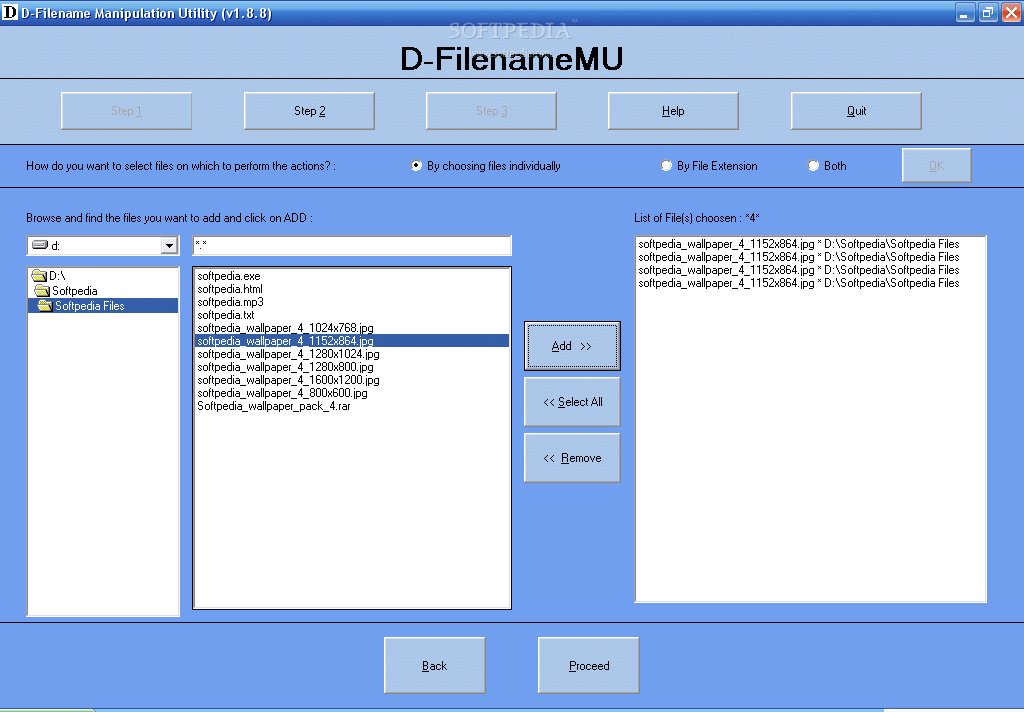
In the next step, you can select the method for the aforementioned actions (by choosing files individually, by file extension or both).
Now you can use a treeview to locate and add files to the processing list (the "drag and drop" method is not supported). If the file name is not unique, you can set D-FileMU to overwrite it, add a unique number or do nothing.
But you can also preview the changes and set the tool to automatically generate a process file, before applying changes.
The program uses a very low amount of system resources and didn't freeze or crash when we tested it. It doesn't have a help file (not as if it needs one, since it is extremely easy to use) and the format of the window doesn't change when you're restoring it down.
The interface definitely needs some improvements. Additional file and file name functions as welcomed as well. We recommend D-FileMU to all users.
D-FileMU 1.7.6
add to watchlist add to download basket send us an update REPORT- runs on:
- Windows All
- file size:
- 124 KB
- filename:
- d-filemu.zip

- main category:
- System
- developer:
Zoom Client

Bitdefender Antivirus Free

Context Menu Manager

Microsoft Teams

Windows Sandbox Launcher

7-Zip

4k Video Downloader

ShareX

IrfanView

calibre

- ShareX
- IrfanView
- calibre
- Zoom Client
- Bitdefender Antivirus Free
- Context Menu Manager
- Microsoft Teams
- Windows Sandbox Launcher
- 7-Zip
- 4k Video Downloader