
This is a simple and efficient software application that enables any type of user to compare files and documents with great ease. #Document comparison #File comparer #Compare files #Comparison #Compare #Checker

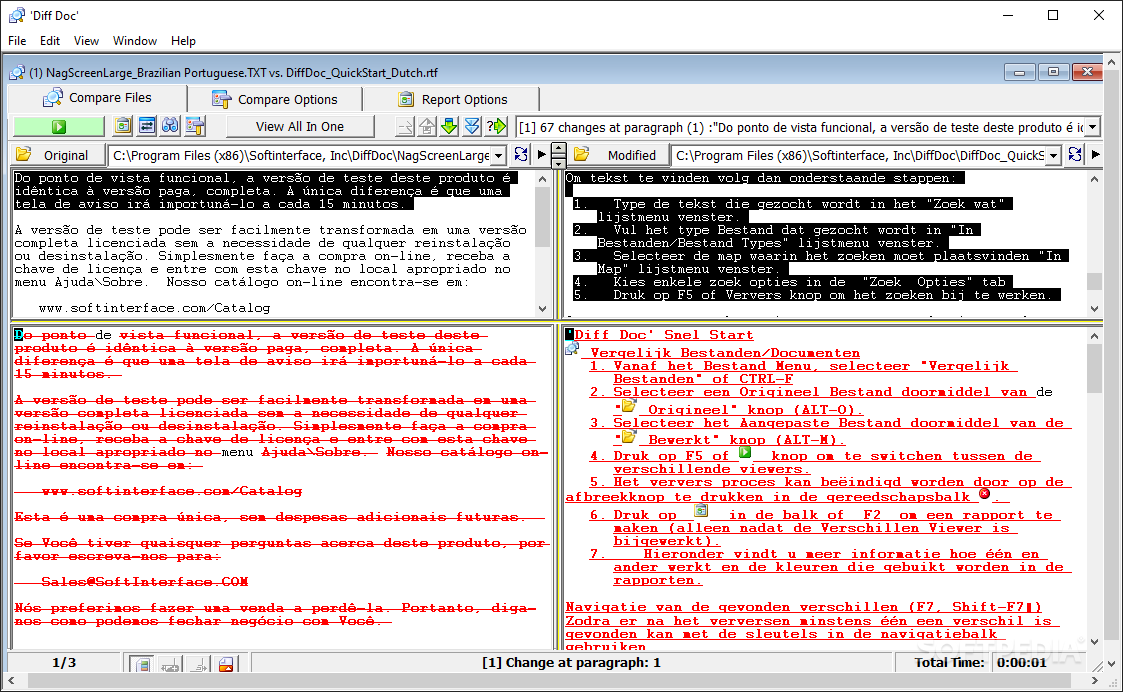
Diff Doc is a flexible data comparison tool that can point out changes in the contents of various text-based documents. Each detected difference is marked with a color code that explains its type. Such a program can prove useful for individuals who wish to keep an eye on their documents' integrity, no matter the environment.
Diff Doc comes with a rudimentary, almost outdated layout, but it's easy to use. If you are far from being a form-over-function user, you'll be pleasantly surprised by how fluid the app is.
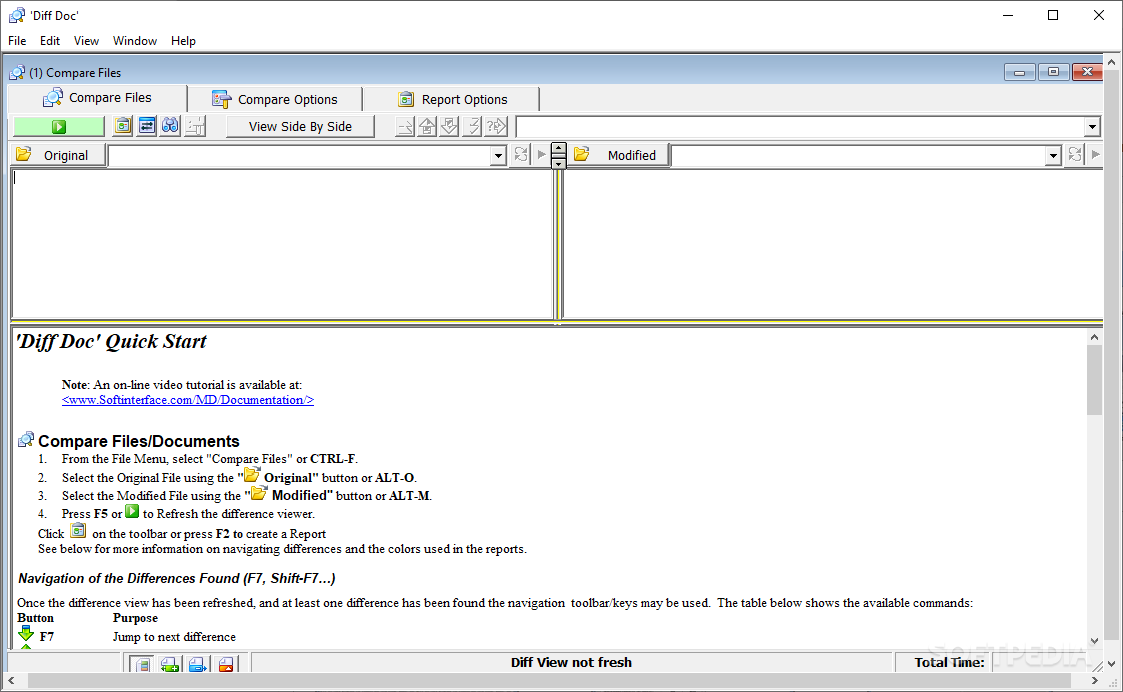
In order to compare two items, you first have to load them in. Use the Original and Modified docks to select the files, and make sure you don't have them swapped, or the results won't be accurate. Press the F5 key or the green Refresh Display button to perform the comparison.
The results will be mirrored in the preview area, which takes the entire bottom half of the UI. Three types of differences can show up after a scan, and they are marked with the color red, green, or blue. A red highlight indicates text/content changes, and both the original form and the new one are showcased. Green points out an addition to the original document, without altering the source, while blue, on the other hand, takes care of showing out the erased parts only.
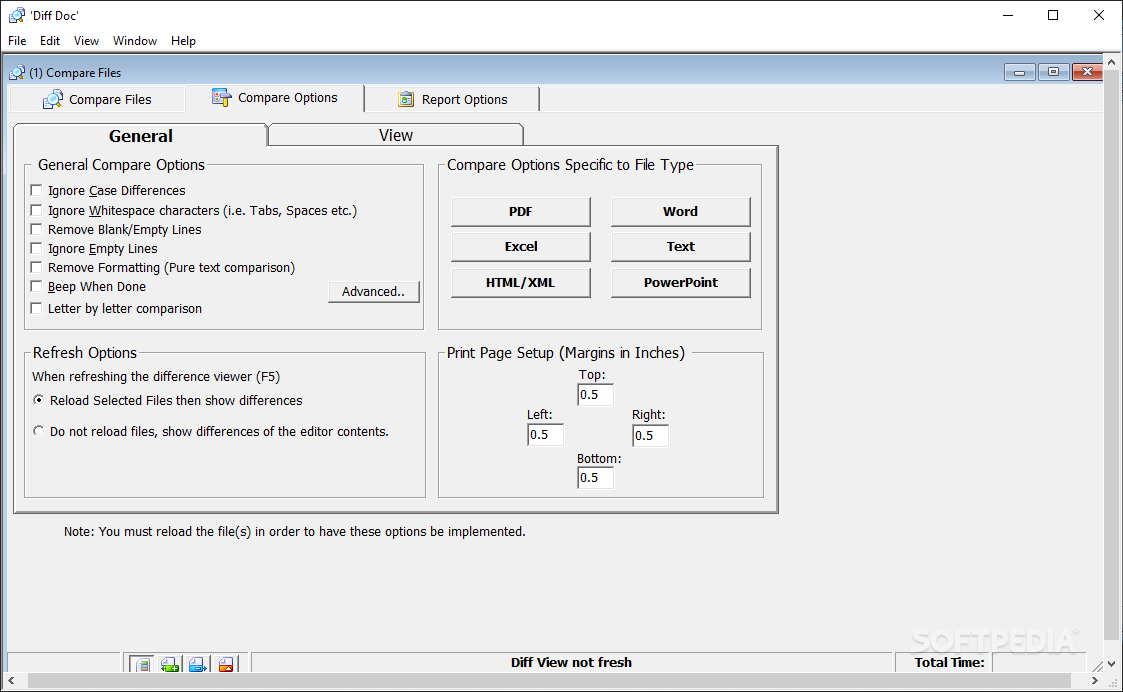
If you want to fine-tune the app, you can use check out the Compare Options. One can set various parameters like ignoring case differences and whitespace characters, removing or ignoring empty lines, removing formatting, etc. The colors used to highlight the changes can be customized as well, all from the View tab.
In summary, Diff Doc is a lightweight software designed to reveal possible changes between two versions of the same document. A handy tool to have around in case you are suspecting your data is being tampered with.
Diff Doc 17.80
add to watchlist add to download basket send us an update REPORT- runs on:
- Windows All
- file size:
- 7.4 MB
- filename:
- WDD.EXE
- main category:
- System
- developer:
- visit homepage
Bitdefender Antivirus Free

Zoom Client

calibre

Context Menu Manager

IrfanView

7-Zip

4k Video Downloader

Microsoft Teams

ShareX

Windows Sandbox Launcher

- Microsoft Teams
- ShareX
- Windows Sandbox Launcher
- Bitdefender Antivirus Free
- Zoom Client
- calibre
- Context Menu Manager
- IrfanView
- 7-Zip
- 4k Video Downloader