
A user-friendly application that helps you remove locked files from the computer, unlock the selected items, as well as rename or move them to another location. #Unlock file #Erase locked file #Delete locked file #Lock #Unlock #Erase

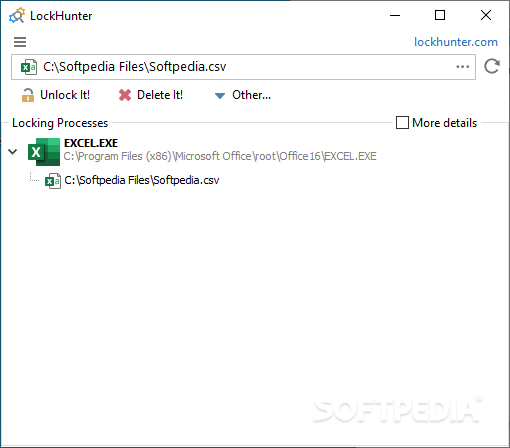
Files that are used by a process or an application is Windows are set to a locked state, meaning you cannot modify, delete or move them to a different location. Normally, when the file is no longer in use, it is automatically unlocked, but there might be times when this operation is unsuccessful. This is when you get that annoying popup window telling you that the requested operation cannot be completed because the file is open in another application. LockHunter is specifically designed to lend you a helping hand in such cases.
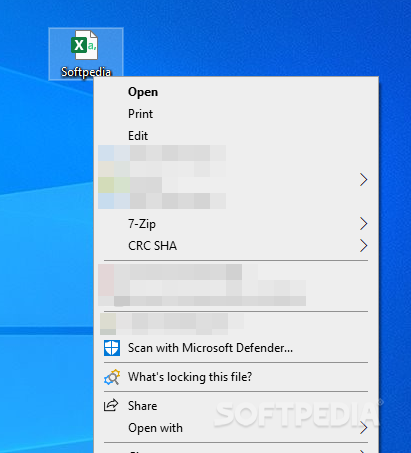
There are two flavors available: a standard installer one and a portable archive. Whichever you choose, the interface and usage is the same but, as expected, the portable tool requires no installation and is ready to go as soon as you double-click on its executable file. If there was to describe LockHunter in a single word, that would probably be “easy-to-use". The GUI welcomes you with usage hints that allow you to get acquainted with the application. For instance, here is where we discovered that LockHunter features shell integration in Windows, allowing you to easily check which process or application is keeping a file locked.
To find the name of the process that is keeping a file or a folder locked, you must enter its name in the upper form. Alternatively, you can browse for a file or a directory. LockHunter displays information about the location of the locking processes by default, but you can also see the process ID and the command line parameters.
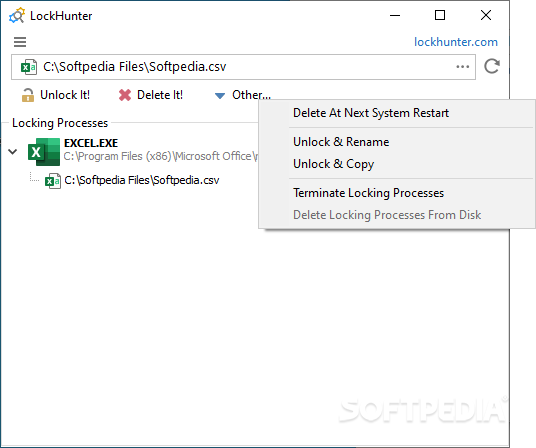
With LockHunter, you can then unlock a file, delete or rename it. With the click of a button, you can terminate the locking processes and delete them from disk. However, please keep in mind that this application does not make it possible to delete any file on the system and that there might be other reasons why getting rid of the file is not allowed.
With LockHunter, you can check processes that keep a file or a folder locked and terminate them or delete that particular file entirely. However, there might be situations when a file or a folder is impossible to unlock, such as when a file is part of the operating system and cannot be erased without damaging Windows.
LockHunter 3.4.3.146
add to watchlist add to download basket send us an update REPORT- PRICE: Free
- runs on:
-
Windows 11
Windows 10 32/64 bit
Windows 2003
Windows 8 32/64 bit
Windows 7 32/64 bit
Windows Vista 32/64 bit
Windows XP 32/64 bit - file size:
- 3.2 MB
- filename:
- lockhuntersetup_3-4-3.exe
- main category:
- System
- developer:
- visit homepage
4k Video Downloader

Zoom Client

Bitdefender Antivirus Free

Windows Sandbox Launcher

ShareX

Context Menu Manager

calibre

7-Zip

IrfanView

Microsoft Teams

- 7-Zip
- IrfanView
- Microsoft Teams
- 4k Video Downloader
- Zoom Client
- Bitdefender Antivirus Free
- Windows Sandbox Launcher
- ShareX
- Context Menu Manager
- calibre