
A lightweight software solution that was especially designed to handle bad sectors (physical defects) that may appear on popular magnetic media #Repair bad sector #Repair physical defect #Repair magnetic media #Repair #Bad sector #Physical defect
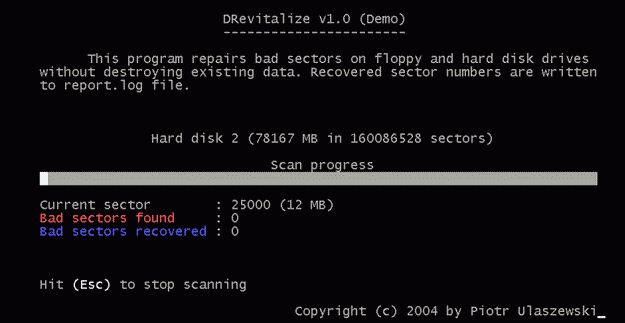
Storage media, especially magnetic devices like hard disks and floppy disks, may develop some damaged sectors on their physical surface, each of them called a 'bad'. These particular regions will no longer be able to hold data and will impede the normal functioning of the entire unit.
In case such bad sectors appear on the HDD section which holds vital data like the boot sector, it will become impossible to use that drive without some radical actions like a complete full reformat. Sometimes, these faulty regions will appear after the physical device sustained some kind of damage, but such a situation it is not completely without hope.
Thanks to a tool like DRevitalize Light, you should be able to salvage the hard disk and render it usable once again. Note that you should always try to recover as much possible of the data stored on such a broken-down because there is a high probability that it will end-up completely wiped out, even if the device will become functional again.
Another important mention is that in the case of modern HDDs that have their own error management systems, DRevitalize Light will not function properly since it is designed for older types of hard disk units.
It is also worth mentioning the fact that running this tool is best done directly from DOS and not directly under Windows because you might be facing some important data loss and application failures for the running programs.
Once you start the repair process, DRevitalize Light will try to fix those bad sectors and leave intact the information written on the disk. You can checkout the progress of the process and view the count of identified bad areas as well as the repaired tally.
All things considered, DRevitalize Light remains an emergency solution that remains to prove its worth as a final solution in case everything else fails.
What's new in DRevitalize Light 1.2:
- The user can now modify the repair count. It is the number of times a bad
- sector is tryed to recover. Usually a repair count of 3 is recommended
- for most situations (this is the value that the old DRevitalize 1.0 used),
- however in some situations you might want to modify this value. Selecting
DRevitalize Light 1.2
add to watchlist add to download basket send us an update REPORT- runs on:
- Windows 9X
- file size:
- 71 KB
- filename:
- drev.zip
- main category:
- System
- developer:
- visit homepage
Bitdefender Antivirus Free

7-Zip

Windows Sandbox Launcher

IrfanView

ShareX

4k Video Downloader

calibre

Microsoft Teams

Zoom Client

Context Menu Manager

- Microsoft Teams
- Zoom Client
- Context Menu Manager
- Bitdefender Antivirus Free
- 7-Zip
- Windows Sandbox Launcher
- IrfanView
- ShareX
- 4k Video Downloader
- calibre