
Quickly and easily split, resize, move or merge partitions while staying on the safe side with backups with the help of this powerful tool. #Partition Magic #Partition manager #Create partitions #Partition #Manager #Resize

Note: Partition Magic is now obsolete software (not developed since 2004) and it's not recommended to use on newer storage devices. We recommend alternatives, like EASEUS Partition Master Free Edition or GParted LiveCD.
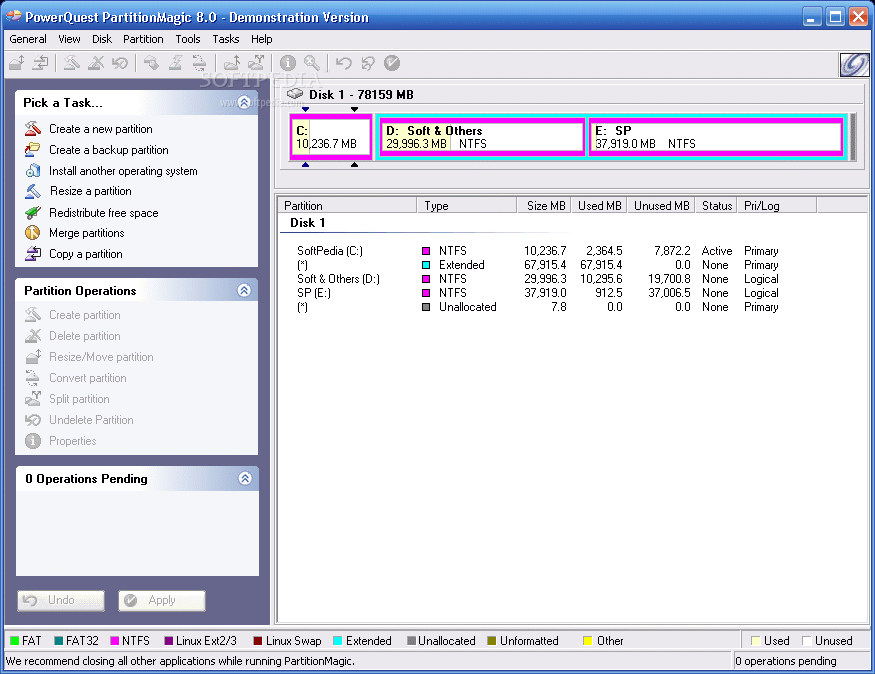
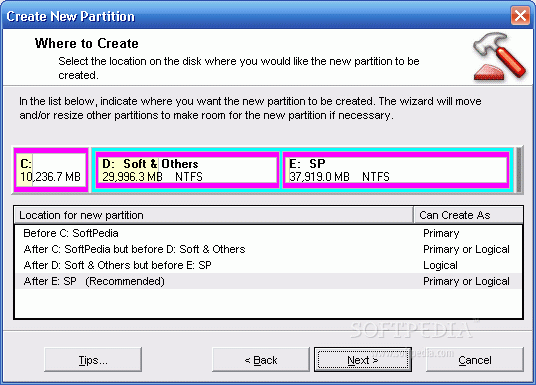
Partition Magic is a partition editor that allows you to safely create, combine and resize hard-disk partitions up to 300GB without damaging the information. It is the go-to solution when you wish to undo the mistakes from a disk partitioning process during a Windows XP installation.
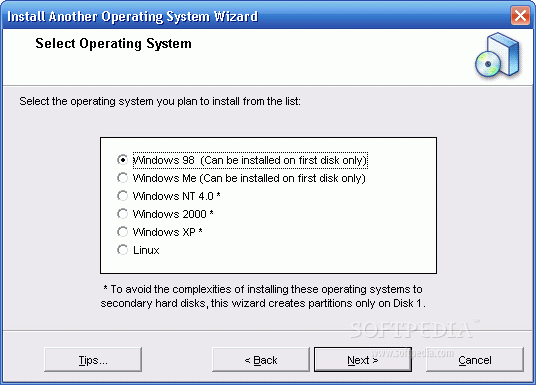
With Partition Magic you have the possibility to divide one hard drive into several partitions or vice versa, as well as to safely run and switch through multiple operating systems on the same computer (via BootMagic).
The utility can be launched from a bootable disk and allows users to browse through files, view and edit them on more than one type of file system. If you have any questions or doubts about how to use Partition Magic, then watch the presentation to better understand the concepts and keywords.
The software supports USB external drives, as well as FAT, FAT32, NTFS, Ext2, and Ext3 files systems. An obvious advantage of the software is that in case you wish to increase the size of an NTFS partition, you do not even have to restart your computer.
It is crucial to always remember to perform a file back-up before applying a radical action onto your hard-disks (Partition Magic can schedules backups for you as well).
The bottom line is that Partition Magic works great, but only on older operating systems, such as Windows NT/2000/XP. Unfortunately, Symantec has announced they are no longer working on Partition Magic in the future, due to various issues encountered by users.
What's new in Partition Magic 8.0:
- New file management features that include the ability to browse files, and view and manipulate files or folders on multiple types of file systems.
- New NTFS features enabling you to choose the cluster size on creating a new NTFS partition or changing the cluster size of an existing NTFS partition, and NTFS format versioning (NTFS 1.4 to the latest). (This feature requires 256 MB of RAM for drives over 120 GB in size).
- Enhanced Copy Partition functionality letting you choose the partition type (logical or primary) for the destination partition and whether that partition is to be resized.
- Changes in the UI, primarily in the main screen, that adopts a Windows XP look and feel.
Partition Magic 8.0
add to watchlist add to download basket send us an update REPORT- runs on:
-
Windows NT
Windows ME
Windows 9X
Windows XP - file size:
- 22.6 MB
- filename:
- partition_magic_demo_8.zip
- main category:
- System
- developer:
- visit homepage
ShareX

Windows Sandbox Launcher

calibre

Bitdefender Antivirus Free

4k Video Downloader

IrfanView

Zoom Client

Microsoft Teams

Context Menu Manager

7-Zip

- Microsoft Teams
- Context Menu Manager
- 7-Zip
- ShareX
- Windows Sandbox Launcher
- calibre
- Bitdefender Antivirus Free
- 4k Video Downloader
- IrfanView
- Zoom Client