
Quickly and easily optimize Windows defrag #HDD defragmentation #Defrag HDD #Optimize system #HDD #Defragmentation #Optimize

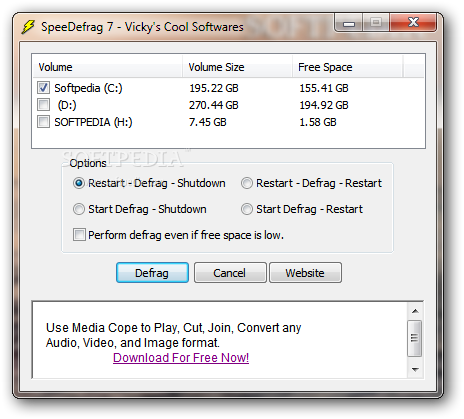
SpeeDefrag is an alternative defrag tool that comes to replace the standard Windows utility, providing a bunch of extra tools to help users enhance the whole process.
Although it’s supposed to take the place of the famous Windows defrag feature, SpeeDefrag is not at all an advanced piece of software, so beginners should be able to use it just fine.
The main window is the key element that brings its simplicity into spotlight, grouping all features and thus making the defrag process a very straightforward task.
Users are thus prompted to choose the drive they wish to defrag and play a bit with some simple options, including an action to be performed once the task comes to an end. You can for instance shutdown or reboot the system after defragmentation, with a scheduling feature to start the process at a user-defined time.
What’s more, SpeeDefrag also features a “Send to Tray” utility to minimize the application to Tray while performing a defrag. Still, such a feature isn’t quite useful because users are strongly recommended to avoid working on the computer during this time in order to get the best results.
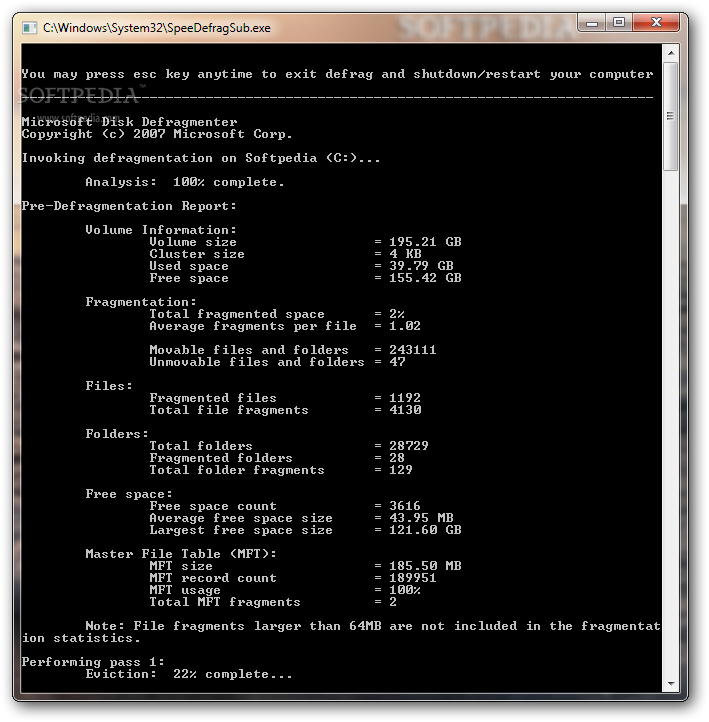
SpeeDefrag stresses up the CPU and RAM a little bit, but that’s more like an obvious fact, providing exactly the same results as the standard Windows defrag tool.
SpeeDefrag is a handy tool, but it’s very far from what you see in today’s advanced software solutions designed for disk defragmentation. It’s stable and reliable, while offering only a few configuration options.
SpeeDefrag 7.1
add to watchlist add to download basket send us an update REPORT- runs on:
-
Windows 7
Windows Vista
Windows XP - file size:
- 1.1 MB
- filename:
- SF.exe
- main category:
- System
- developer:
- visit homepage
Windows Sandbox Launcher

calibre

Zoom Client

4k Video Downloader

7-Zip

ShareX

Context Menu Manager

Bitdefender Antivirus Free

IrfanView

Microsoft Teams

- Bitdefender Antivirus Free
- IrfanView
- Microsoft Teams
- Windows Sandbox Launcher
- calibre
- Zoom Client
- 4k Video Downloader
- 7-Zip
- ShareX
- Context Menu Manager