
An efficient software utility designed to function as a customizable version of Windows Run, allowing you to perform numerous tasks with ease. #Application launcher #Launch application #Hotkey manager #Executor #Launcher #Launch
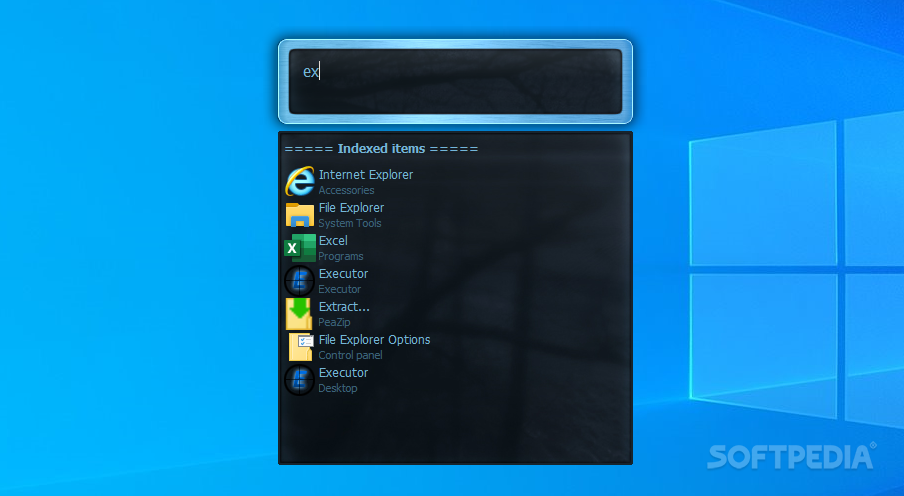
Having to find programs and files of interest in a crowded computer is not only a time-consuming operation, but it also gets frustrating. Luckily, developers felt this frustration too and came up with various launchers to help you run anything from anywhere. For instance, Executor is a powerful replacement for the Run tool, with loads of customization options.
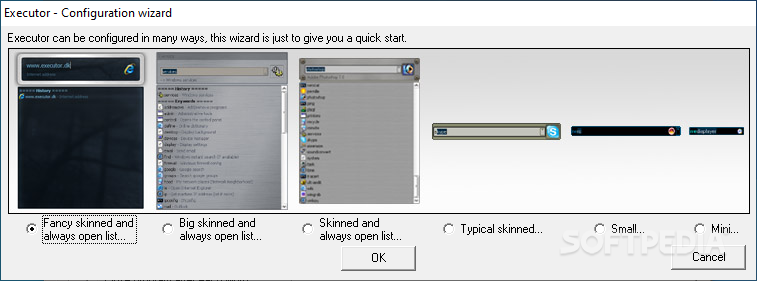
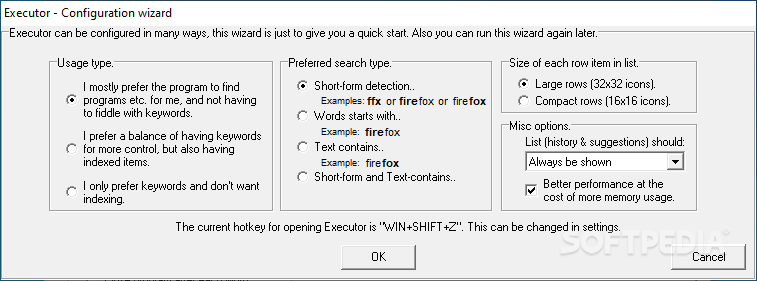
Once deployed and launched, you first need to pick a layout to suit your style, as well as modes of operation, which can mean showing suggestions based on keywords, strings in name, and so on. It usually sits quietly in the tray area, while interacting with it brings up a launcher panel to search for, and run programs of interest.
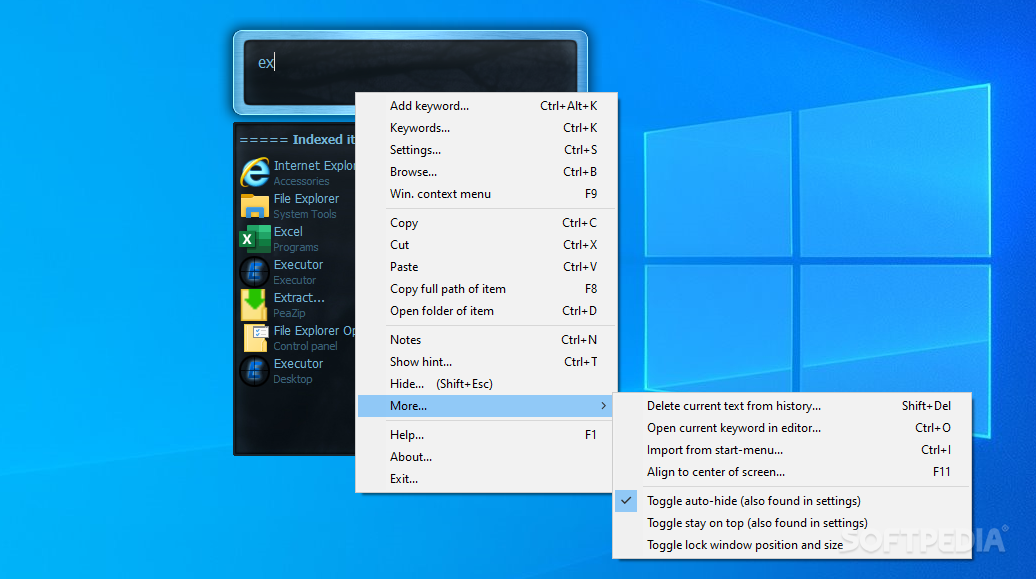
As far as the launcher itself is concerned, you instantly connect with it. Simply writing in the dedicated field starts to filter results and show programs from all around your computer in a suggestion box. Items can be then launched through a double-click operation, with the option to bring up the Windows context menu, open the folder, copy full path, and more.
The application indexes your computer in the background, with impressive performance results, not putting a strain on CPU or memory. Programs on your computer can be launched through a variety of ways, and you can customize even how suggestions are shown from the settings panel.
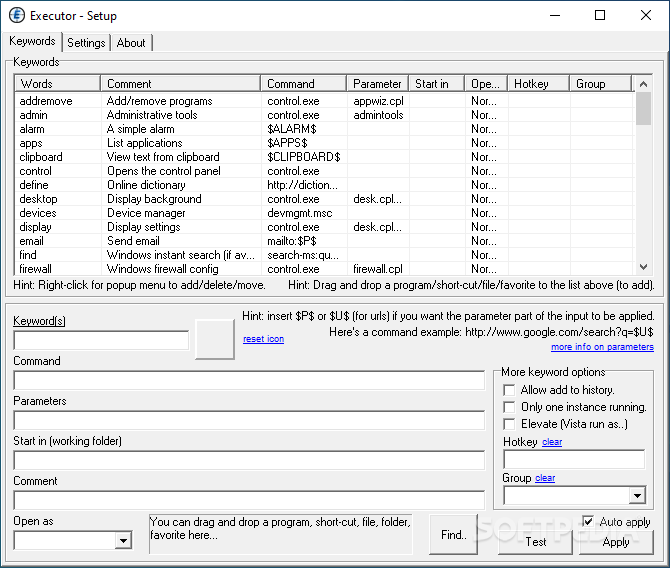
It can take a bit of time to analyze and tweak settings. First of all, keywords help add custom entries with additional parameters and comments, which makes for clever identification in case there are more items with similar names. Moreover, there’s also the possibility to have programs launched with elevated privileges, and assign a custom hotkey to save the effort of opening the launcher.
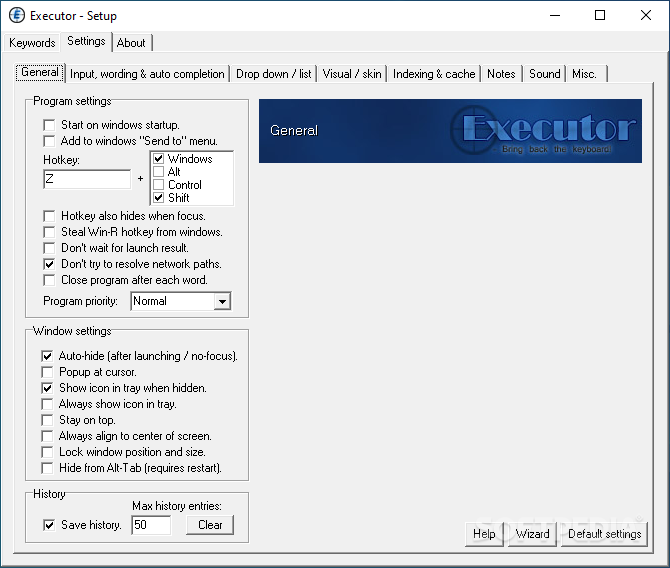
Down in the settings tab you get full control over the application behavior, input, wording, and auto completion, drop-down menus and lists, skins, indexing and cache, as well as a bunch of misc options.
Among others, you can choose to have the Win + R hotkey “stolen” from Windows, make it run on startup, keep history, set maximum items to display, auto-hide after launch, align to screen, and a lot more.
Taking everything into account, we can state that Executor is a powerful launcher which looks and acts as a futuristic, evolved version of the Windows Run tool. It can be fully customized in terms of behavior and visuals. Performance is kept balanced, while suggestions are shown as you type for maximum comfort.
What's new in Executor 1.0.11 Build 0:
- Added in "Settings - Visual / skin" two buttons to set the color of the title text in the main window and in the list window. This makes it easier to load a skin and change the main text colors of the skin without having to fiddle with the skin file. Click here to see example of this.. Also a new skin can found here on the forum.
- Updated the start/settings wizard to use more modern skins.
- Fixed in "Settings - Visual / skin" the "Save visual settings as skin" feature did not really support "alpha" skins. Also fixed and improved various small things in this functionality as well.
Executor 1.0.11 Build 0
add to watchlist add to download basket send us an update REPORT- portable version
- Portable Executor
- runs on:
-
Windows 11
Windows 10 32/64 bit
Windows 2003
Windows 8 32/64 bit
Windows 7 32/64 bit
Windows Vista 32/64 bit
Windows XP 32/64 bit
Windows 2K - file size:
- 2.2 MB
- filename:
- ExecutorSetup.exe
- main category:
- System
- developer:
- visit homepage
calibre

IrfanView

Zoom Client

Windows Sandbox Launcher

7-Zip

Bitdefender Antivirus Free

ShareX

Microsoft Teams

4k Video Downloader

Context Menu Manager

- Microsoft Teams
- 4k Video Downloader
- Context Menu Manager
- calibre
- IrfanView
- Zoom Client
- Windows Sandbox Launcher
- 7-Zip
- Bitdefender Antivirus Free
- ShareX