
Bring the Mac OS X launcher style to your desktop for an enhanced experience with the help of this lightweight software application. #Quick launch #Launch bar #Taskbar replacement #Quick #Launcher #Launch


RK Launcher is the kind of tool that can help Windows users get a flavor of the popular Mac OS X, as the application is able to create a dock-style program launcher, just like the one used by Apple in its operating system.
This type of software solutions has always been attractive to Windows users, not only because it's pretty eye-candy, but it also boosts productivity by providing the possibility to start programs with a single click.
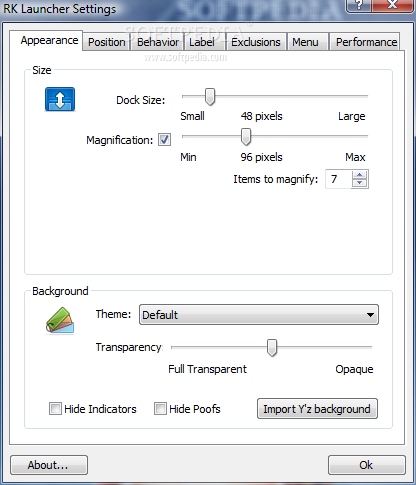
RK Launcher looks and feels great, but also comes with many features that allow you to customize both the interface and the way it works. Thus, You can tinker the dock and icon sizes and set the transparency level for the background.
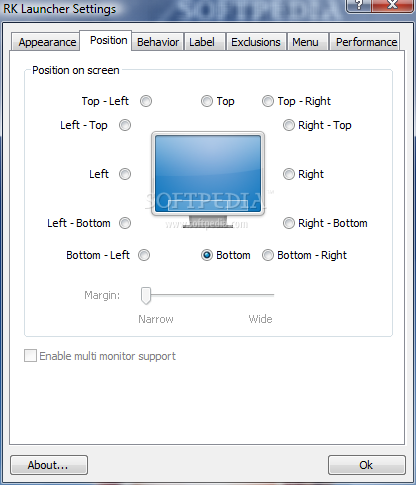
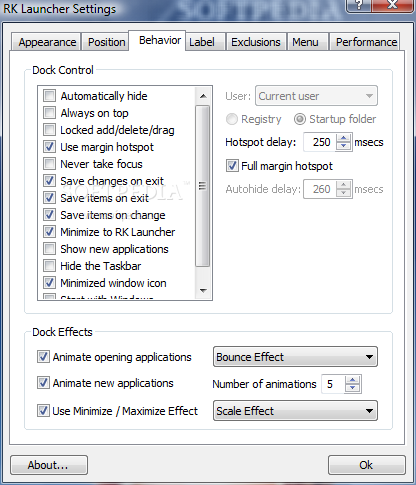
The position on screen can be adjusted and you are presented with 12 settings you can choose from. You can also configure the behavior of RK Launcher and opt for animations, minimize and maximize effects.
You can easily add items to the dock by simply dragging and dropping them onto the launcher. In the 'Performance' section of the 'Settings' menu you can customize the magnification transition type and overall quality, all of these impacting on the system stress.
Having seen RK Launcher at work, it's safe to say that it is a viable alternative to other similar software solutions thanks to the ease of use and small amount of resources it needs to function and look impeccably. The feature pack is not the best out there but is more than sufficient for a decent performance.
What's new in RK Launcher 0.4 Beta Build 186:
- themes and backgrounds changed completely
- added exclusions for apps/windows
- cannot drag excluded apps to dock
- Y'z Docklet support improved
RK Launcher 0.4 Beta Build 186
add to watchlist add to download basket send us an update REPORT- runs on:
-
Windows 2003
Windows 7 32/64 bit
Windows Vista
Windows XP
Windows 2K - file size:
- 715 KB
- filename:
- RK_Launcher_04_Beta.zip
- main category:
- System
- developer:
- visit homepage
Windows Sandbox Launcher

Zoom Client

calibre

Microsoft Teams

IrfanView

Bitdefender Antivirus Free

ShareX

7-Zip

Context Menu Manager

4k Video Downloader

- 7-Zip
- Context Menu Manager
- 4k Video Downloader
- Windows Sandbox Launcher
- Zoom Client
- calibre
- Microsoft Teams
- IrfanView
- Bitdefender Antivirus Free
- ShareX