
Use this simple, yet powerful application to assign a custom combination of keys for a large variety of tasks in order to eliminate repetition from your work. #Assign hotkey #File launcher #Trigger command #Launcher #Launch #Hotkey

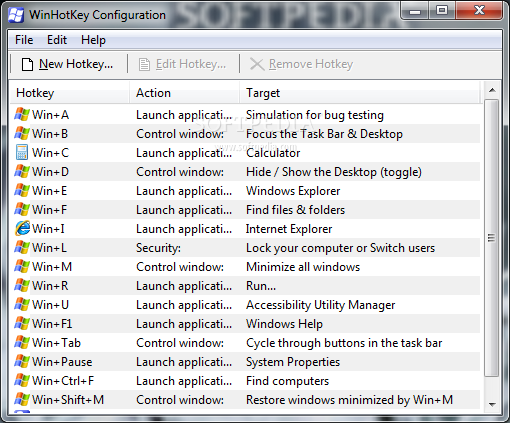
Office work often implies frequently writing the same paragraph or launching specific applications. With the right applications, these can be simplified to the press of a custom combination of keyboard buttons. WinHotKey is a small but powerful tool that lets you assign hotkeys at a global level.
This kind of software is ideal for those users who prefer to work with the keyboard rather than the mouse, since it is faster.
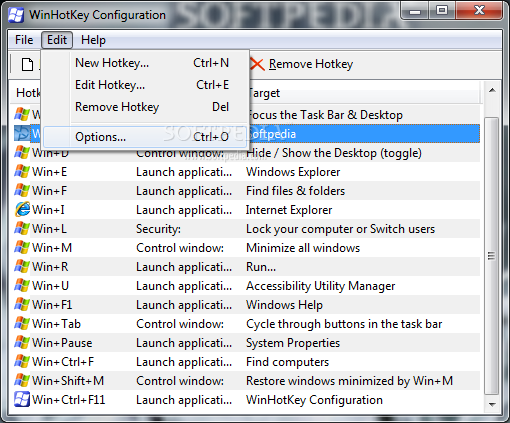
Once you initialize the application with the user-friendly interface, you can view a list of currently assigned hotkeys, along with their action and target.
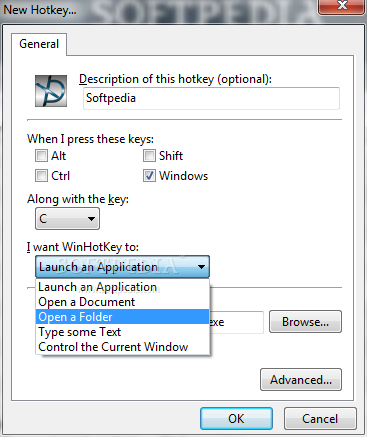
WinHotKey basically allows you to launch an application, open a document or folder, or automatically type text.
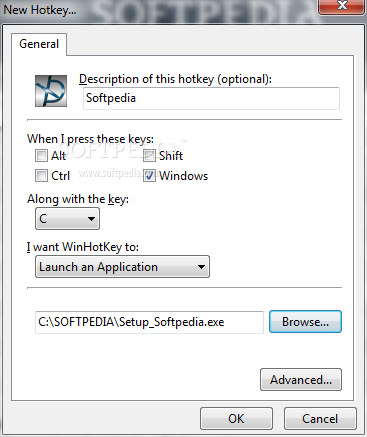
When you create a new keyboard shortcut, you can write its description and assign its key combination (e.g. Alt, Shift, Ctrl, Windows, letters, numpad numbers).
Now you can select the WinHotKey command (e.g. control the current window) and specify the target executable file.
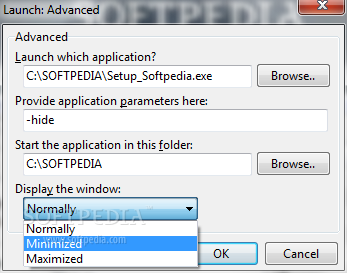
But you can also go to the advanced settings area to provide application parameters, as well as specify the source directory of the program and how to display the window (normally, minimized or maximized).
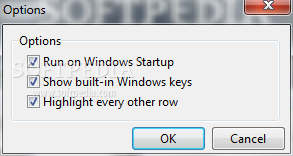
You can edit or remove a hotkey, as well as enable WinHotKey to automatically run at system startup, show built-in Windows keys and highlight every other row.
The tool requires a very low amount of system CPU and memory, and includes a step-by-step guide for novices. No errors have popped up during our tests and the program didn't freeze or crash.
On close, WinHotKey minimizes to system tray and you cannot change this option. The good news is that you can find out all keyboard shortcuts assigned to Windows. The bad news is that you cannot reconfigure them. Otherwise, WinHotKey is a straightforward and simple-to-use program and we definitely recommend it to users of any experience level.
WinHotKey 0.70
add to watchlist add to download basket send us an update REPORT- runs on:
- Windows All
- file size:
- 825 KB
- filename:
- WinHotKey0.70.exe
- main category:
- System
- developer:
ShareX

IrfanView

Microsoft Teams

Windows Sandbox Launcher

4k Video Downloader

calibre

Context Menu Manager

7-Zip

Bitdefender Antivirus Free

Zoom Client

- 7-Zip
- Bitdefender Antivirus Free
- Zoom Client
- ShareX
- IrfanView
- Microsoft Teams
- Windows Sandbox Launcher
- 4k Video Downloader
- calibre
- Context Menu Manager