
Enjoy a Linux experience on your Windows OS by grabbing the components that you need to work with, quickly and easily, without any issues. #Linux On Windows #Linux Environment #Linux Emulator #Linux #Emulator #Environment

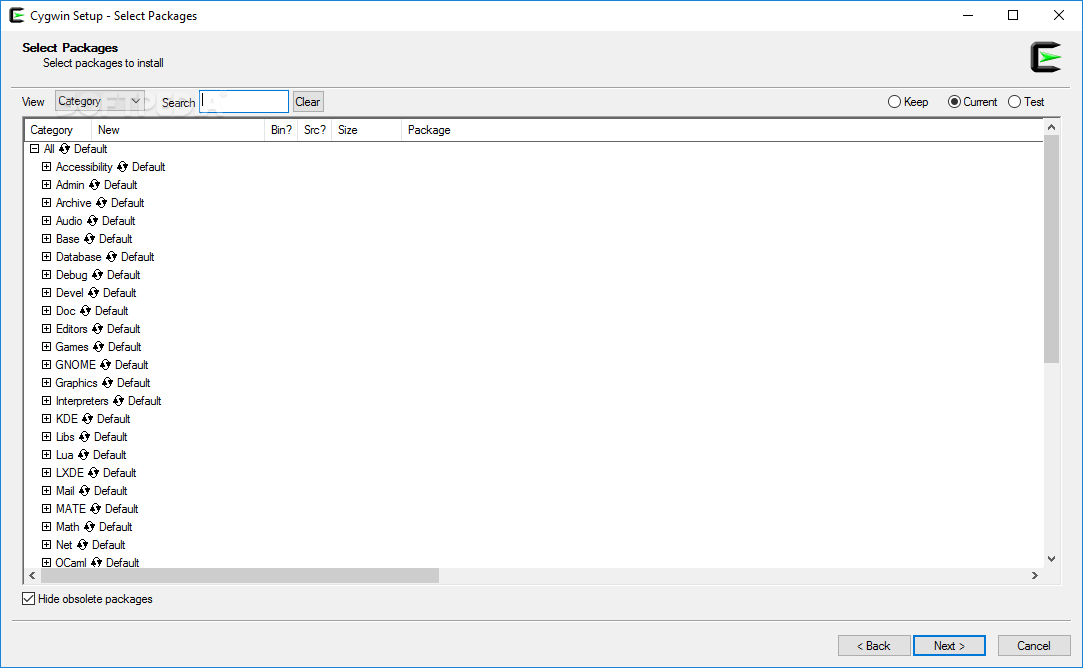
If you want the best of two OS worlds on your system but still favor Windows and want to experience some of the stuff Linux has to offer, then Cygwin is the right layer of emulation for you. It simply allows the user to download a series of components to enjoy Linux functionality without having to get rid of your Windows installation.
You won't need much knowledge to use this program. It simply works as a list of features. What you will need to know is what each component does, to activate the one that best fits your needs.
I found the program to be friendly and helpful and as a result, I believe you should favor this program, as it adds the necessary level of emulation for Linux without overcomplicating your situation in general. You'll end up feeling much better knowing you can always access Windows features while enjoying your Linux emulation environment.
I was actually pleasantly surprised by the program because I felt it managed to add all the Linux features to its list using a well-organized plan. As a result, you can easily start to add stuff such as audio drivers, graphic software, LXDE components, GNOME features, KDE, and other similar features. It has all you need to start your experience, which should end up being a helpful and friendly one.
Cygwin is indeed a great solution that can offer any user out there the best from two distinct virtual worlds. Don't waste your time with complex software because in the end, it is much more helpful to deal with an easy interface and complex problems than dealing with complex software for difficult issues. Don't forget to hide obsolete packages in order to avoid any big problems with compatibility and asset corruption.
What's new in Cygwin 3.5.3:
- Fixes:
- Fix the problem that console setup accesses shared memory which is already unmapped due to race condition. To avoid this issue, shared console memory will be kept mapped if it belongs to CTTY.
- Fix a race issue between console open() and close() which is caused by state mismatch between con.owner and console attaching state.
- Fix a problem that select() call for write-side of a pipe possibly hangs with non-cygwin reader.
Cygwin 3.5.3
 Softpedia Editor's Pick
add to watchlist
add to download basket
send us an update
REPORT
Softpedia Editor's Pick
add to watchlist
add to download basket
send us an update
REPORT
- runs on:
-
Windows 11
Windows Server 2022
Windows Server 2019
Windows Server 2016
Windows 10 64 bit - file size:
- 1.3 MB
- filename:
- setup-x86_64.exe
- main category:
- System
- developer:
- visit homepage
calibre

Microsoft Teams

7-Zip

4k Video Downloader

Context Menu Manager

IrfanView

Bitdefender Antivirus Free

ShareX

Zoom Client

Windows Sandbox Launcher

- ShareX
- Zoom Client
- Windows Sandbox Launcher
- calibre
- Microsoft Teams
- 7-Zip
- 4k Video Downloader
- Context Menu Manager
- IrfanView
- Bitdefender Antivirus Free