Softpedia
 

WINDOWS CATEGORIES:


GLOBAL PAGES >>
SOFTPEDIA REVIEWS >>
MEET THE EDITORS >>
WEEK'S BEST
  • Bitdefender Total ...
  • Ocster Backup Pro ...
  • Hard Disk Sentinel...
  • FlashFXP [DISCOUNT...
  • DVDFab DVD Copy [D...
  • Kaspersky Internet...
  • Avast! Internet Se...
  • Avira Internet Sec...
  • Webroot SecureAnyw...
  • McAfee Total Prote...
  • Home > Windows > System > OS Enhancements
     Report malware

    Desktop Sidebar 1.05 Build 116

    Softpedia Pick Award
    download button

    Downloads: 43,463  View global page  Tell us about an update
    User Rating:
    Rated by:
    Very Good (4.1/5)
    14 user(s)
    Developer:

    License / Price:

    Size / OS:

    Last Updated:

    Category:

    Freeware / $0
    10.7 MB / Windows 2K / XP
    [view history]
    C: \ System \ OS Enhancements

     Read user reviews (1)  Send to friend   Follow (2 users)

    Softpedia Editor's Review for Desktop Sidebar

    EDITOR'S RATING:   4.0/5

    Provides instant access to your most important daily information

    Written by Bogdan Popa on March 26th, 2013

    Desktop Sidebar is a software solution that provides instant access to a number of programs installed on your computer, but it also allows you to read news, access the weather forecast and view system information.

    The application acts just like any regular sidebar and it quietly sits on your desktop while updating information and offering instant access to a number of user-defined applications.

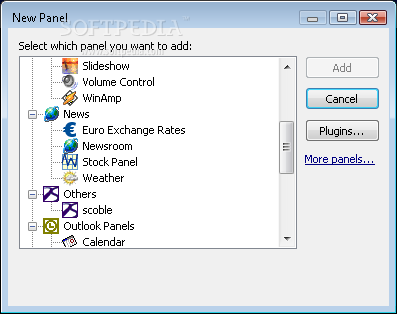
    Desktop Sidebar comes with a wide array of so-called panels, which are more or less gadgets that perform a different kind of action. By default, you get an analog clock, a weather service, a slideshow utility, a quick launch feature that enables you to start a program with a click, the newsroom, a mail checker app and performance stats.

    Of course, you can add many more tools and in case the ones included in the app aren't enough, you can always download new ones from the Internet.

    This way, you can control Winamp and Messenger applications straight from the desktop, monitor disks, search the Internet or the computer, check email or save notes on the go.

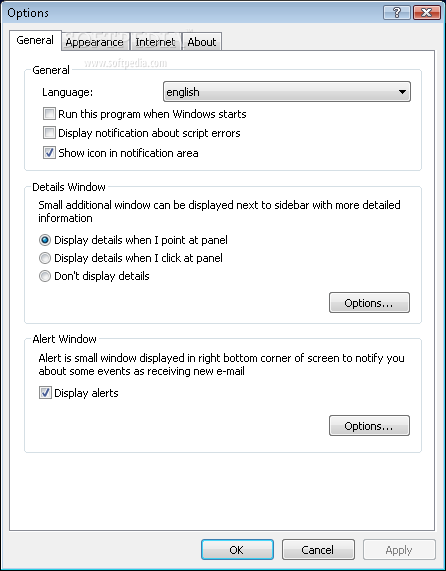
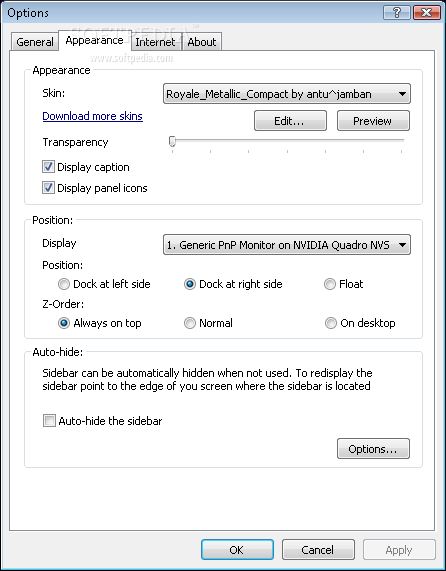
    The customization options are absolutely amazing, allowing you to change not only the skin of the application, but also transparency and position. Again, you can find more skins online, so there is no problem if none of the built-in skins suit your taste.

    Desktop Sidebar has just a minimal footprint on computer performance, although the fact that it remains always on top might bother you.

    Nevertheless, it's still a good tool for Windows XP, since Windows Vista and 7 users already benefit from a built-in sidebar in the operating system. It offers tons of customization features and so many applets that it's almost just as good as the standard Windows tool.


    Read an in-depth analysis in our professional review for Desktop Sidebar

    Desktop Sidebar description

    Here are some key features of "Desktop Sidebar":

    · Clock panel This is a very simple panel, just an ordinary clock? but when you rest your mouse on it, it will display a calendar in a details window.
    · Calendar Panel This panel displays your appointments from Microsoft Outlook.
    · Tasks Panel This panel displays your tasks from Microsoft Outlook.
    · Inbox Panel This panel shows the contents of your Inbox and other Outlook folders. This panel includes rules engine, simple junk filter and it displays alerts about new messages.
    · Notes Panel This panel displays your Notes folder from Microsoft Outlook. As in the case of other "Outlook" panels, you can add or remove notes to Outlook by the context menu in this panel.
    · Messenger Panel This panel displays your contacts from Windows Messenger.
    · Newsroom Panel This panel is an RSS aggregator. Newsroom panel integrates with Microsoft Internet Explorer so you can subscribe to newsfeeds from page displayed in Internet Explorer with one button click.
    · Performance Panel This panel displays information about the workload of your computer.
    · Disk Monitor This panel displays the amount of free space on hard drives.
    · Media Player This panel allows you to control Windows Media Player from Sidebar and information about playing media even with visualization are displayed in this panel.
    · WinAmp Panel - This panel allows you to control WinAmp from Sidebar
    · Toolbar panel You can move Quick Launch toolbar from Windows Taskbar to this panel. This will allow you to save precious space on their taskbar.
    · Weather Panel - This panel displays a weather forecast.
    · Search Bar Panel Instant (Win+Q) access to Google and other search engines with built-in Calculator and Command Line launcher.
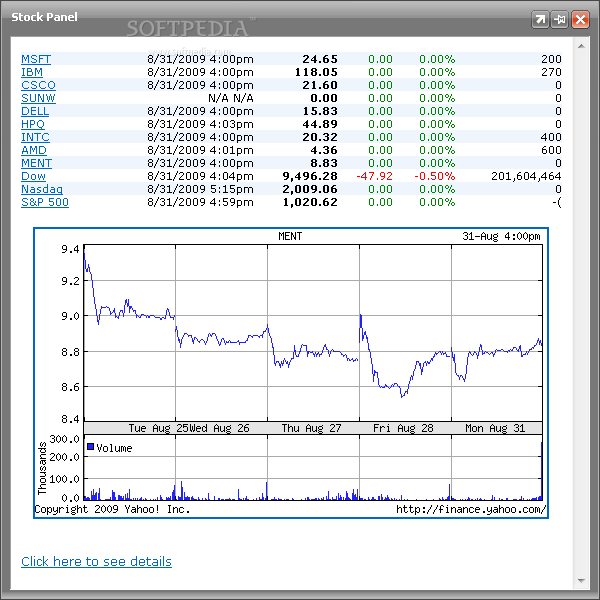
    · Stock Panel - This panel displays stock quotes directly on the sidebar.
    · Internet Mail Checker This panel allows users who don't use

    What's New in This Release: [ read full changelog ]

    · Recent problems with Stock Panel are fixed

       Softpedia guarantees that Desktop Sidebar 1.05 Build 116 is 100% FREE, which means it does not contain any form of malware, including spyware, viruses, trojans and backdoors. [read more >]


    TAGS:

    Desktop Sidebar | system Sidebar | docked panels | sidebar | viewer | stock

    Go to top

    WindowsGamesDriversMacLinuxScriptsMobileHandheldNews

    SUBMIT PROGRAM   |   ADVERTISE   |   GET HELP   |   SEND US FEEDBACK   |   RSS FEEDS   |   UPDATE YOUR SOFTWARE   |   ROMANIAN FORUM