
Swiftly create Junctions, HardLinks and SymbolicLinks through the Windows Explorer right-click menu using this approachable application. #Hardlink creator #Junction creator #Hardlink extension #Extension #Hardlink #Junction
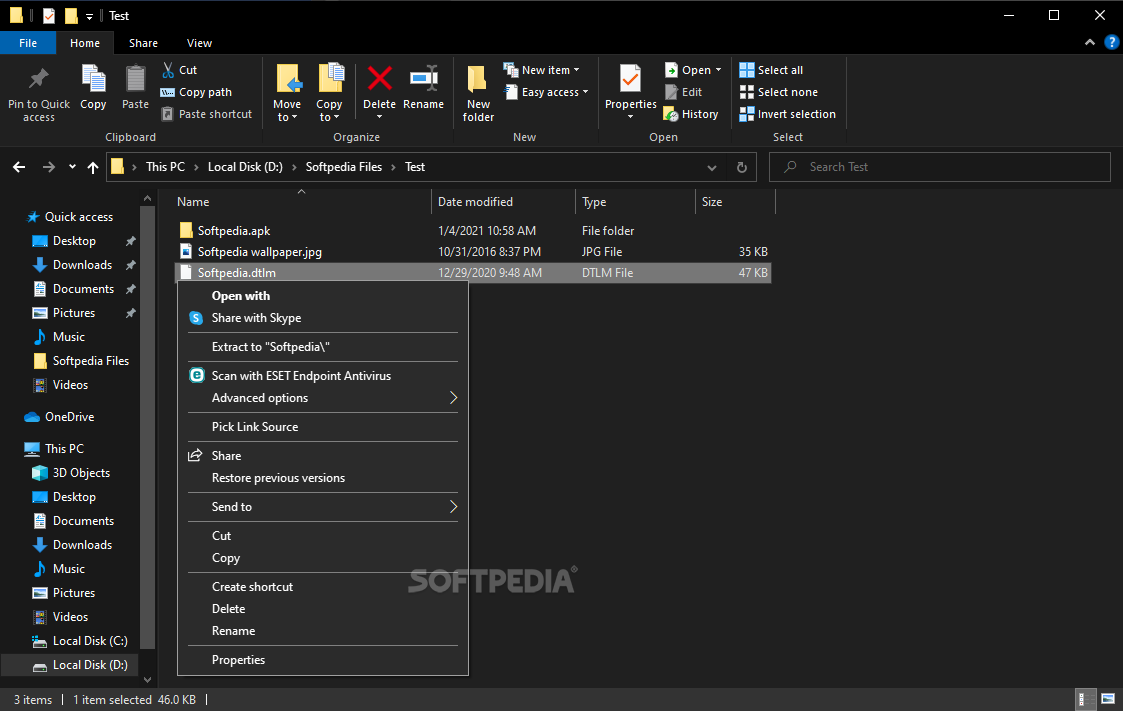
HardLink ShellExtension is an application that facilitates the creation of hard and symbolic links just by using the Windows Explorer right-click context menu.
Thanks to this software utility, you're able to view a single file in multiple folders, although only one copy exists on the entire system.
It's quite simple to install because the setup contains only familiar options. To create a new hard link, all you have to do is right-click a file or folder while navigating disk directories and pick the link source.
In the following step, it's necessary to go to the spot where you want to place the file, and then drop it there by opening the context menu again.
While a file can be added as a hard or symbolic link, a folder can be dropped as a Junction (soft link), Smart Copy, Smart Mirror, DeLorean copy, Hardlink clone or Symbolic Link Clone. This action can be performed on a single file or a selection of multiple items (in bulk).
Drag-and-drop is supported, so you can seamlessly move and create links in one swift motion. HardLink ShellExtension seems to be a great asset for generating these links by skipping the traditional method of inputting lines in the Command Prompt. Plus, normal files and hard link folders can be easily distinguished though a red icon which can be replaced with a custom one (this also applies to junctions and symbolic links).
To revoke the creation of a new hardlink, all you have to do is re-open the Windows context menu and cancel the link creation process.
HardLink ShellExtension simplifies a rather complex issue when it comes to putting together hard and symbolic links with minimum effort.
What's new in HardLink ShellExtension 3.9.3.5:
- With SE_CREATE_SYMBOLICLINK assigned to a user, UAC dialog was raised anytime after second attempt.
- German Translation of Documentation.
- Pressing F1 in LSEConfig crashed it. Fixed.
- During Hardlink/Symbolic Link Clone pressing Cancel didn't have an impact.
HardLink ShellExtension 3.9.3.5
add to watchlist add to download basket send us an update REPORT- PRICE: Free
- runs on:
-
Windows 10 32/64 bit
Windows Server 2012
Windows 2008 32/64 bit
Windows 2003
Windows 8 32/64 bit
Windows 7 32/64 bit
Windows Vista 32/64 bit
Windows XP 32/64 bit
Windows 2K - file size:
- 3.1 MB
- filename:
- HardLinkShellExt_win32.exe

- main category:
- System
- developer:
- visit homepage
Zoom Client

Context Menu Manager

IrfanView

Bitdefender Antivirus Free

calibre

7-Zip

ShareX

Microsoft Teams

4k Video Downloader

Windows Sandbox Launcher

- Microsoft Teams
- 4k Video Downloader
- Windows Sandbox Launcher
- Zoom Client
- Context Menu Manager
- IrfanView
- Bitdefender Antivirus Free
- calibre
- 7-Zip
- ShareX