
Customize keyboard layout and change keys on any type of keyboard to make it suit special needs or perfect for particular video games. #Keyboard customization #Customize keyboard #Keyboard layout #Keyboard #Layout #Customize

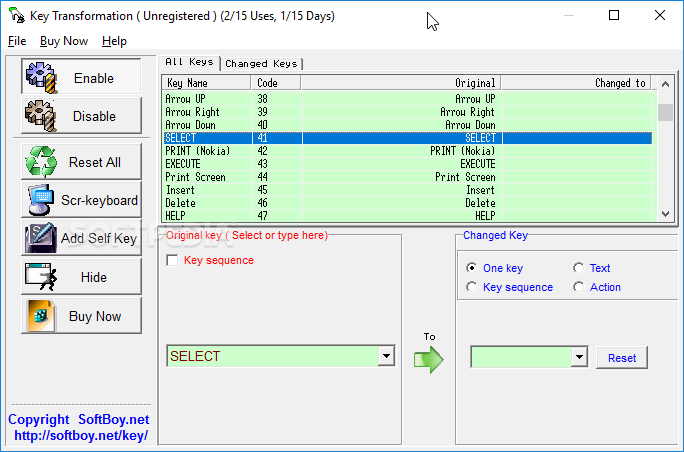
Sure enough every keyboard comes with a basic layout, while some have buttons for extra features, such as multimedia keys. In case you want some customization, then Key Transformation is a simplistic software which gives you permission to change the layout of your keyboard buttons.
The program has a very plain interface which needs some major improvements, since its outdated. Even so, individuals of all levels of experience quickly get the hang of things because things are pretty well-organized
Here you can find a list with all the keys available and check out their code, original and changed value. The same info is provided in both the enable and disable tab, so pay attention to what you’re doing before applying any changes.
All you have to do is select a key and change its value. Key Transformation will automatically apply modifications.
You can input a key sequence, text or action for the changed key, as well as reset all keys to their default values.
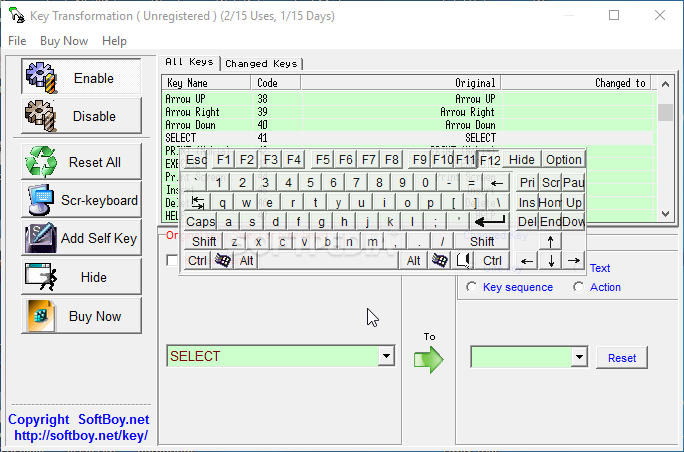
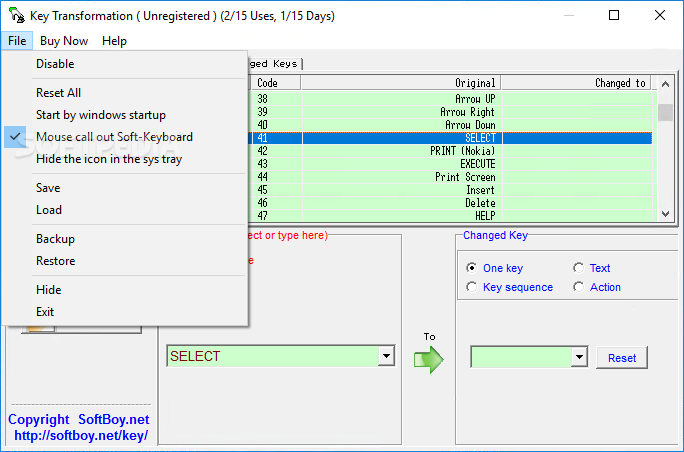
You can disable Key Transformation, use an on-screen keyboard, minimize Key Transformation to system tray and add a self key.
Moreover, you can enable the tool to automatically run at system startup, save and load schemes, use a backup and restore function, and more.
The handy program takes up a very low amount of system resources, so it shouldn't put a strain on any computer. There's also a well-drawn help file with snapshots that you can check out, if you don't know how to get started.
On the other hand, we would have liked the possibility of assigning commands to keyboard shortcuts, or special characters found in other languages except English. Nevertheless, Key Transformation can be easily used by individuals of any experience level and we strongly recommend it.
Download Hubs
Key Transformation is part of these download collections: Key Mapper
Key Transformation 5.9x
add to watchlist add to download basket send us an update REPORT- runs on:
- Windows All
- file size:
- 1 MB
- filename:
- KeyTranssetup.exe
- main category:
- System
- developer:
- visit homepage
ShareX

Windows Sandbox Launcher

Zoom Client

4k Video Downloader

IrfanView

Bitdefender Antivirus Free

calibre

Context Menu Manager

7-Zip

Microsoft Teams

- Context Menu Manager
- 7-Zip
- Microsoft Teams
- ShareX
- Windows Sandbox Launcher
- Zoom Client
- 4k Video Downloader
- IrfanView
- Bitdefender Antivirus Free
- calibre
