
Terminate active processes or schedule them for later termination, as well as create a favorites list for fast access using this portable tool. #Kill process #Terminate process #End process #Terminate #Termination #Timer

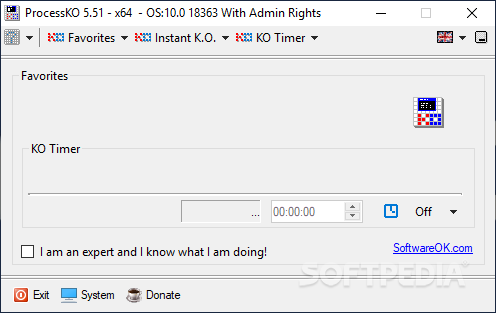
ProcessKO is a seemingly simple yet powerful application that enables you to terminate currently running processes that no longer respond to commands without administrative privileges. It lets you mark favorite processes for quick access.
Since this is a portable product, installation is not a prerequisite. It means that you can just drop the executable file on any location of the hard drive and run it directly, as well as save ProcessKO to a USB flash drive to launch it on any PC easily. Plus, the registry's settings remain altered.
The tool is packed in a standard interface with a plain layout, where you can kill any active process with one click, as well as create a favorites list with any of the currently running processes or custom apps installed on the disk.
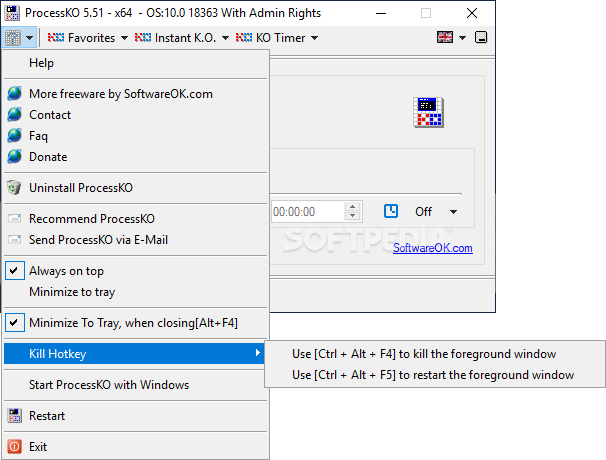
It's possible to set schedule an app to terminate at a specific time when you're away from the computer for example, provided that you enter expert mode. You can make the main frame stay on top of other windows, minimize it to the system tray area, and activate a power option, like shutdown, log off, or restart.
The app offers multilingual support, has a good response time and worked well during our testing, without hanging, crashing or prompting error notifications. We haven't encountered any unpleasant surprises. To sum it up, ProcessKO may not be feature-rich, but it supplies you with a simple solution to killing processes that normally need administrative rights, as well as for scheduling their termination.
What's new in ProcessKO 6.33:
- Important tests from Process.KO for the next MS Windows 10 and 11 update
- Updates to the language files in the process K.O. APP for Windows
- New language in ProcessKO: Finnish
ProcessKO 6.33
add to watchlist add to download basket send us an update REPORT- runs on:
-
Windows 11
Windows Server 2022
Windows Server 2019
Windows Server 2016
Windows 10 32/64 bit
Windows Server 2012
Windows 8 32/64 bit
Windows 7 32/64 bit - file size:
- 144 KB
- filename:
- ProcessKO.zip
- main category:
- System
- developer:
- visit homepage
Zoom Client

ShareX

4k Video Downloader

Windows Sandbox Launcher

7-Zip

Context Menu Manager

Microsoft Teams

IrfanView

Bitdefender Antivirus Free

calibre

- IrfanView
- Bitdefender Antivirus Free
- calibre
- Zoom Client
- ShareX
- 4k Video Downloader
- Windows Sandbox Launcher
- 7-Zip
- Context Menu Manager
- Microsoft Teams