
Helps you easily integrate update packs into Windows Installation disks. #Update pack #Installation disk #Integrate pack #Integrator #Integrate #Update

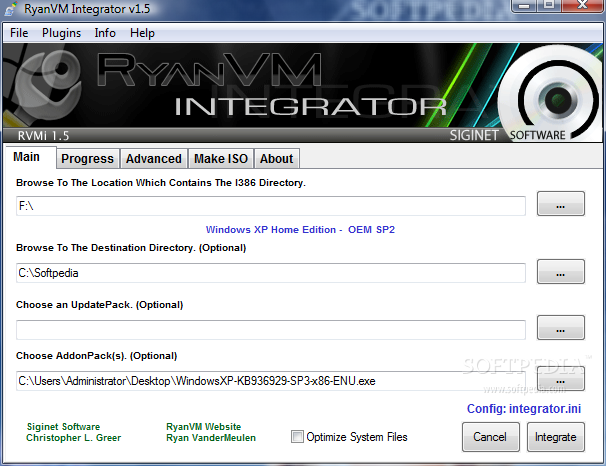
RVM Integrator is an application that enables you to create up-to-date Windows installation discs by integrating Windows updates directly into the installer.
Especially addressed to those who wish to install a Windows copy quick and easy without spending much time downloading updates, RVM Integrator is very easy to use, relying on a rather simple interface.
Configuring the application takes just a few seconds because you are prompted to input the location that contains the I386 folder and the destination directory, choose the update pack and an addon configuration.
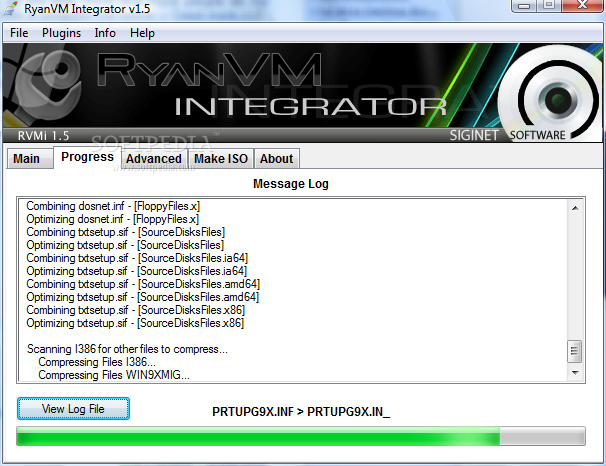
All features are organized in tabs, so the “Progress” section allows you to keep an eye on the whole process, with a detailed log that informs you whether integration works well or not.
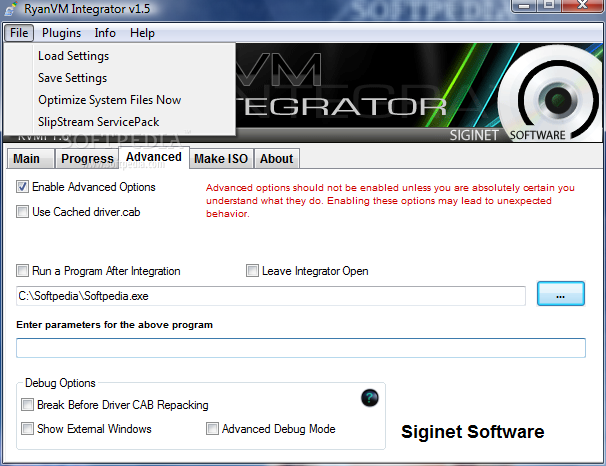
An “Advanced” tab is available as well, providing options to use cached driver.cab, run a program after integration, leave the Integrator open, break before driver CAB repacking, show external windows or enter advanced debug mode.
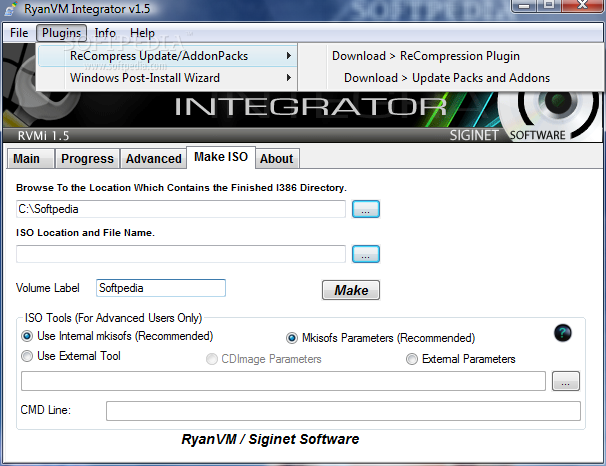
Since we are talking about tweaking a Windows installation disc, the “Make ISO” screen enables you to create a new ISO file, so you can either use the built-in tool or your very own external application.
Beginners may have a hard time getting along with RVM Integrator, so the help menu is quite important, but there's one thing to know before have a look in there. The help file is available via the developer's website, so you need an Internet connection to access the documentation.
Other than that, RVM Integrator works flawlessly and remains light on computer resources. It can deal with all Windows versions, be they older or newer.
RVM Integrator is a must have if you don't want to spend so much time downloading Windows updates after a fresh installation.
RVM Integrator 1.6
add to watchlist add to download basket send us an update REPORT- runs on:
-
Windows 2003
Windows Vista
Windows XP
Windows 2K - file size:
- 870 KB
- filename:
- RVM_Integrator_1.6.7z
- main category:
- System
- developer:
- visit homepage
IrfanView

4k Video Downloader

Bitdefender Antivirus Free

7-Zip

Context Menu Manager

Microsoft Teams

Windows Sandbox Launcher

Zoom Client

ShareX

calibre

- Zoom Client
- ShareX
- calibre
- IrfanView
- 4k Video Downloader
- Bitdefender Antivirus Free
- 7-Zip
- Context Menu Manager
- Microsoft Teams
- Windows Sandbox Launcher