
A simple tool through which you can create a bootable USB drive with minimal effort, thanks to an efficient and straightforward process. #Bootable USB #Create Boot USB #Ubuntu Installer #Ubuntu #Boot #Debian

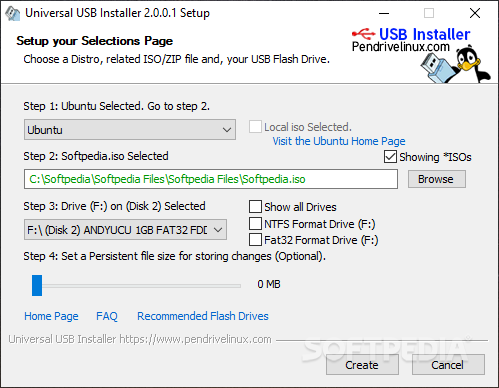
Installing an operating system involves multiple steps, of which creating a bootable USB drive is among the first. Owing to software solutions that almost do all of the work for you, the process is surprisingly smooth and simple to go through, so any user can dive in and begin installing an operating system without much of an effort.
Universal USB Installer has a name that is rather self-explanatory. It is a portable app that facilitates creating a bootable USB drive from an ISO file, so regardless of what you’re looking to install, the program should be up to the task.
Given its portable nature, the program requires no installation, which means that users can get right into creating their bootable pendrive. It typically recognizes any inserted external storage, but you may want to force a redetection if nothing appears for you.
After that, it’s business as usual. Select the ISO you need for your boot drive, and the app will take care of the rest. Keep in mind that your USB stick will be wiped prior to this process, so ensure everything is backed up beforehand.
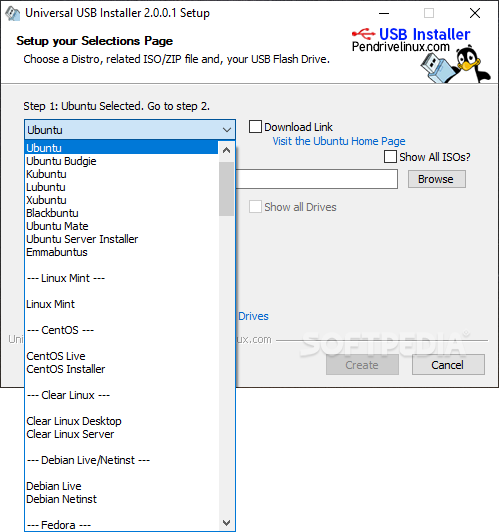
Note that the compatibility with ISO files stretches far and wide, so the software is able to not only create bootable installers for operating systems, but also for a variety of system recovery and diagnostic tools.
The highlight feature of the program is just how easy it is to use. I appreciated that it automatically formats the relevant partition to one suitable for the ISO you’re working with, effectively streamlining the process.
As such, Universal USB Installer is a solution you can reliably use to create a bootable USB drive efficiently, and despite being simple to use, the program doesn’t sacrifice functionality for ease of use.
Download Hubs
Universal USB Installer is part of these download collections: Create Bootable USB
What's new in Universal USB Installer 2.0.2.2:
- Version 2.0.2.1 was corrupted and would lock up preparing drive. Added missing files.
Universal USB Installer 2.0.2.2
add to watchlist add to download basket send us an update REPORT- PRICE: Free
- runs on:
-
Windows 11
Windows 10 32/64 bit
Windows 8 32/64 bit
Windows 7 32/64 bit - file size:
- 19.3 MB
- filename:
- Universal-USB-Installer-2.0.2.2.exe
- main category:
- System
- developer:
- visit homepage
IrfanView

Bitdefender Antivirus Free

Microsoft Teams

4k Video Downloader

Zoom Client

calibre

7-Zip

Windows Sandbox Launcher

ShareX

Context Menu Manager

- Windows Sandbox Launcher
- ShareX
- Context Menu Manager
- IrfanView
- Bitdefender Antivirus Free
- Microsoft Teams
- 4k Video Downloader
- Zoom Client
- calibre
- 7-Zip