
Remove Windows components like Media Player, Internet Explorer, Outlook Express and more, then repack the setup and use it for later installation. #Remove component #Integrate hotfix #Customize bootable image #Customize #Reduce #Remove

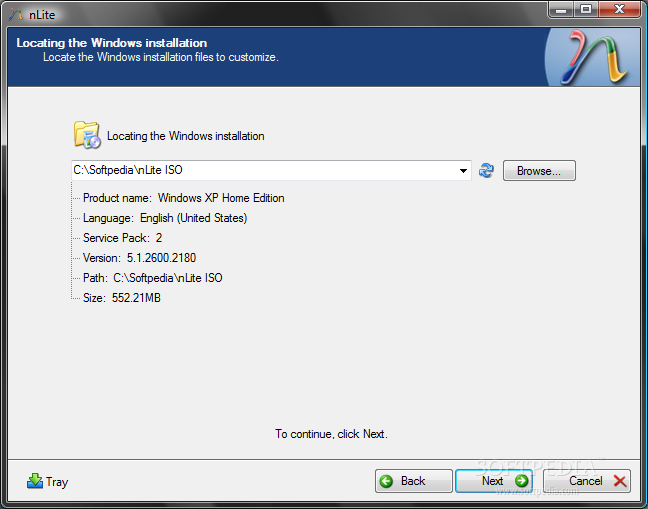
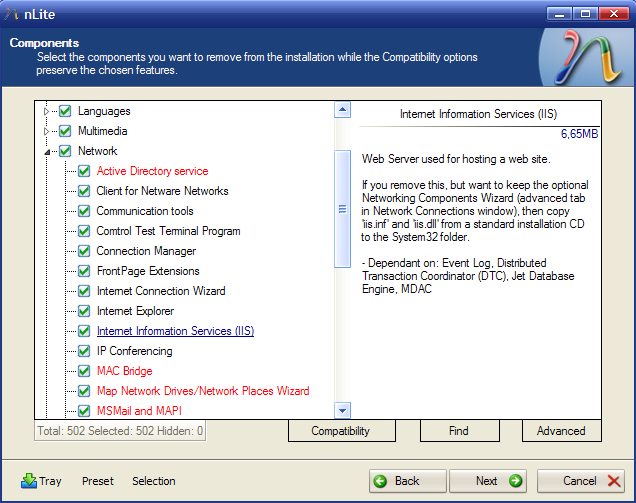
Everybody knows that Windows comes packed with several applications that you never use, simply because they are not efficient enough or they are of no interest to you. Either way, the files take up space from your hard drive and they might even be loaded in certain situations as default by Windows.
The worst part of it all is the fact that you can't uninstall them using typical means, such as the Control Panel or dedicated uninstaller applications.
This is the exact reason why developers started to come up with tools that can permanently remove these Windows components. A good example of such an application is nLite which allows you to create a custom-made Windows ISO that includes only the elements you prefer.
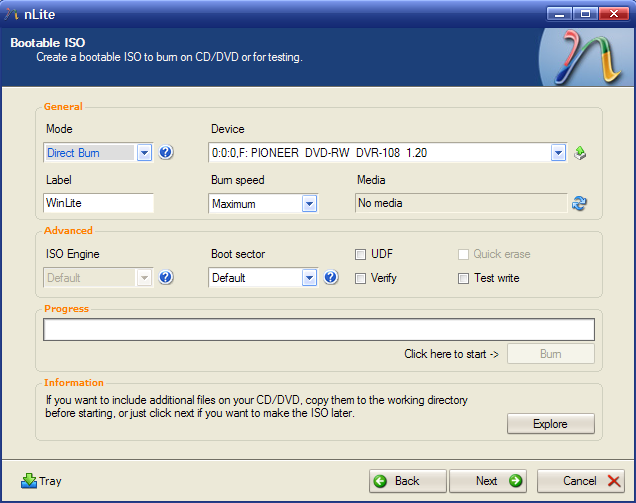
nLite is a wizard-like application that helps you get rid of those unnecessary Windows elements once and for all. All you need to have at hand is the Windows installation CD.
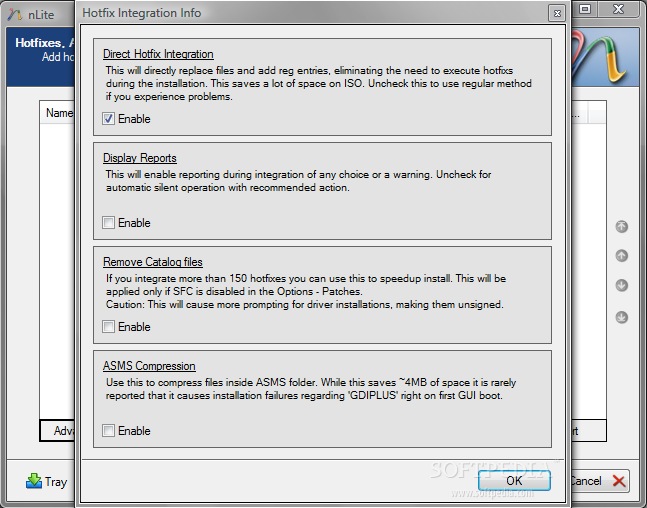
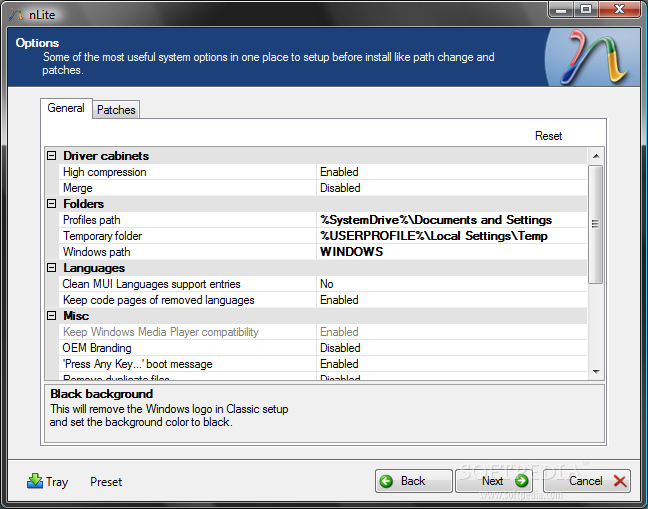
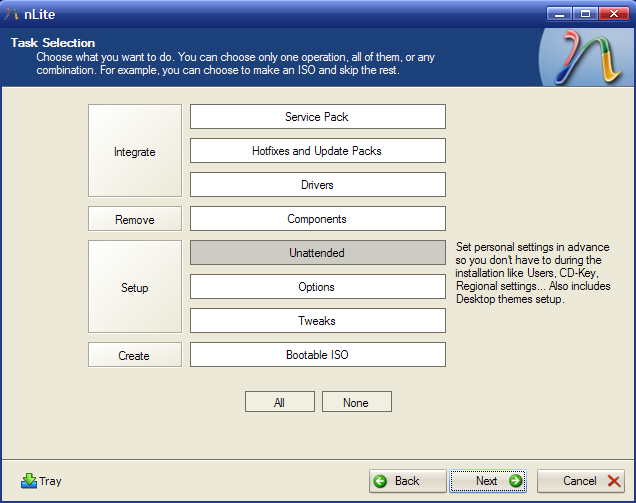
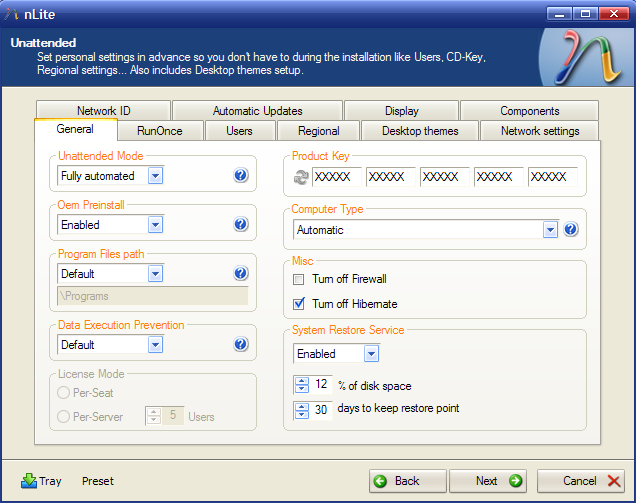
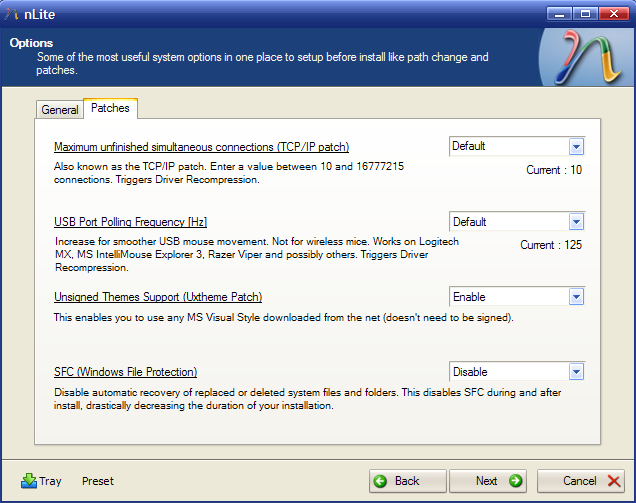
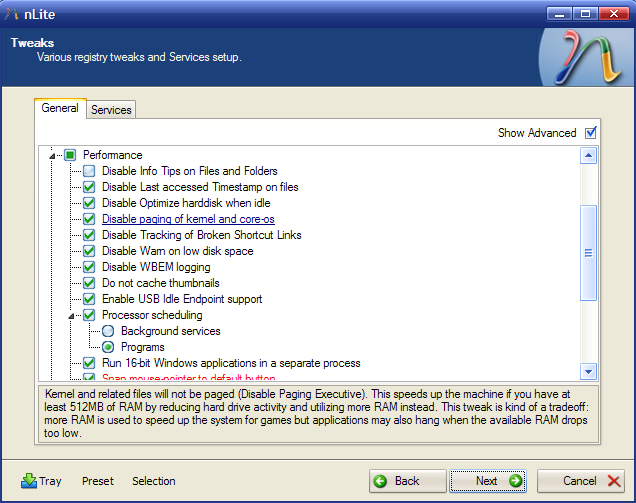
The first step is to choose the task you want to perform, such as add certain drivers, update packs and hotfixes, configure the tweaks you want to integrate to the ISO or simply create a bootable image. The second step allows users to set up the unattended installation mode by entering the user name, product key, preferred resolution, and even the desktop theme.
Due to the nature of this software, it is best if it is operated by computer-savvy users since removing various items might result in creating a non-functional ISO image. Assuming all the steps were followed correctly, the generated bootable ISO can be used by any beginner to install their new OS without any additional input.
All the stages are explained clearly, so no issues should arise. You may get lost in the process every now and then, especially if you're not an experienced user, but nLite is definitely one of the best choices you can make for coming up with a customized OS.
What's new in nLite (for XP) 1.4.9.3:
- Fix: OEM Branding option caused a generic error occured in gdi+
nLite (for XP) 1.4.9.3
 Softpedia Editor's Pick
add to watchlist
add to download basket
send us an update
REPORT
Softpedia Editor's Pick
add to watchlist
add to download basket
send us an update
REPORT
- runs on:
-
Windows 2003
Windows XP 32/64 bit
Windows 2K - file size:
- 2.9 MB
- filename:
- nLite-1.4.9.3.setup.exe
- main category:
- System
- developer:
- visit homepage
Microsoft Teams

IrfanView

Bitdefender Antivirus Free

Windows Sandbox Launcher

calibre

ShareX

7-Zip

Context Menu Manager

4k Video Downloader

Zoom Client

- Context Menu Manager
- 4k Video Downloader
- Zoom Client
- Microsoft Teams
- IrfanView
- Bitdefender Antivirus Free
- Windows Sandbox Launcher
- calibre
- ShareX
- 7-Zip
