
Learn all there is about your CPU with this program that includes as much information as it can find about your hardware, quickly and easily. #CPU info #Processor name #Motherboard information #CPU #CPUID #Processor

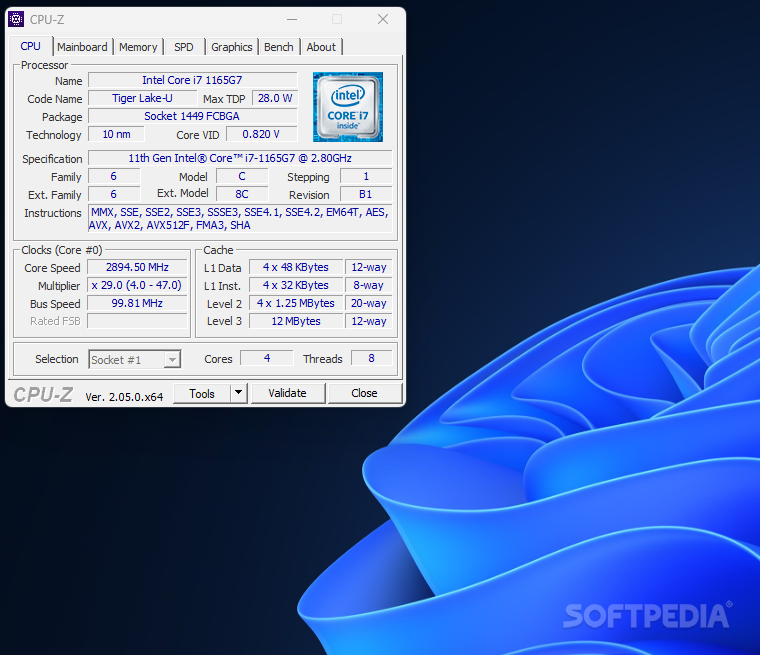
CPU-Z is your go-to application for any information dealing with your CPU. If you want to know all there is to know about your machine's brain or heart, depending on your stance, CPU-Z can help with information spanning from simple to very detailed, all according to the user's needs and desires.
This can ultimately help you with other projects or simply understand how your future upgrades should go or only to brag about your machine's performance at your computer meets.
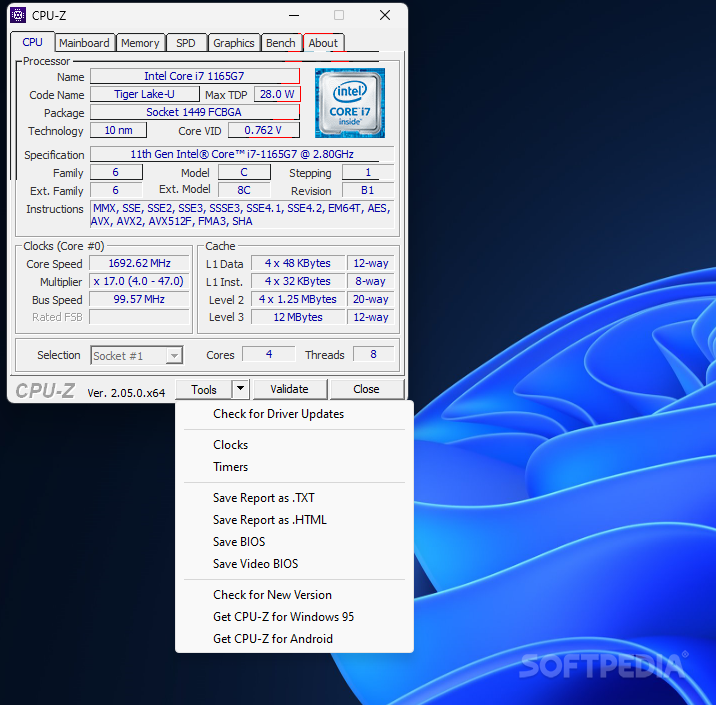
Information such as the name, frequency, and assigned cores and threads is not much of a surprise for anyone when discovered within this app. What should surprise people is information such as TDP, socket and technology information, L1, L2 cache values, and soon.
My point is the application can become very detailed, very quickly and that's all for the best since in the end you'll be able to classify your own products easier when compared to other similar ones. Since you get so much information going on, it is also very simple for you to identify the culprit in case of any bottlenecks your machine is dealing with. The app also includes extra features dealing with other components within your system.
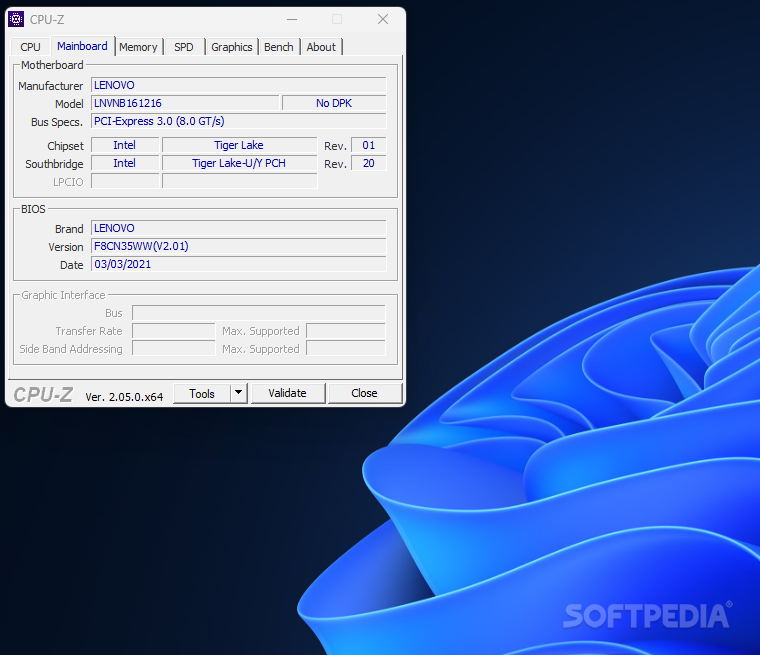
Once all that CPU stuff is clear, do keep in mind that you will have to deal with the rest of your components. Luckily, this program has you covered once again with detailed info on your RAM, graphics, and mainboard. I was really happy to see these integrated here because although the app paints a clear picture of your CPU, the whole image is represented by more than that.
CPU-Z is definitely the best way to discover more about the particularities of your machine. I was happy to have discovered it especially since I was looking to understand where my system strived the most and subsequently where it needed improvements.
Download Hubs
CPU-Z is part of these download collections: System Information Viewers
What's new in CPU-Z 2.09:
- Іmрrоvеd ѕuрроrt оf Іntеl Меtеоr Lаkе.
- Іntеl Соrе і5 14400F, 14400Т, 14400, 14500 аnd 14500Т.
CPU-Z 2.09
 Softpedia Editor's Pick
add to watchlist
add to download basket
send us an update
REPORT
Softpedia Editor's Pick
add to watchlist
add to download basket
send us an update
REPORT
- portable version
- Portable CPU-Z
- runs on:
- Windows All
- file size:
- 2.1 MB
- filename:
- cpu-z_2.09-en.exe
- main category:
- System
- developer:
- visit homepage
Zoom Client

4k Video Downloader

ShareX

calibre

Context Menu Manager

IrfanView

Windows Sandbox Launcher

Bitdefender Antivirus Free

7-Zip

Microsoft Teams

- Bitdefender Antivirus Free
- 7-Zip
- Microsoft Teams
- Zoom Client
- 4k Video Downloader
- ShareX
- calibre
- Context Menu Manager
- IrfanView
- Windows Sandbox Launcher