
Old software application for displaying system information and helping users monitor sensors easily via the system tray area, featuring scheduled tasks. #Motherboard Temperature #Motherboard Voltage #Fan Speed #Motherboard #Temperature #Voltage

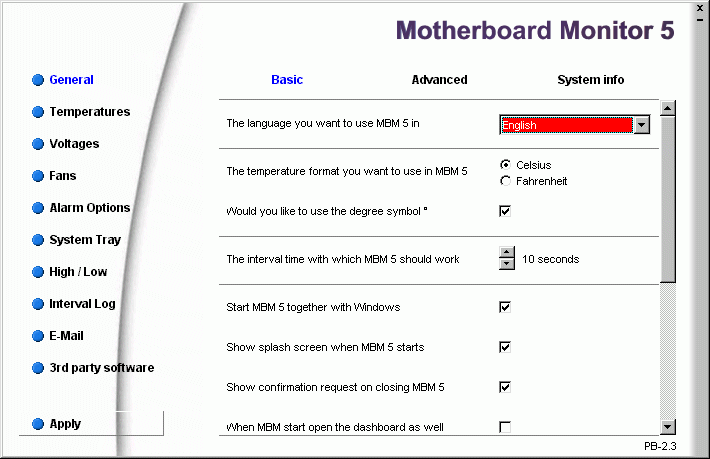
Motherboard Monitor is an old software application designed to show system information and monitor various sensors to prevent the computer from reaching the maximum temperature, among others. It still works on older operating systems, such as Windows XP.
The installation procedure is a rather complication process for users unafamiliarized with such applications. It required a bit of attention in regard to the computer's configuration and requires a reboot.
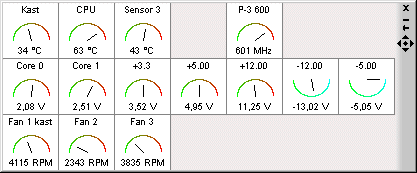
It creates an icon in the system tray area at startup which shows the live CPU reading, and also provides quick access to the program configuration panel.
It is possible to specify the maximum high and low temperatures to take into account for the alarm, schedule an application to immediately launch when the alarm goes off, establish the tolerance of the voltage line, enable fan alarms, alter OSD settings for the system tray indicator, as well as schedule email notifications and FTP uploads, among many other aspects. Reports can be generated to examine information at a later time.
The tool did not put a strain on computer performance in our tests, since it used low CPU and memory. We have not come across any issues, since Motherboard Monitor did not hang, crash or pop up error messages. It has a good response time, shows accurate data, and features some pretty advanced options for power PC users.
However, this is a very old program that seems abandoned for quite some time, so its hardware database does not contain the latest components. Users should resort to more reliable, up-to-date system information and monitoring utilities.
What's new in Motherboard Monitor 5.3.7.0:
- New IO system driver for 32 and 64 bit
- Uguru support (big thank you Chunkeun Lee, Alien & Dejan M).
- VIA VT8237 southbridge support
- ATI SB300C Southbridge support
Motherboard Monitor 5.3.7.0
 Softpedia Editor's Pick
add to watchlist
add to download basket
send us an update
REPORT
Softpedia Editor's Pick
add to watchlist
add to download basket
send us an update
REPORT
- runs on:
-
Windows NT
Windows ME
Windows 9X
Windows XP
Windows 2K - file size:
- 1.2 MB
- filename:
- MBM5370.exe
- main category:
- System
- developer:
ShareX

IrfanView

4k Video Downloader

Zoom Client

Context Menu Manager

calibre

7-Zip

Windows Sandbox Launcher

Bitdefender Antivirus Free

Microsoft Teams

- Windows Sandbox Launcher
- Bitdefender Antivirus Free
- Microsoft Teams
- ShareX
- IrfanView
- 4k Video Downloader
- Zoom Client
- Context Menu Manager
- calibre
- 7-Zip