
PrcView is a process viewer utility that displays detailed information about processes running under Windows.. #Process viewer #Process info #System info #DLL #Memory #Information


PrcView is a tool that enables you to view and disable processes which are currently running under Windows.
It offers some pretty detailed technical information, so novices would have a hard time getting around this software.
The user interface consists of a standard window, similar to the one of Task Manager. Here you can view a list of active processes, along with their ID, priority, CPU, memory usage, user name and full path.
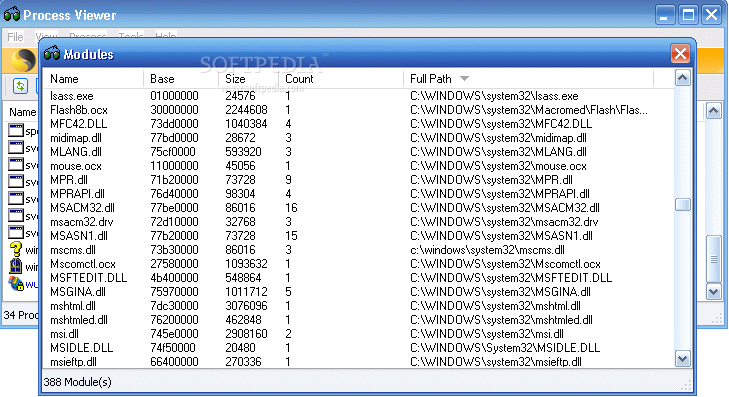
If you access the right-click menu of each application, you can view the version, startup info (start directory, command line, environment), file properties, threads (IDs and priority numbers) and modules (name, base, size, date of creation, full path).
You can view heap (heap ID, size, used, free, flags), memory and CPU time (e.g. a performance history graph), but you can also copy the path, search for the process via Google, switch to it or bring it to front, as well as kill the process, or set priority and affinity.
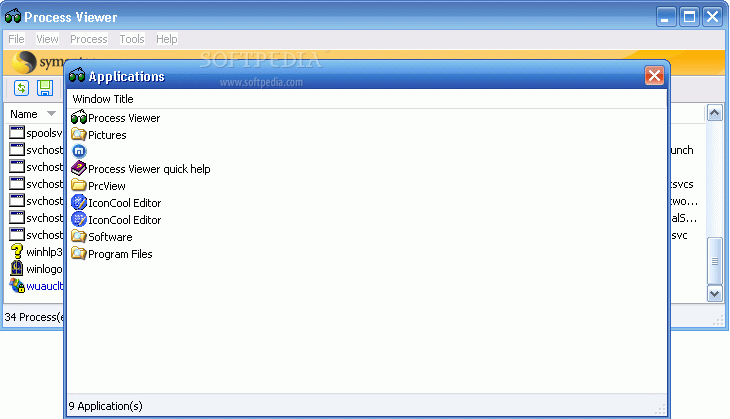
You can view a process tree and module usage, refresh times, view and disable applications that automatically run at system startup, access Process Monitor (if you have it installed), and more.
In Options, you can set PrcView to start minimized, allow multiple instances, automatically run at Windows startup, show toolbar text labels, show autorun hierarchy, use colors for the process status etc.
PrcView uses a low amount of system resources, as we have expected, and we haven't come across any problems during our tests. We recommend it mostly to hardcore users.
PrcView 5.2.15.1
add to watchlist add to download basket send us an update REPORT- runs on:
- Windows All
- file size:
- 374 KB
- filename:
- PrcView_5_2_15.zip
- main category:
- System
- developer:
- visit homepage
Windows Sandbox Launcher

calibre

Bitdefender Antivirus Free

ShareX

IrfanView

7-Zip

Microsoft Teams

Zoom Client

4k Video Downloader

Context Menu Manager

- Zoom Client
- 4k Video Downloader
- Context Menu Manager
- Windows Sandbox Launcher
- calibre
- Bitdefender Antivirus Free
- ShareX
- IrfanView
- 7-Zip
- Microsoft Teams