
Monitor active processes and their child processes, suspend them, keep track of CPU temperature and usage, examine DLLs and handles, and more. #Process viewer #Process lister #Process manager #Explorer #Lister #Manager

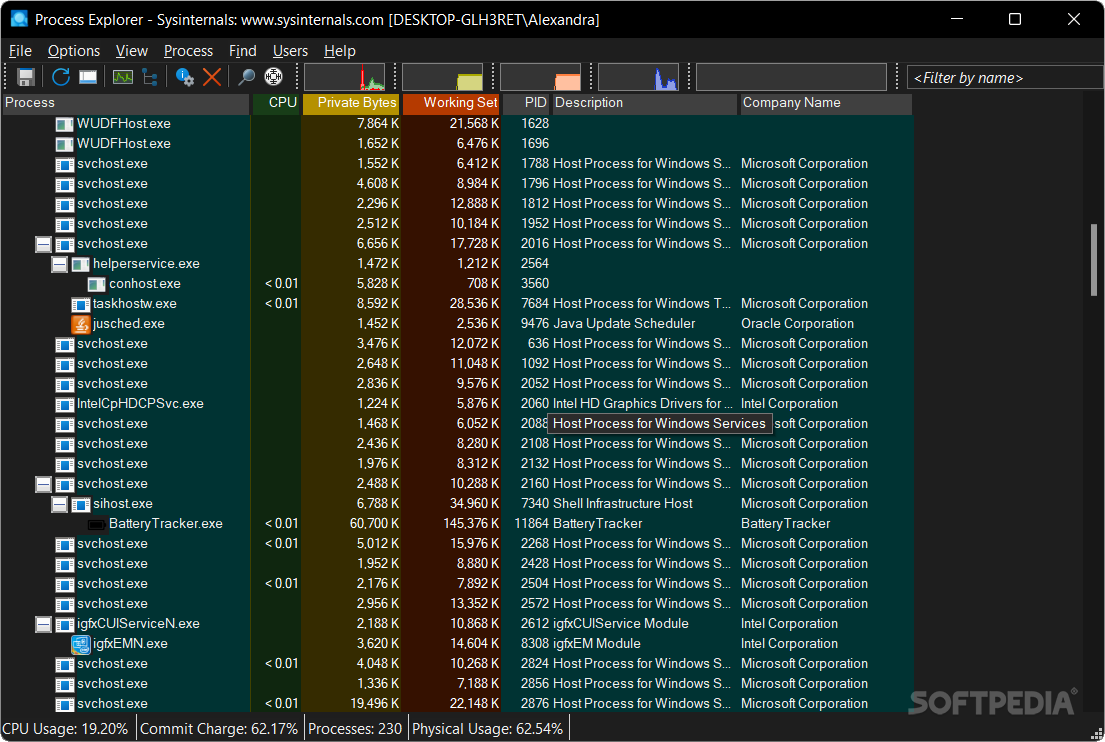
Process Explorer is a lightweight and portable application that offers advanced features compared to the Windows Task Manager when it comes to monitoring running processes and making some changes to their behavior. Aimed at hardcore PC users who want to look under the hood of their computers and find out how they work, the tool brings many powerful options to the table, such as the ability to suspend processes or find out all resources used by a particular process.
There is no installation necessary, so you can simply launch the executable file to start the app. The main advantage of a portable tool is that it can be saved to a USB flash disk and carried everywhere to use it on any PC seamlessly. What's more, Process Explorer does not alter the Windows registry in any way, nor create unnecessary shortcuts or Start menu entries which clutter the disk.
The first thing you should know about Process Explorer is that it creates a tray icon at launch to point out the current temperature for any preferred sensor (default is CPU). The main window is neatly organized and displays all processes in a tree view to let users find out any child processes which depend on them. They are color-coded in order to tell them apart by type (e.g. new objects, system processes, relocated DLLs).
It is possible to terminate, suspend and resume or restart a process, bring it to the front, minimize or maximize it, change its priority and affinity, find out its full paths and command line, as well as to display a secondary pane to view DLL and handle information.
System information gathers the CPU, RAM, GPU, I/O, disk, network and commit usage history and shows it in graphs. Process Explorer also offers extensive information concerning a particular process such as performance, environment, TCP/IP and threads properties. What's more, suspicious or unknown files can be submitted to VirusTotal to run malware checkups using multiple antivirus applications at the same time.
CPU and RAM consumption was low during Process Explorer's runtime in our tests. It is very responsive to commands and shows some pretty detailed information. No error dialogs were shown in our tests, and the app did not hang or crash. To sum it up, Process Explorer is an excellent tool for monitoring and controlling processes.
Download Hubs
Process Explorer is part of these download collections: Process Managers
What's new in Process Explorer 17.05:
- This update to Process Explorer, an advanced process, DLL, and handle viewing utility, fixes a crash generated by the process list, fixes a bug with thread affinity decoding on systems with multiple processor groups (more than 64 processors / cores), and makes Escape key handling more consistent.
Process Explorer 17.05
 Softpedia Editor's Pick
add to watchlist
add to download basket
send us an update
REPORT
Softpedia Editor's Pick
add to watchlist
add to download basket
send us an update
REPORT
- PRICE: Free
- portable version
- Process Explorer Portable
- runs on:
-
Windows 11
Windows Server 2022
Windows Server 2019
Windows Server 2016
Windows 10 32/64 bit
Windows Server 2012 R2
Windows Server 2012
Windows 8 32/64 bit - file size:
- 3.3 MB
- filename:
- ProcessExplorer.zip
- main category:
- System
- developer:
- visit homepage
Windows Sandbox Launcher

Microsoft Teams

IrfanView

7-Zip

Bitdefender Antivirus Free

Context Menu Manager

calibre

ShareX

4k Video Downloader

Zoom Client

- ShareX
- 4k Video Downloader
- Zoom Client
- Windows Sandbox Launcher
- Microsoft Teams
- IrfanView
- 7-Zip
- Bitdefender Antivirus Free
- Context Menu Manager
- calibre