WINDOWS CATEGORIES:


NEWS ARCHIVE >>
SOFTPEDIA REVIEWS >>

WEEKLY HIGHLIGHTS

DVD Cloner45
Spyware Doctor40
1Click DVD Copy40
Apollo DVD Copy40
ABC Amber BlackBer...45
Protected Music Co...40

7-DAY TOP DOWNLOAD

#
Program
Avira AntiVir
Personal - Free
Antivirus 9.0.0.407

197,527
Windows Live
Messenger 2009
14.0.8089.726

191,571
Avira Antivir Virus
Definition File
Update November 6,
2009

183,902
Nexus Radio 4.1.1
132,855
Windows Live
Messenger
8.5.1302.1018

114,274
FreeZ Online TV 1.30
94,065
Microsoft Office
2007

83,055
Y! Multi Messenger
8.x and 9.x

80,995
DVD Shrink 3.2.0.15
60,078
AVG Free Edition 9.0
Build 698a1730

56,394

WEEK'S BEST

  • Internet Explorer ...
  • Online Armor ++ 4....
  • cFosSpeed 5.01 Bui...
  • SONY Vegas Pro 9.0...
  • Firefox 3.6 Beta 1...
  • Nokia Photos 1.6.434
  • Windows Server 200...
  • Skype Portable 4.1...
  • Google Chrome Port...
  • PCMark Vantage Bas...
  • Kaspersky Anti-Vir...
  • Microsoft Virtual ...
  • Messenger Plus! Li...
  • WinX DVD Author [F...
  • SoftPerfect Networ...
  • System Mechanic Pr...
  • Ad Muncher 4.8 Bui...
  • Windows 7 Upgrade ...
  • Pidgin 2.6.3
  • OpenOffice.org 3.2...
  • VirtualDub 1.9.7 B...
  • Maxthon [Softpedia...
  • Spyware Doctor 7.0...
  • SUPERAntiSpyware 4...
  • Adobe Acrobat Prof...
  • Camfrog Video Chat...
  • Adobe Reader 9.2.0...
  • Foxit PDF Reader 3...
  • Microsoft Maliciou...
  • AVG Identity Prote...
  • Home / Windows / System / System Info
     Report spyware

    PsInfo 1.73

    Download button

    Downloads: 2,644  Add to download basket  Tell us about an update
    User Rating:
    Rated by:
    Good (3.1/5)
    24 user(s)
    Developer:

    License / Price:

    Size / OS:

    Last Updated:

    Category:
    Sysinternals | More programs
    Freeware / FREE
    1 MB / Windows NT / 2K / XP
    December 3rd, 2006, 10:19 GMT
    C: \ System \ System Info

     Read user reviews (0)  Add a review  Refer to a friend  Subscribe


    PsInfo description


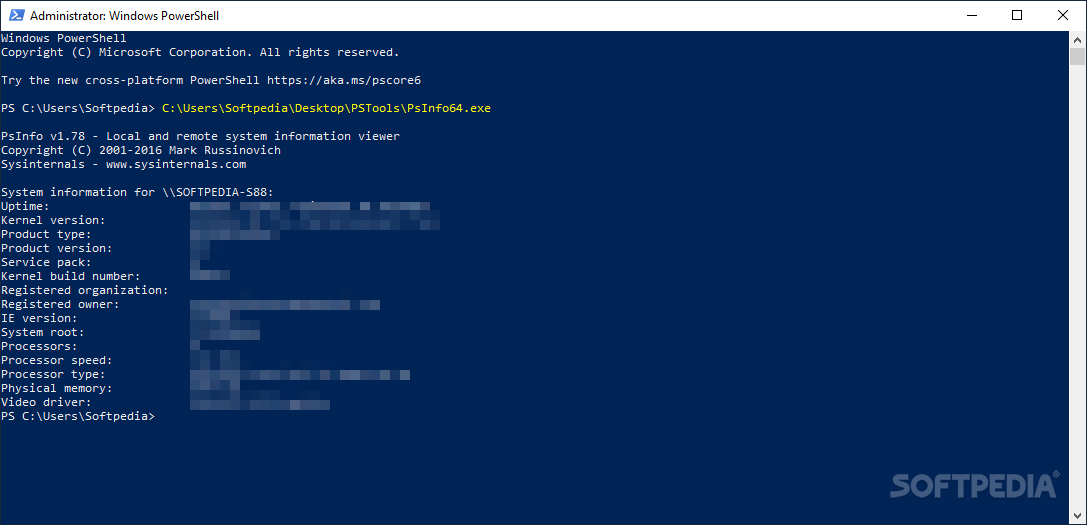
    PsInfo - Obtain information about a system

    including the type of installation, kernel build, registered organization and owner, number of processors and their type, amount of physical memory, the install date of the system, and if its a trial version, the expiration date.

    By default PsInfo shows information for the local system. Specify a remote computer name to obtain information from the remote system. Since PsInfo relies on remote Registry access to obtain its data, the remote system must be running the Remote Registry service and the account from which you run PsInfo must have access to the HKLMSystem portion of the remote Registry.

    In order to aid in automated Service Pack updates, PsInfo returns as a value the Service Pack number of system (e.g. 0 for no service pack, 1 for SP 1, etc).

    usage: psinfo [[computer[,computer[,..] | @file [-u user [-p psswd]]] [-h] [-s] [-d] [-c [-t delimiter]] [filter]

    computer
    Perform the command on the remote computer or computers specified. If you omit the computer name the command runs on the local system, and if you specify a wildcard (*), the command runs on all computers in the current domain.
    @file
    Run the command on each computer listed in the text file specified.
    -u
    Specifies optional user name for login to remote computer.
    -p
    Specifies optional password for user name. If you omit this you will be prompted to enter a hidden password.
    -h
    Show list of installed hotfixes.
    -s
    Show list of installed applications.
    -d
    Show disk volume information.
    -c
    Print in CSV format.
    -t
    The default delimiter for the -c option is a comma, but can be overriden with the specified character.
    filter
    Psinfo will only show data for the field matching the filter. e.g. "psinfo service" lists only the service pack field.

    PsInfo uses the Remote Registry API to read system information from a system's Registry, and WMI to determine whether Windows XP installations have been activated.

     Softpedia guarantees that PsInfo 1.73 is 100% FREE, which means it does not contain any form of malware, including spyware, viruses, trojans and backdoors. [read more >]


    TAGS:

    system information | remote system information | disk volume | system | information | remote


    HTML code for linking to this page:


    Go to top

    Windows tabGames tabDrivers tabMac tabLinux tabScripts tabMobile tabHandheld tabGadgets tabNews tab

    SUBMIT PROGRAM   |   ADVERTISE   |   GET HELP   |   SEND US FEEDBACK   |   RSS FEEDS   |   ENTER NEWS SITE   |   ENGLISH BOARD   |   ROMANIAN FORUM