WINDOWS CATEGORIES:


NEWS ARCHIVE >>
SOFTPEDIA REVIEWS >>

WEEKLY HIGHLIGHTS

DVD Cloner45
Spyware Doctor40
1Click DVD Copy40
Apollo DVD Copy40
ABC Amber BlackBer...45
Protected Music Co...40

7-DAY TOP DOWNLOAD

#
Program
Avira AntiVir
Personal - Free
Antivirus 9.0.0.415

156,527
Windows Live
Messenger 2009
14.0.8089.726

133,723
Avira Antivir Virus
Definition File
Update November 27,
2009

115,807
Nexus Radio 4.2.2
115,644
FreeZ Online TV 1.30
87,708
Y! Multi Messenger
8.x and 9.x

67,581
Microsoft Office
2010 14.0.4536.1000
Beta / 2007

65,198
DVD Shrink 3.2.0.15
47,260
Windows Live
Messenger
8.5.1302.1018

47,185
AVG Free Edition 9.0
Build 707a1765

42,129

WEEK'S BEST

  • SiSoftware Sandra ...
  • Kaspersky Virus Re...
  • Faststone Image Vi...
  • Vuze (formerly Azu...
  • Softpedia Wallpape...
  • Softpedia Wallpape...
  • Softpedia Wallpape...
  • RSSOwl 2.0.1
  • Internet Explorer ...
  • Online Armor ++ 4....
  • cFosSpeed 5.01 Bui...
  • SONY Vegas Pro 9.0...
  • Firefox 3.6 Beta 4...
  • Nokia Photos 1.6.434
  • Windows Server 200...
  • Skype Portable 4.1...
  • Google Chrome Port...
  • PCMark Vantage Bas...
  • Kaspersky Anti-Vir...
  • Microsoft Virtual ...
  • Messenger Plus! Li...
  • WinX DVD Author [F...
  • SoftPerfect Networ...
  • System Mechanic Pr...
  • Ad Muncher 4.81 Bu...
  • Windows 7 Upgrade ...
  • Pidgin 2.6.4
  • OpenOffice.org Dev...
  • VirtualDub 1.9.7 B...
  • Maxthon [Softpedia...
  • Home > Windows > System > System Info
     Report spyware

    USBDeview 1.48

    Download button

    Downloads: 25,027  Add to download basket  Tell us about an update
    User Rating:
    Rated by:
    Good (3.8/5)
    77 user(s)
    Developer:

    License / Price:

    Size / OS:

    Last Updated:

    Category:
    Nir Sofer | More programs
    Freeware / FREE
    61 KB / Windows 2K / XP / 2003 / Vista
    November 19th, 2009, 16:03 GMT [view history]
    C: \ System \ System Info

     Read user reviews (1)  Add a review  Refer to a friend  Subscribe


    USBDeview description


    A small utility that lists all USB devices that are currently connected to your computer

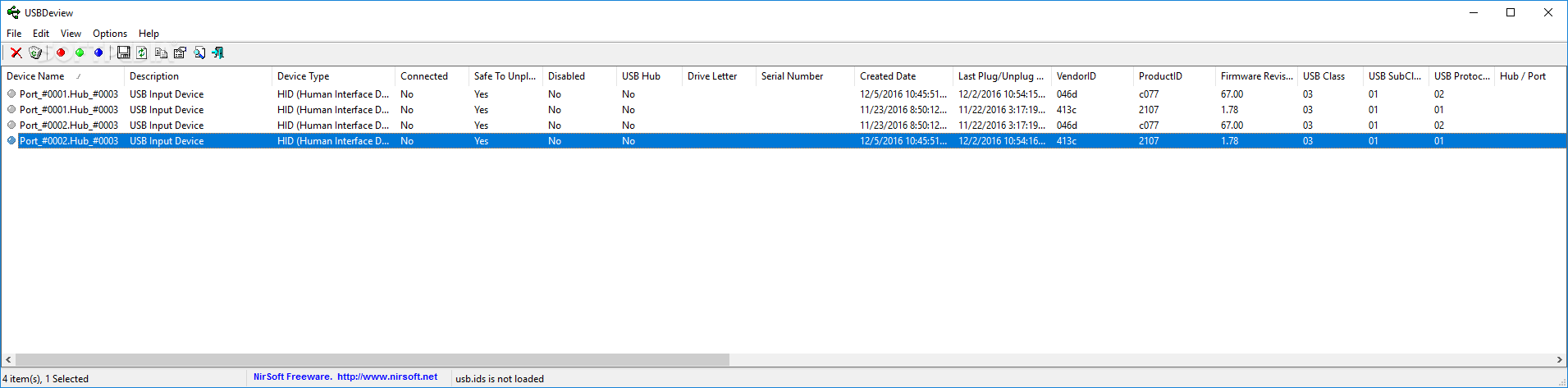
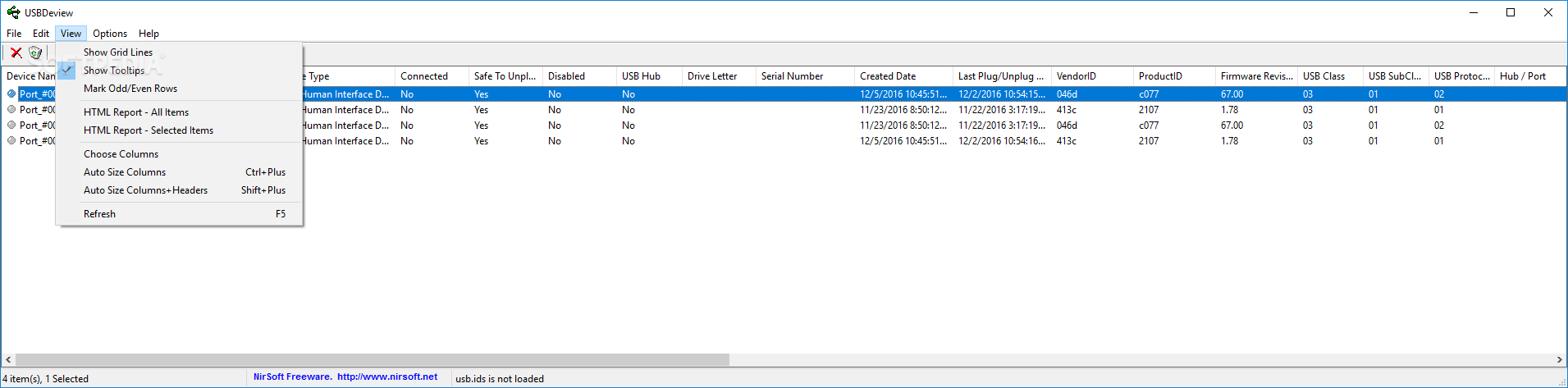
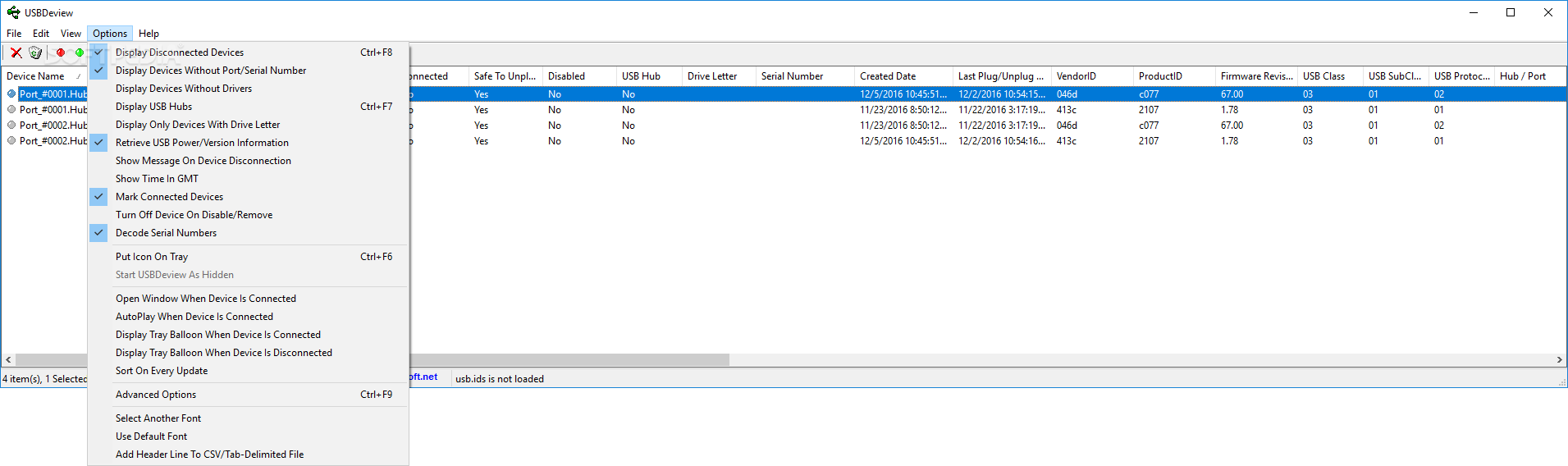
    USBDeview is a small utility that lists all USB devices that are currently connected to your computer, as well as all USB devices that you previously used.

    For each USB device, exteneded information is displayed: Device name/description, device type, serial number (for mass storage devices), the date/time that device was added, VendorID, ProductID, and more...

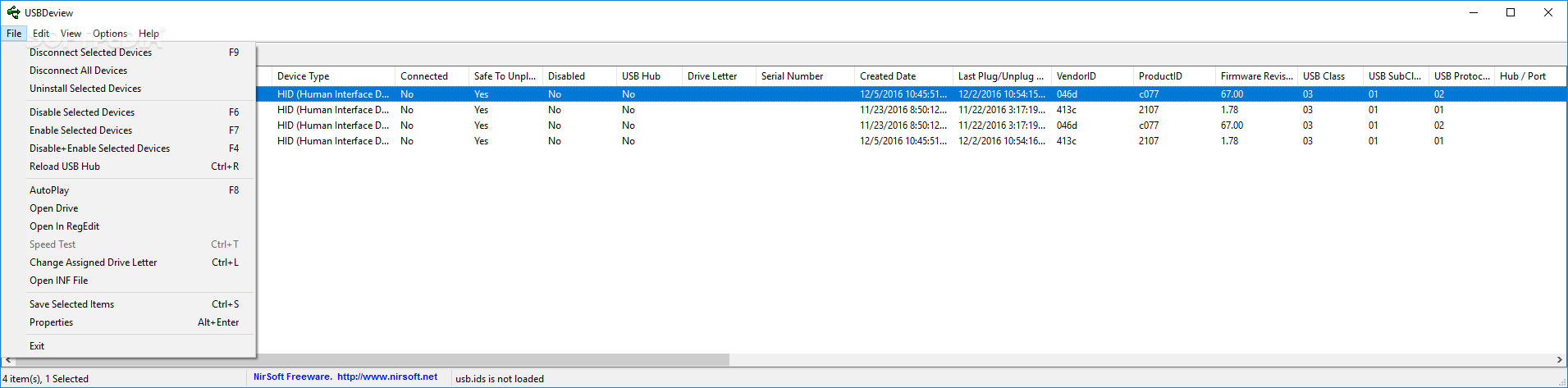
    USBDeview also allows you to uninstall USB devices that you previously used, and disconnect USB devices that are currently connected to your computer.
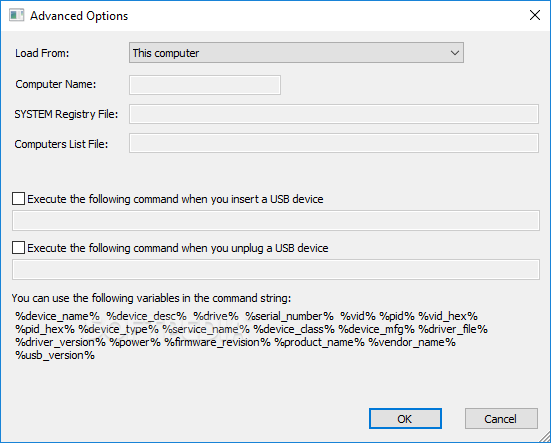
    You can also use USBDeview on a remote computer, as long as you login to that computer with admin user.

    USBDeview doesn't require any installation process or additional DLL files. Just copy the executable file (USBDeview.exe) to any folder you like, and run it. The main window of USBDeview will display all USB devices installed on your computer.
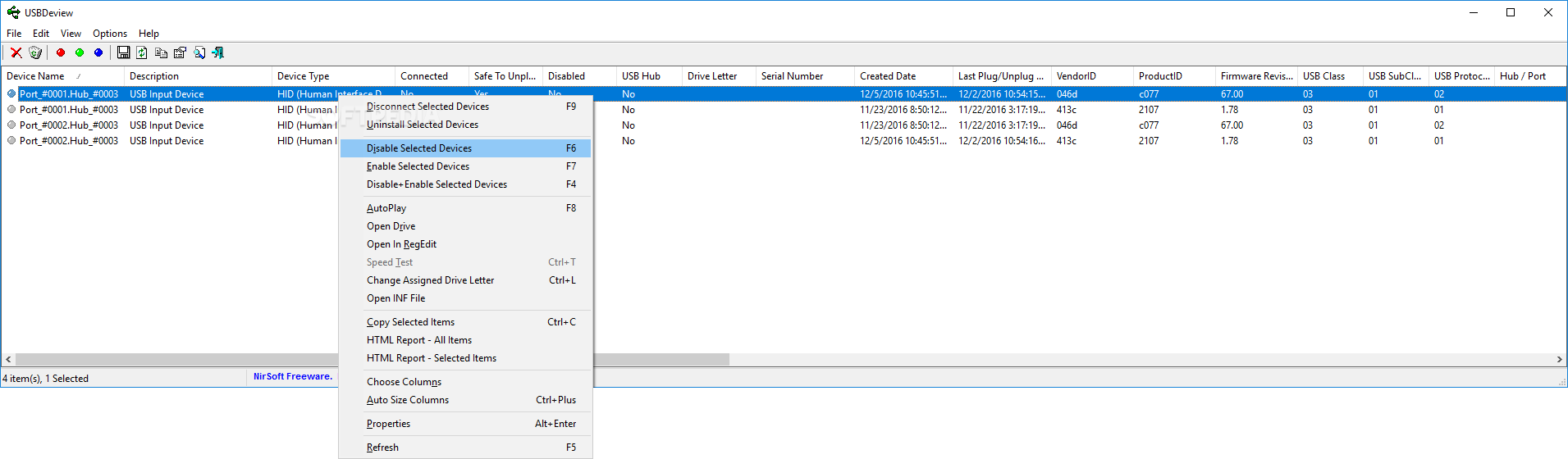
    You can select one or more items, and then disconnect (unplug) them, uninstall them, or just save the information into text/xml/html file.

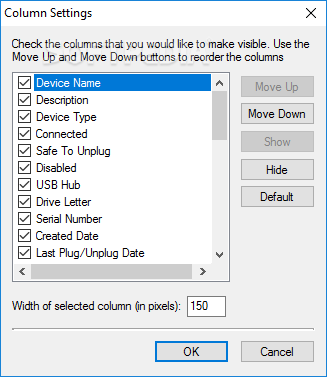
    USBDeview Columns Description:
    ■ Device Name: Specifies the device name. For some device, this column may display meaningless name, like "USB Device". If the device name is meaningless, try to look at the Description column.
    ■ Device Description: The description of the device.
    ■ Device Type: The device type, according to USB class code.
    ■ Connected: Specifies whether the device is currently connected to your computer. If the device is connected, you can use the 'Disconnect Selected Devices' option (F9) to disconnect the device.
    ■ Safe To Unplug: Specifies whether it's safe to unplug the device from the USB plug without disconnecting it first. If the value of this column is true, and you want to unplug this device, you must first disconnect this device by using the 'Disconnect Selected Devices' option (F9) of USBDeview utility, or by using the 'Unplug or Eject Hardware' utility of Windows operating system.
    ■ Drive Letter: Specifies the drive letter of the USB device. This column is only relevant to USB flash memory devices and to USB CD/DVD drives. Be aware that USBDeview cannot detect drive letters of USB hard-disks.
    ■ Serial Number: Specifies the serial number of the device. This column is only relevant to mass storage devices (flash memory devices, CD/DVD drives, and USB hard-disks).
    ■ Created Date: Specifies the date/time that the device was installed. In most cases, this date/time value represents the time that you first plugged the device to the USB port. However, be aware that in some circumstances this value may be wrong.
    ■ Last Plug/Unplug Date: Specifies the last time that you plugged/unplugged the device. This date value is lost when you restart the computer.
    ■ VendorID/ProductID: Specifies the VendorID and ProductID of the device.
    ■ USB Class/Subclass/Protocol: Specifies the Class/Subclass/Protocol of the device according to USB specifications.
    ■ Hub/Port: Specifies the hub number and port number that the device was plugged into. This value is empty for mass storage devices.

    Connecting To Remote Computer
    The following command-line options allows you to connect to remote computers. You must login to the remote computer with admin user in order to use these options
    ■ /remote
    Allows you to connect a single remote computer.
    For Example:
    USBDeview.exe /remote MyComp
    ■ /remotefile
    Allows you to connect multiple computers, and view all their USB activity in one window. The computers list file should be a simple Ascii text file with computer names separated by colon, semicolon, space, tab characters or CRLF.
    For Example:
    USBDeview.exe /remotefile "c:tempcomp.txt"

    Stop/Disconnect Command-Line Options
    ■ /stop {/showmsg} {RemoteComputer}
    Stop/disconnect a USB device by specifying its name or description.
    You don't have to specify the whole name or description. You can also specify only a part of the name or description string, and USBDeview will identify it. For example, If the device name is 'Kingston DataTraveler 2.0', you can simply put 'kingston' or 'DataTraveler' in the device name parameter, and USBDeview will disconnect the right device.
    If you want that a message/balloon will be displayed after the device is disconnected, add the '/showmsg' parameter. (Windows 2000 displays a message-box, Windows XP displays a balloon)
    If you want to disconnect a device in a remote computer, specify the remote computer name, with prefix. You must login to the remote computer with admin rights in order to do that.
    Examples:
    USBDeview.exe /stop /showmsg "DVD RW"
    USBDeview.exe /stop "DataTraveler"
    USBDeview.exe /stop comp01 "SanDisk Cruzer"
    ■ /stop_by_serial {/showmsg} {RemoteComputer}
    Similar to /stop command, but instead of specifying a device name, you should specify the serial number of the device. Works only with mass storage devices.
    Examples:
    USBDeview.exe /stop_by_serial ea051261
    USBDeview.exe /stop_by_serial /showmsg 876534513
    ■ /stop_by_drive {/showmsg} {RemoteComputer}
    Stop/disconnect a USB device by specifying its drive letter. Works only with USB flash drives and CD/DVD devices.
    Examples:
    USBDeview.exe /stop_by_drive g:
    USBDeview.exe /stop_by_drive /showmsg f:
    USBDeview.exe /stop_by_drive /showmsg comp02 t:
    ■ /stop_all {/showmsg} {RemoteComputer}
    Stop/disconnect all USB devices currently connected to your computer.

    Save Command-Line Options
    /stext - Save the list of all USB devices into a regular text file.
    /stab - Save the list of all USB devices into a tab-delimited text file.
    /stabular - Save the list of all USB devices into a tabular text file.
    /shtml - Save the list of all USB devices into HTML file (Horizontal).
    /sverhtml - Save the list of all USB devices into HTML file (Vertical).
    /sxml - Save the list of all USB devices to XML file.

    Limitations:

    · For all devices except 'Mass Storage' Devices: If you plug a device to one USB port, and then you plug the same device to another USB port, a new record of the same device will be created for each USB port that you plug. So if you see multiple lines for exactly the same device, it means that you plugged it to different USB ports. The USB ports that you plugged are specified in 'Hub/Port' column. However, for 'Mass Storage' device, only one record is created for each device, even if you plug it to different USB port.
    · When a USB device is added/removed on your local computer, UDBDeview utility automatically updates the list of USB devices. But... If you UDBDeview is connected to a remote computer, the list won't refresh automatically when a device is added or removed. You must refresh it manually, by pressing F5 key.

    What's New in This Release: [ read full changelog ]

    Fixed bug: USBDeview didn't allow you to make a speed test when the drive letter of the USB drive was A: or B:

       Softpedia guarantees that USBDeview 1.48 is 100% CLEAN, which means it does not contain any form of malware, including spyware, viruses, trojans and backdoors. [read more >]


    TAGS:

    USB information | uninstall USB | disconnect USB | USBDeview | USB | Device


    HTML code for linking to this page:


    Go to top

    Windows tabGames tabDrivers tabMac tabLinux tabScripts tabMobile tabHandheld tabGadgets tabNews tab

    SUBMIT PROGRAM   |   ADVERTISE   |   GET HELP   |   SEND US FEEDBACK   |   RSS FEEDS   |   ENTER NEWS SITE   |   ENGLISH BOARD   |   ROMANIAN FORUM