
Open, view, print and convert virtually any file (Windows and Mac). #Decompress file #Decode file #Macintosh disk #Decompress #Decode #Macintosh
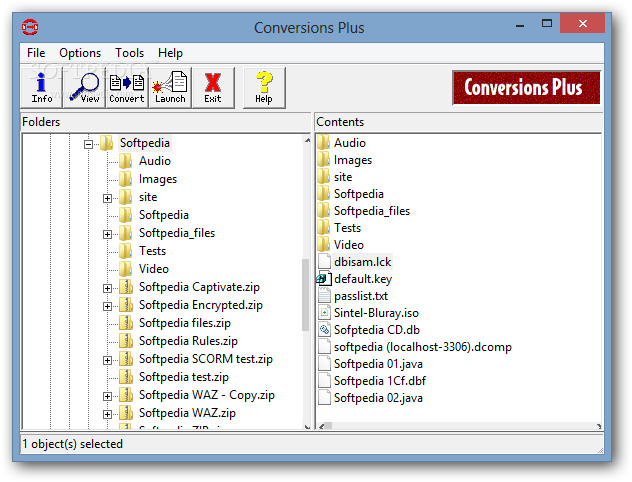
DataViz ConversionsPlus is a useful application that allows you to convert multiple file types with minimum effort. You can use this tool to identify certain files and to convert them in a format that your computer can open.
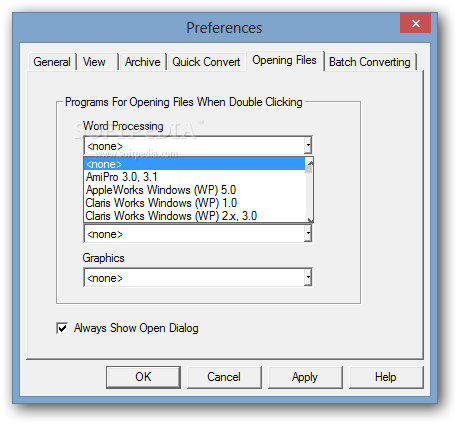
The main goal of the application is to help you open the items that are not associated with any program from your computer. Weather you do not have the right tool for opening the file or the extension is not correctly registered, ConversionsPlus can help you take a peek at the content.
This tool cannot open every type of file but it has a substantial list that includes most of the popular image formats, text documents, archive formats and spreadsheet types. Unfortunately, the list of supported files does not include the RAR archives and the documents saved by recent versions of Microsoft Office.
Unlike the default Windows behavior that simply launches a program associated with the file extension, this app analyzes the content before deciding if it can be opened. If you accidentally change the extension of an image, ConversionsPlus can display the content with no problem. When the content is unknown to the program, it suggests opening the file as text in order to get some idea about its content.
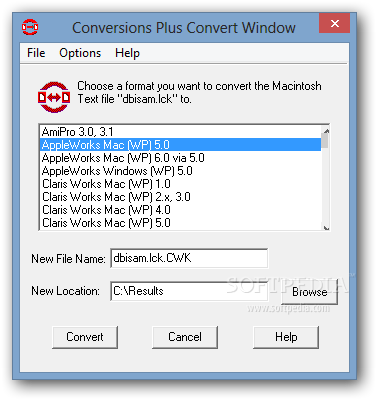
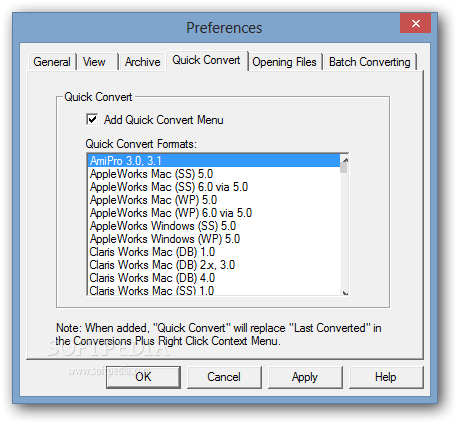
It has a familiar interface that resembles the Windows Explorer and enables you to browse to a specific folder in order to work with its content. The conversion feature can handle one item at a time or an entire folder with multiple file types. The output format for each category can be customized before stating the conversion.
DataViz ConversionsPlus is a compact program that can come in handy when you need to preview or convert unknown files. Although it fails to recognize most of the recent Office documents it does a decent job when dealing with images and archives.
DataViz ConversionsPlus 6.05
add to watchlist add to download basket send us an update REPORT- runs on:
- Windows All
- file size:
- 10.2 MB
- filename:
- conversionsplus6050.exe
- main category:
- System
- developer:
- visit homepage
IrfanView

7-Zip

Zoom Client

Windows Sandbox Launcher

Microsoft Teams

Bitdefender Antivirus Free

ShareX

4k Video Downloader

Context Menu Manager

calibre

- 4k Video Downloader
- Context Menu Manager
- calibre
- IrfanView
- 7-Zip
- Zoom Client
- Windows Sandbox Launcher
- Microsoft Teams
- Bitdefender Antivirus Free
- ShareX