
Get back control over your files and folders with the help of this tiny app specialized in unlocking files and killing hanging processes. #Unlock File #Remove Error #Kill Process #Unblock #Process #Terminate

We're not going to ask you why and just how many times you have been annoyed while working with Windows, we're just going to assume that that's just the normality, after all, we've all come to accept the little niggles for the grander good and convenience the Microsoft OS offers us.
Still, if you were to reach down in Windows' special bag of little annoyances, there's a good chance you'll find a couple of very popular situations when are not allowed to delete various files.
We've all been there, and admittedly, having vague errors like "Cannot delete file: Access is denied.", or "The file is in use by another program or user." or "The source or destination file may be in use." thrown in your face is not the least enjoyable.
Happily, there's a small and almost life-changing app called Unlocker which, as its name suggests, allows you to take back control over your files and permissions.
Regarded as the best app of this sort out there (it's definitely the most popular), Unlocker is capable of killing processes, unloading DLLs, deleting index.dat files, as well as unlocking, deleting, renaming, and moving locked files, usually without even requiring a reboot.
Before proceeding forward, a word of caution is in order: don't underestimate the efficiency of this app. Tiny it may be, but it's fully capable of both killing important processes and deleting critical files from your OS.
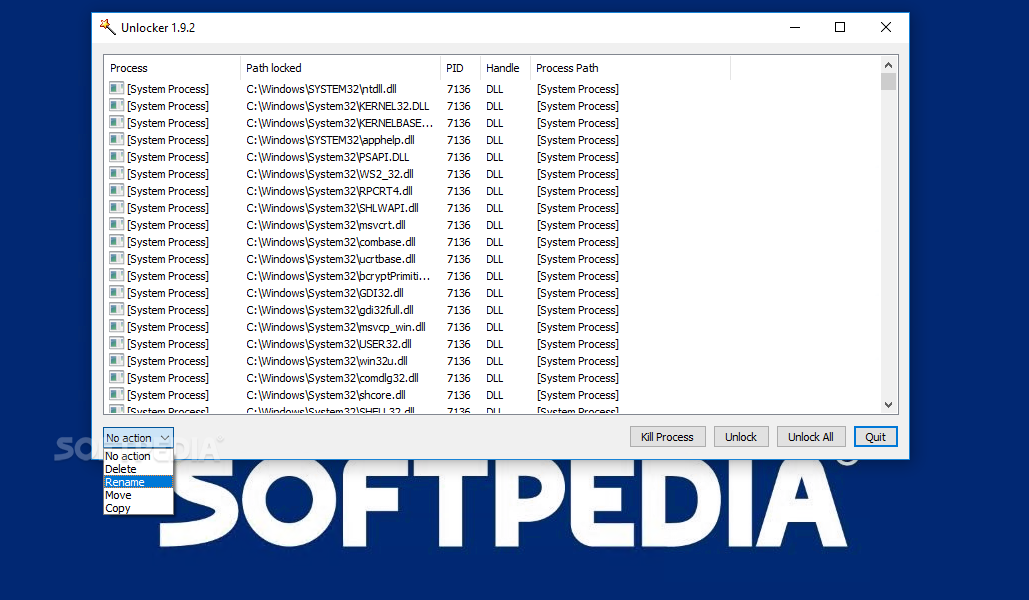
With that out of the way, there's not much to be said in regards to its functionality. Unlocker sports a basic, no-nonsense GUI which should help anyone access its minimal set of features with next to no effort.
Subsequent to its typical and surprise-free installation procedure, launch the app and browse for the files you want to unlock via the simple Explorer window.
You are then provided with a list of all the files or processes from the specific location if the application detects the so-called the process handles which have various active locks, as well as with the means of dealing with them.
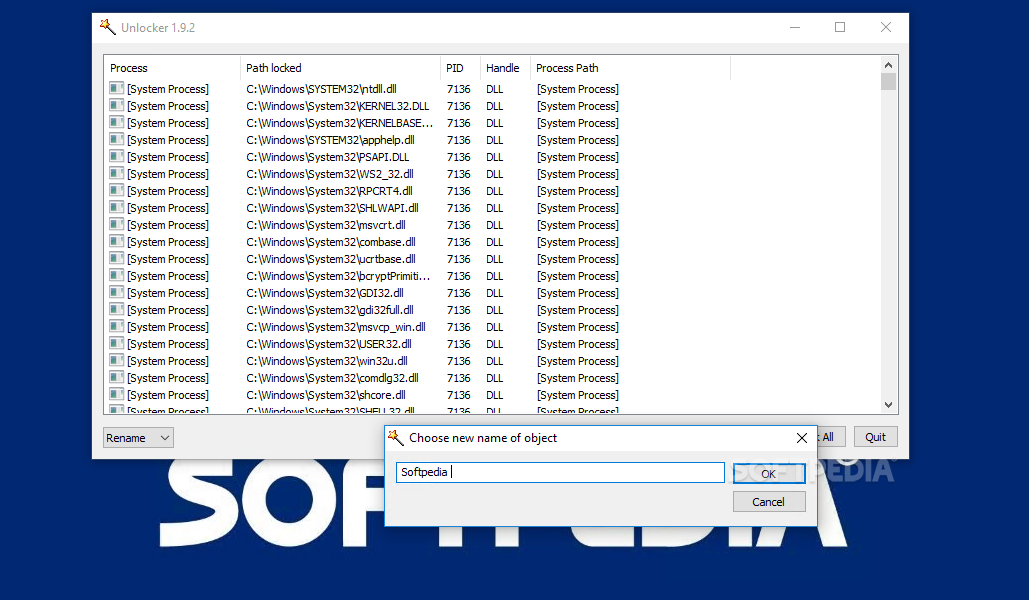
If, by chance, no locking handles have been found the utility prompts you to choose an action you want to perform on the selected object. You can choose to either delete, rename, move, or to take no action, pretty straightforward by all accounts.
The app is designed to work on basically all versions of Windows, with the latest Win 8, 8.1 and 10 included. However, users running these systems may notice that the app is not capable of shell integration and that the tray agent visible on older OSes is not present.
Since we're on the subject, we would also like to point out that both Vista and Windows 7 users might be required to disable the User Account Control feature in order to use this utility.
Taking everything into account, the conclusion is quite straightforward: Unlocker is one of those must-haves for every Windows user out there.
Despite its somewhat understandable compatibility problems with the latest versions of Windows, Unlocker is still, to this day, capable of improving your overall user experience by allowing you to take back control over your files or any hanging process that obstructing that from happening.
What's new in Unlocker 1.9.2:
- Improved Installer: Universal installer for both 32 and 64 bit machines
- Fixed Bug: Fixed small memory and behavior bugs
- Promotional feature: Fully optional Delta toolbar
Unlocker 1.9.2
 Softpedia Editor's Pick
add to watchlist
add to download basket
send us an update
REPORT
Softpedia Editor's Pick
add to watchlist
add to download basket
send us an update
REPORT
- PRICE: Free
- runs on:
-
Windows 10 32/64 bit
Windows 8 32/64 bit
Windows 7 32/64 bit
Windows Vista
Windows XP
Windows 2K - file size:
- 338 KB
- filename:
- Unlocker 1.9.2.msi
- main category:
- System
- developer:
- visit homepage
IrfanView

ShareX

7-Zip

Context Menu Manager

Windows Sandbox Launcher

calibre

Zoom Client

Microsoft Teams

4k Video Downloader

Bitdefender Antivirus Free

- Microsoft Teams
- 4k Video Downloader
- Bitdefender Antivirus Free
- IrfanView
- ShareX
- 7-Zip
- Context Menu Manager
- Windows Sandbox Launcher
- calibre
- Zoom Client