
Scroll pages in Firefox, Thunderbird and Flock and customize preferences in the smallest detail, such as drag speed, scroll direction and momentum #Scroll page #Firefox extension #Grab and drag #Scroll #Drag #Scrollbar

Grab And Drag is a simple extension for Firefox, Thunderbird and Flock, which provides users with an intuitive means of scrolling through web pages by grabbing and dragging them, as the name says.
It comprises an intuitive set of options that can be quickly configured by any type of users, regardless of their previous experience with such apps.
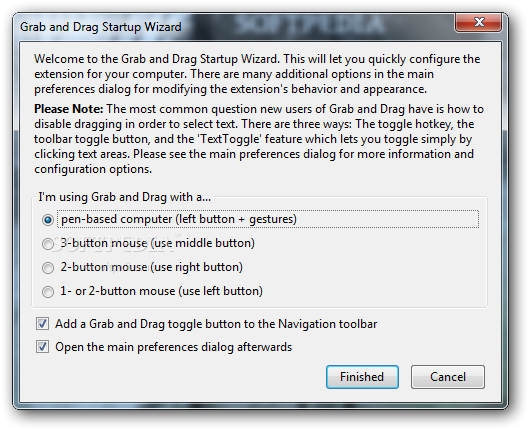
An initial configuration is necessary at startup, and these options that can be changed later on. You can specify the type of device used for grabbing and dragging, between pen-based computer (left button + gestures), 3-button mouse (middle button), 2 button mouse (right button), and 1- or 2- button mouse (left button).
You can add a Grab And Drag toggle button to the Navigation toolbar, and set the app to immediately open the main preferences dialog after exiting the wizard.
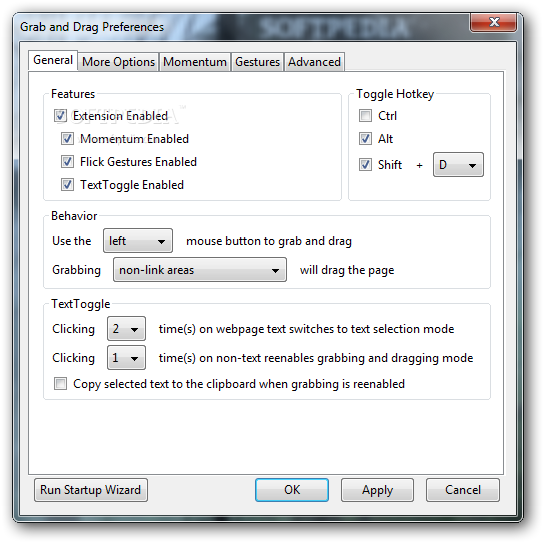
You can disable momentum and enable flick gestures and fast text toggle, set up a toggle hotkey, modify the previously set button for grabbing and dragging, as well as disable grabbing on links.
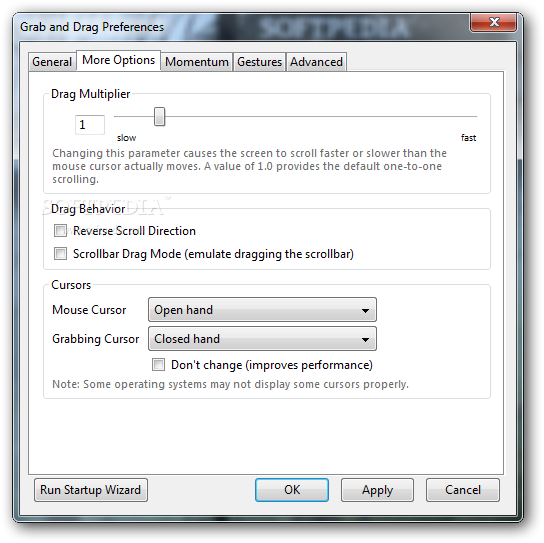
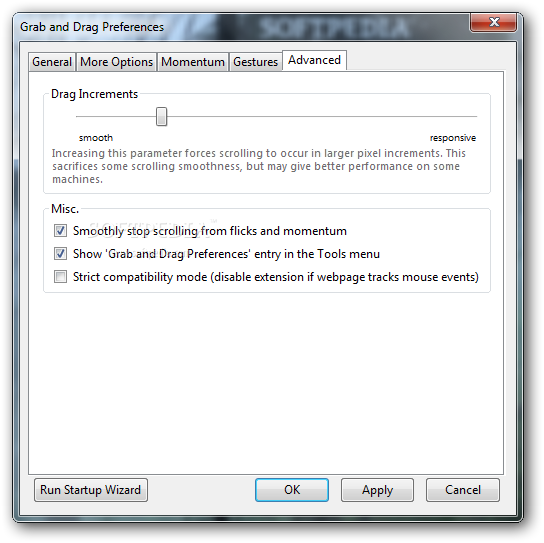
Grab And Drag also lets you create a list with websites to disable the add-on for (with wildcards), adjust the dragging speed, reverse the scrolling direction, emulate scrollbar dragging, as well as select the display for the mouse and grabbing cursor (e.g. closed hand, standard arrow, invisible).
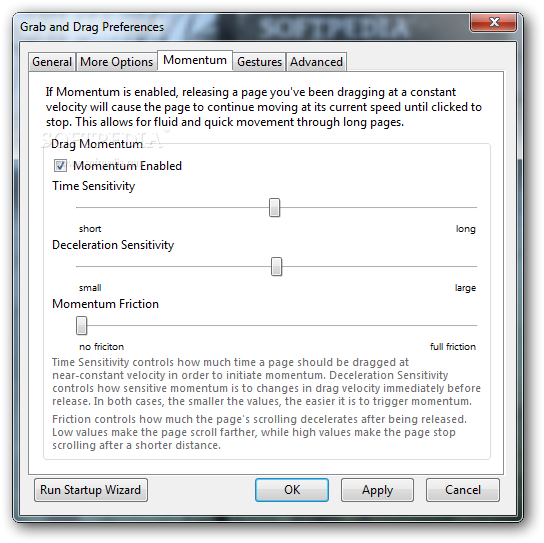
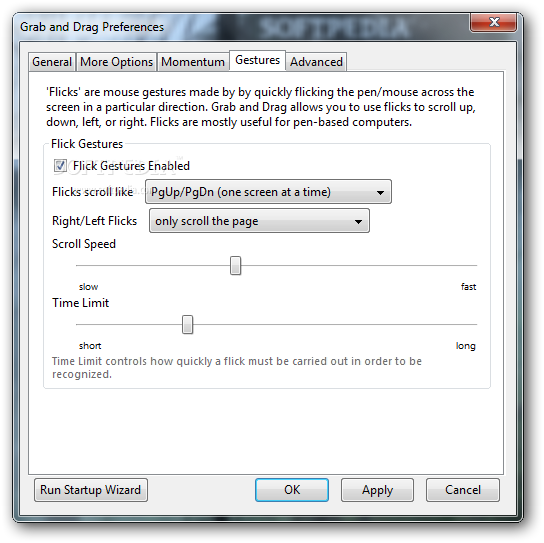
As far as momentum is concerned, you may tweak time and deceleration sensitivity along with momentum friction. In matter of flick gestures, it it possible to pick the scrolling behavior (one screen at a time, or to the edge of the webpage), right and left clicking action (e.g. only scroll the page), together with scroll speed and time limit.
The add-on can be easily disabled by clicking a button or using a key combination. It did not cause Firefox to hang, crash or pop up error dialogs in our tests. Grab And Drag comes packed with a rich feature-set for scrolling pages in Firefox, Thunderbird and Flock easier, and it is geared toward all user levels.
Download Hubs
Grab And Drag is part of these download collections: Thunderbird Tweaks
What's new in Grab And Drag 3.2.6:
- Update for improved compatibility with the upcoming "Australis" UI (Firefox 29 and above). If you're running Firefox 28 or below you do not need this update.
Grab And Drag 3.2.6
add to watchlist add to download basket send us an update REPORT- runs on:
-
Windows 2003
Windows 8 32/64 bit
Windows 7 32/64 bit
Windows Vista
Windows XP
Windows 2K - file size:
- 166 KB
- main category:
- Tweak
- developer:
- visit homepage
Context Menu Manager

Bitdefender Antivirus Free

Microsoft Teams

4k Video Downloader

7-Zip

Windows Sandbox Launcher

calibre

IrfanView

ShareX

Zoom Client

- IrfanView
- ShareX
- Zoom Client
- Context Menu Manager
- Bitdefender Antivirus Free
- Microsoft Teams
- 4k Video Downloader
- 7-Zip
- Windows Sandbox Launcher
- calibre